The Big Question
"Abhishek, I send invoices via WhatsApp. Some customers pay immediately. Some take 2 weeks. Some forget and I have to remind them. It is awkward and time-consuming. Is there a better way?"
The answer is yes.
Here is the truth:
You are not chasing payments because customers don't want to pay. You are chasing payments because your billing system is broken.
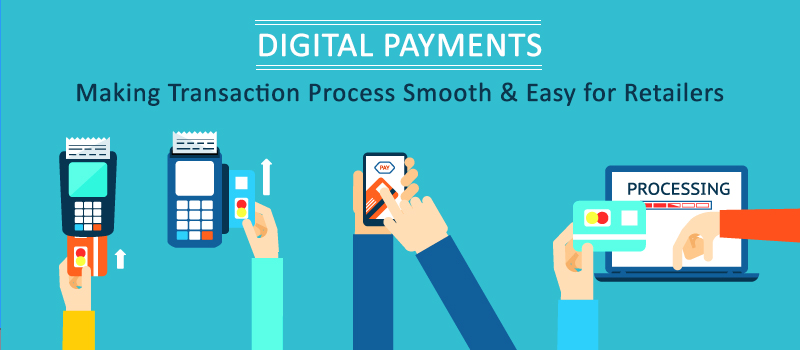
Digital payments and automated invoicing fix the system – so you don't have to chase.
Step 3: Digital Payments – What Are Your Options?
The 4 Ways to Accept Digital Payments
| Method | Best For | Cost | Setup Time | Customer Experience |
|---|---|---|---|---|
| UPI (Google Pay, PhonePe, Paytm) | Any business, in-person or online | 0-1% | 1 day | Very easy |
| Payment link | Send via WhatsApp/email | 2% | Instant | Easy |
| Payment gateway | Website checkout | 2% + ₹3-5 per transaction | 3-7 days | Seamless |
| Payment request (NEFT/IMPS) | Large orders, B2B | ₹0-10 per transfer | Already set up | Moderate |
"You don't need all four. Start with UPI QR code. Add payment links. Add a payment gateway when you have a website."
UPI QR Code – The Simplest Way to Get Paid
What is UPI QR?
A QR code that customers scan with any UPI app (Google Pay, PhonePe, Paytm, any bank app) to pay you instantly.
How to Set Up UPI QR (Step by Step)
| Step | Action | Time |
|---|---|---|
| 1 | Download Google Pay / PhonePe / Paytm business app | 5 min |
| 2 | Create business account (using your GST number or PAN) | 10 min |
| 3 | Generate your UPI QR code | 2 min |
| 4 | Print QR code (poster, sticker, or card) | ₹50-200 |
| 5 | Display at counter, on WhatsApp, on website | 10 min |
Where to Put Your UPI QR Code
| Place | Why |
|---|---|
| Shop counter | In-person payments |
| WhatsApp status | Customers can scan from phone |
| Invoice (email/WhatsApp) | Pay instantly |
| Website | Online payments |
| Social media (Instagram, Facebook) | Direct payments |
"UPI QR is free, takes 1 day to set up, and works for any business. Start here."
Payment Links – Send via WhatsApp or Email
What is a Payment Link?
A link you send to a customer. They click it, choose payment method (UPI, card, netbanking), and pay.
When to Use Payment Links
| Scenario | Why It Works |
|---|---|
| Customer asks "How do I pay?" | Send link, they pay instantly |
| Customer wants to pay later | Send link, they pay when ready |
| Remote customer (not in shop) | Link works anywhere |
| Large order (custom amount) | Create link for exact amount |
How to Create a Payment Link
| Tool | How It Works | Cost |
|---|---|---|
| Razorpay Payment Links | Create link in dashboard, share via WhatsApp/email | 2% |
| Instamojo Payment Links | Same, simpler interface | 2% + ₹3 |
| PhonePe Payment Links | From PhonePe business app | 1-2% |
Example Payment Link Message
"Hi [Customer], your total is ₹2,500. Pay here: [Payment Link]. You will receive receipt instantly. Thank you!"
"Payment links are the easiest way to get paid from remote customers. Create link. Send. Get paid."
Payment Gateway – For Your Website
What is a Payment Gateway?
Software that sits on your website checkout page. Customers enter card/UPI details and pay without leaving your site.
When You Need a Payment Gateway
| Scenario | Why |
|---|---|
| You have an e-commerce website | Customers expect seamless checkout |
| You sell digital products | Instant delivery after payment |
| You have recurring subscriptions | Monthly billing |
| You process hundreds of orders/day | Manual links would be too slow |
Popular Payment Gateways in India
| Gateway | Best For | Transaction Fee | Setup Time | Recurring Payments |
|---|---|---|---|---|
| Razorpay | Most small businesses | 2% | 3-7 days | Yes |
| Instamojo | Digital products, beginners | 2% + ₹3 | 1-3 days | No |
| PayU | Large volumes | 2% | 3-7 days | Yes |
| CCAvenue | International payments | 2-3% | 3-7 days | Yes |
"Razorpay is the best balance of features and ease for most small businesses."
Step 4: Automated Invoicing – Stop Manual Work
The Problem with Manual Invoicing
| Manual Task | Time per Invoice | Pain Point |
|---|---|---|
| Create invoice in Word/Excel | 5-10 minutes | Same template, filled repeatedly |
| Email/WhatsApp invoice | 2-3 minutes | Copy-paste, track who received |
| Check payment | Manual bank login, reconcile | Time-consuming |
| Send reminders | 5 minutes per reminder | Awkward, forgotten |
| Track paid/unpaid | Excel sheet | Errors, lost data |
The Solution: Automated Invoicing
| Feature | What It Does | Time Saved |
|---|---|---|
| Invoice templates | Create once, reuse forever | 90% |
| Auto-send invoice | Customer gets invoice instantly | 100% |
| Auto-reminders | Remind 3 days, 1 day before due | 100% |
| Auto-receipt | Send receipt when paid | 100% |
| Payment tracking | Dashboard shows paid/unpaid | 100% |
Automated Invoicing Tools
| Tool | Best For | Monthly Cost | Key Features |
|---|---|---|---|
| Razorpay Invoices | Small businesses | Free (2% transaction) | Payment links, reminders, receipts |
| Zoho Invoice | Freelancers, service businesses | Free – ₹1,000 | Recurring invoices, client portal |
| Instamojo | Digital products, beginners | Free (2% + ₹3) | Simple interface |
| Wave | International clients | Free (2.9% + ₹30) | Multi-currency |
"Automated invoicing pays for itself in the first week. No more forgotten payments. No more awkward reminders."
Step 5: Automated Billing Systems – Set It and Forget It
Recurring Payments (Subscriptions)
| Business Type | Use Case | Example |
|---|---|---|
| Service provider | Monthly retainer | ₹20,000/month on 5th of every month |
| Gym/membership | Monthly fee | ₹1,500/month on 1st |
| SaaS | Software subscription | ₹5,000/month |
| Agency | Monthly maintenance | ₹10,000/month |
How to Set Up Recurring Payments
| Tool | Setup | Customer Experience |
|---|---|---|
| Razorpay Subscriptions | Create plan → Customer signs once → Auto-charge each month | Seamless |
| Stripe Subscriptions | Same | Seamless |
| Bank mandate (NACH) | Customer signs mandate → Auto-debit each month | Seamless (requires more paperwork) |
"Recurring billing eliminates the 'can you send the invoice again?' dance. Customers sign once. Payments happen automatically."
Step 6: Real Example – Business That Automated Billing
The Business (Before)
| Detail | Information |
|---|---|
| Type | Digital marketing agency |
| Clients | 25 monthly retainer clients |
| Billing method | Manual invoices via WhatsApp/email |
| Pain points | 5 hours/week on invoicing, late payments common |
The Automation Solution
| Action | Tool |
|---|---|
| Automated invoicing | Razorpay Invoices (template, auto-send) |
| Payment reminders | Auto-reminders 3 days and 1 day before due |
| Recurring payments | Razorpay Subscriptions (clients signed once) |
| Receipts | Auto-sent when payment received |
The Results
| Metric | Before | After | Change |
|---|---|---|---|
| Time on billing per week | 5 hours | 30 minutes | -90% |
| Late payments | 30-40% of clients | 5-10% | -75% |
| Payment collection time (average) | 15 days | 3 days | -80% |
| "Did you receive payment?" calls | 20-30/month | 2-3/month | -90% |
Investment vs Return
| Item | Amount |
|---|---|
| Razorpay transaction fees (2%) | ₹10,000/month (on ₹5,00,000 collections) |
| Staff time saved (5 hours/week) | ₹20,000/month (value of time) |
| Faster cash flow | Priceless |
"Automated billing saved 5 hours a week and reduced late payments by 75%. That is worth far more than 2% transaction fees."
Step 7: Implementation Roadmap (7 Days)
Day 1-2: UPI QR Code
| Action | Time |
|---|---|
| Create business account on Google Pay/PhonePe | 15 min |
| Generate and print QR code | 30 min |
| Display at counter, on WhatsApp status | 15 min |
Day 3-4: Payment Gateway (If You Have a Website)
| Action | Time |
|---|---|
| Sign up for Razorpay/Instamojo | 1 hour |
| Submit KYC documents (PAN, GST, bank account) | 1 hour |
| Integrate with website (or use payment links) | 2 hours |
Day 5-7: Automated Invoicing
| Action | Time |
|---|---|
| Create invoice template (Razorpay Invoices) | 1 hour |
| Add client details (name, email, phone) | 2 hours |
| Set up recurring plan (if subscriptions) | 1 hour |
| Configure auto-reminders | 30 minutes |
"You can have digital payments and automated billing set up in one week. Start with UPI QR today. Add invoicing this week."
Step 8: Frequently Asked Questions
Q1: Which digital payment method should I start with?
UPI QR code. Free, instant, works for any business. Set up today.
Q2: What is the cheapest payment gateway?
Razorpay (2%) and Instamojo (2% + ₹3) are competitive. UPI QR is cheaper (0-1%) but requires customer to scan code.
Q3: Do I need a GST number to accept digital payments?
For UPI QR on personal accounts, no. For business accounts on payment gateways, yes (you need GST).
Q4: How do I send a payment link to a customer?
Razorpay and Instamojo dashboards: Create link → Copy → Send via WhatsApp/email.
Q5: What are the transaction fees for UPI?
-
Google Pay/PhonePe/Paytm personal: 0% (up to a limit, then 1%)
-
Payment gateways: 2% (includes UPI, card, netbanking)
Q6: How do I handle international payments?
PayPal (3-4%) or CCAvenue (2-3% + currency conversion). Not recommended for small volumes.
Q7: Can I send invoices via WhatsApp automatically?
Yes. Razorpay Invoices can send via WhatsApp if customer has provided phone number.
Q8: What happens if a customer pays twice by mistake?
Payment gateways have refund features. Refund to original source (takes 3-7 days). Notify customer.
Q9: How do I track which invoices are paid and unpaid?
Payment gateway dashboard shows status (paid, unpaid, overdue). Some also send weekly summary emails.
Q10: How can Innovative AI Solutions help?
We set up digital payment systems – UPI QR, payment gateways, automated invoicing, recurring billing – for small businesses.
Step 9: Final Tagline (SEO & Social Media Friendly)
"You send an invoice. Customer forgets. You remind them. Awkward. Digital payments and automated billing fix this. Set up once. Get paid faster."
Short version:
Digital payments & billing systems made easy – UPI, payment gateways, automated invoicing. Stop chasing payments. Start getting paid faster.
Hashtags:
#DigitalPayments #UPI #PaymentGateway #AutomatedInvoicing #SmallBusinessBilling #GetPaidFaster #InnovativeAISolutions
Ready to Get Paid Faster?
Stop chasing payments. Let digital payments and automated billing do the work.
Contact Us
Phone: +91 7464 099 059 / +91 96899 67356
Email: info@innovativeais.com
Address: Netaji Subhash Place, Pitampura, Delhi – 110034
Website: https://innovativeais.com
Related services: to apply this in your business, explore our WhatsApp chatbot development and custom software development.