The Big Question
"Abhishek, we know we need to be in the cloud. But with so many options and so many claimed benefits, what actually moves the needle for a business like ours?"
Here is the honest truth from someone who has helped enterprises of all sizes move to the cloud:
The benefits of cloud are real – but not all benefits matter equally to every business.
In this post, I will rank the top 10 benefits based on actual business impact, not marketing hype.
Let's dive in.
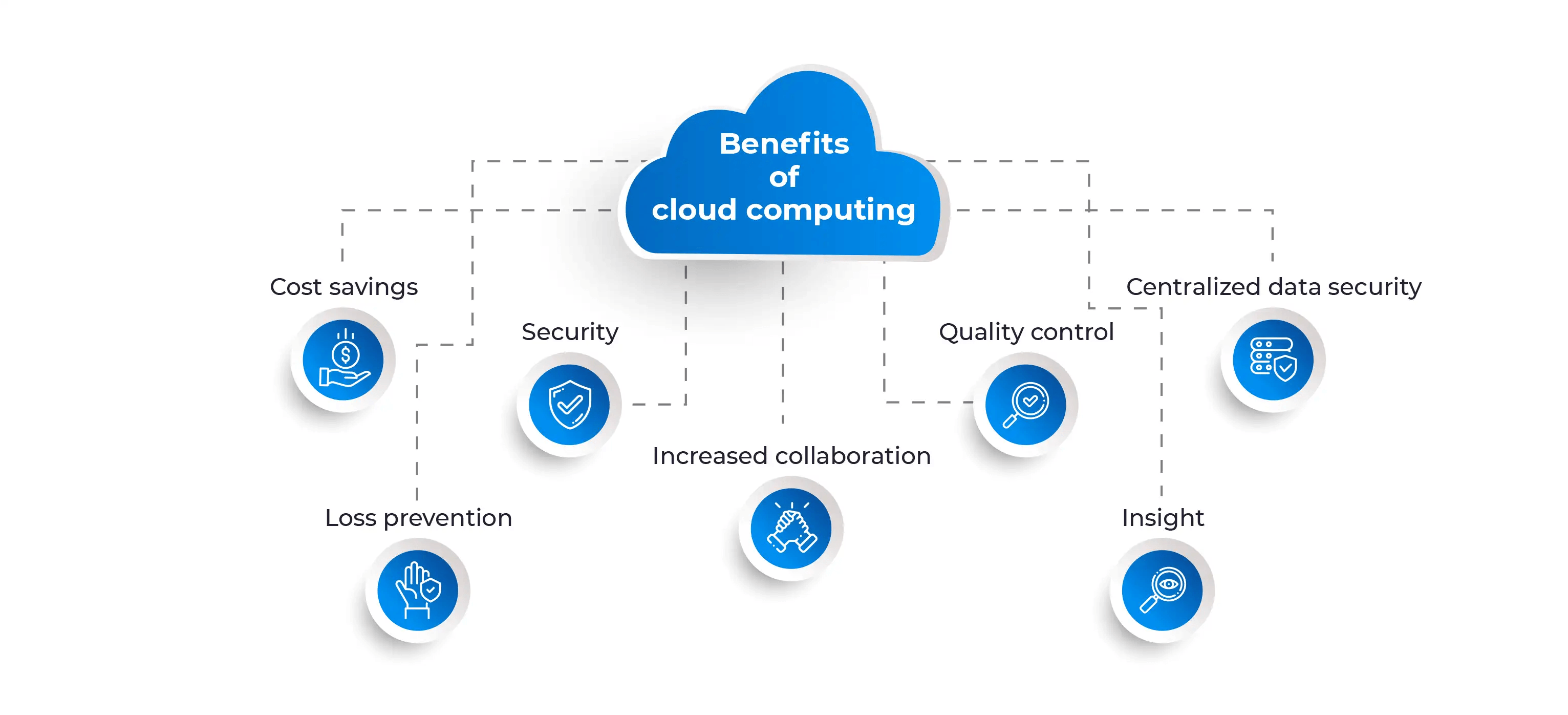
Step 3: The Top 10 Benefits – Ranked by Impact
Here is my ranked list. Let me explain each one in detail.
| Rank | Benefit | Impact Level | Time to Realize |
|---|---|---|---|
| 1 | Cost Optimization | Very High | Immediate to 3 months |
| 2 | Scalability & Elasticity | Very High | Immediate |
| 3 | Business Continuity & Disaster Recovery | High | 1-3 months |
| 4 | Remote Work Enablement | High | Immediate |
| 5 | Security & Compliance | High | 3-6 months |
| 6 | Faster Time-to-Market | High | 1-3 months |
| 7 | Access to Advanced Technologies (AI, ML, IoT) | Medium-High | 3-6 months |
| 8 | Global Reach | Medium | 1-3 months |
| 9 | Automatic Updates & Maintenance | Medium | Immediate |
| 10 | Environmental Sustainability | Low-Medium | Ongoing |
Now, let me explain each benefit in detail.
Benefit #1: Cost Optimization (Not Just Cost Savings)
Let me clarify something important.
The cloud is not automatically cheaper than on-premise. If you simply lift and shift your existing servers to the cloud, you might actually pay more.
The real benefit is cost optimization.
Here is what I mean:
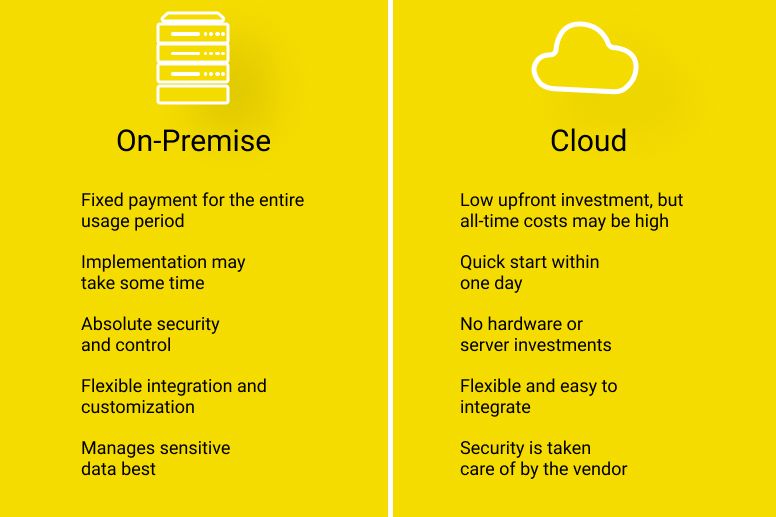
| Traditional IT Cost Model | Cloud Cost Model |
|---|---|
| Large upfront capital expenditure (₹50 lakhs – ₹5 crore+) | Zero upfront – pay as you go |
| Pay for peak capacity (servers idle 80% of the time) | Pay only for what you use |
| Maintenance, cooling, power, real estate included | Provider handles infrastructure |
| IT team spends 50% of time on maintenance | IT team focuses on innovation |
| Predictable but wasteful | Optimizable and efficient |
Real numbers from our clients:
-
E-commerce client: Reduced IT spend by 40% after moving to cloud and implementing auto-scaling
-
Manufacturing client: Cut data center costs by ₹2 crore annually by retiring on-premise servers
-
Fintech startup: Zero upfront infrastructure cost – launched with ₹50,000/month cloud bill instead of ₹50 lakhs upfront
The key to cost optimization:
Use FinOps – financial operations for cloud. Continuously monitor usage, right-size resources, use reserved instances for predictable workloads, and set budget alerts.
*"The cloud doesn't automatically save you money. But with the right strategy, it can reduce your IT spend by 30-50% while increasing flexibility."*
Benefit #2: Scalability & Elasticity
This is the benefit that most people think of first – and for good reason.
What scalability means in 2026:
-
Vertical scaling: Make a single server more powerful (more RAM, more CPU)
-
Horizontal scaling: Add more servers (from 1 to 1,000 in minutes)
-
Auto-scaling: Automatically add or remove resources based on demand
Real example:
An Indian e-commerce client experienced:
-
Normal traffic: 10,000 users/day
-
Diwali sale: 200,000 users/day (20x spike)
Before cloud: They would have needed to buy servers for peak capacity – sitting idle for 11 months of the year. Cost: ₹1.5 crore in wasted hardware.
After cloud: Auto-scaling added 50 servers during the sale, removed them after. Cost for the sale period: ₹3 lakhs. Savings: 98%.
Elasticity in action:
| Scenario | On-Premise | Cloud |
|---|---|---|
| Traffic spikes | Downtime or over-provisioning | Seamless auto-scaling |
| New product launch | Weeks of planning | Minutes to deploy |
| Global expansion | Build new data centers | Click to deploy in new region |
| Testing & development | Limited by hardware | Spin up, test, destroy – pay only for hours used |
"In the cloud, you don't pay for idle servers. You pay for what you use – no more, no less."
Benefit #3: Business Continuity & Disaster Recovery
How long can your business survive without its IT systems?
-
1 hour? You might lose some revenue.
-
1 day? You might lose customers.
-
1 week? You might lose your business.
Traditional disaster recovery:
-
Build a second data center (₹2-10 crore)
-
Replicate all data (complex, expensive)
-
Test twice a year (if you remember)
-
Recovery time: hours to days
Cloud disaster recovery:
-
Pay for cloud DR services (₹50,000-5,00,000/month)
-
Automatic replication across regions
-
Test with a click (no downtime)
-
Recovery time: minutes
Real example from our work:
A healthcare client needed 99.999% uptime (5 minutes of downtime per year). Their on-premise solution would have cost ₹8 crore for redundant data centers.
We moved them to a multi-region cloud architecture with automatic failover. Cost: ₹40 lakhs/year. Downtime in 2 years: 0 minutes.
"Cloud DR is not just for large enterprises anymore. SMEs can now get enterprise-grade resilience for a fraction of the cost."
Benefit #4: Remote Work Enablement
The pandemic changed everything. But even in 2026, remote and hybrid work is the norm, not the exception.
How cloud enables remote work:
| Capability | Without Cloud | With Cloud |
|---|---|---|
| Access company data from home | VPN (slow, complex, limited) | Cloud storage (fast, secure, anywhere) |
| Collaborate on documents | Email attachments (version chaos) | Real-time collaboration (Google Workspace, M365) |
| Run development environments | Local setup on each laptop | Cloud workspaces (access from any device) |
| Attend meetings | On-premise conferencing (limited) | Cloud video (Zoom, Teams, Meet) |
| Access business applications | VPN into office servers | SaaS applications from anywhere |
Real impact:
A client with 500 employees moved entirely to cloud-based work:
-
VPN costs: Eliminated (saved ₹50 lakhs/year)
-
IT support tickets: 60% reduction (no more "my VPN isn't working")
-
Employee productivity: +25% (faster access to resources)
-
Real estate: Reduced office space by 40%
"The cloud is the ultimate enabler of remote work. Your employees can work from anywhere – securely, productively, and without frustration."
Benefit #5: Security & Compliance
Many enterprises worry that cloud is less secure than on-premise. The opposite is often true.
Cloud security advantages:
| Security Aspect | On-Premise | Cloud |
|---|---|---|
| Physical security | You build and maintain | Provider invests billions |
| Network security | Your team configures | Enterprise-grade DDoS, firewalls, WAF |
| Encryption | You implement | Built-in, often automatic |
| Compliance certifications | You pay for audits | Provider holds major certifications (ISO, SOC, PCI, HIPAA) |
| Security updates | Your team patches | Automatic or one-click |
| Threat detection | Limited by your tools | AI-powered, continuous monitoring |
Real example:
A fintech client needed PCI DSS compliance for payment processing. On-premise would have required:
-
Dedicated security team: ₹2 crore/year
-
Compliance audits: ₹50 lakhs/year
-
Security infrastructure: ₹1 crore upfront
They chose a cloud provider with PCI-certified services. Cost: ₹30 lakhs/year. Compliance achieved in 3 months instead of 12.
Important note:
Security is a shared responsibility. The cloud provider secures the infrastructure. You secure your data, access controls, and configurations.
"For most enterprises, the cloud is more secure than what they can build themselves – unless you are a bank with unlimited budget."
Benefit #6: Faster Time-to-Market
Speed matters. In 2026, the businesses that launch first often win.
How cloud accelerates development:
| Activity | On-Premise | Cloud |
|---|---|---|
| Provision a server | Days to weeks | Seconds to minutes |
| Set up a database | Days | Minutes (managed services) |
| Deploy an application | Hours (manual) | Minutes (automated CI/CD) |
| Test at scale | Limited by hardware | Spin up 1,000 servers, test, destroy |
| Launch in new region | Build new data center (months) | Click to deploy (minutes) |
Real example from our work:
A SaaS startup needed to launch their MVP in 3 months.
-
On-premise approach: Order servers (2 weeks), set up networking (1 week), configure security (1 week), deploy application (2 weeks) – total 6 weeks just for infrastructure. Missed launch window.
-
Cloud approach: Spin up cloud resources (1 day), deploy application (1 week) – total 1 week for infrastructure. Launched on time.
"In the cloud, infrastructure is never the bottleneck. Your only limit is your code and your ideas."
Benefit #7: Access to Advanced Technologies (AI, ML, IoT)
In 2026, competitive advantage often comes from AI and data. The cloud makes these accessible to every enterprise.
Cloud AI/ML services:
| Capability | Cloud Service | What You Can Build |
|---|---|---|
| Vision AI | Rekognition, Vision API | Image recognition, face detection, content moderation |
| Language AI | Comprehend, Natural Language | Sentiment analysis, entity extraction, translation |
| Conversational AI | Lex, Dialogflow | Chatbots, voice assistants |
| Document AI | Textract, Document AI | Invoice processing, form extraction |
| Custom ML | SageMaker, Vertex AI | Train your own models |
| Generative AI | Bedrock, Vertex AI Gen | Text generation, image creation, summarization |
Real example:
A logistics client wanted to automate invoice processing. Before cloud:
-
Hire ML engineers (₹2 crore/year)
-
Build infrastructure (₹50 lakhs)
-
Train models (6 months)
With cloud:
-
Use Document AI service (₹50,000/month)
-
One developer integrated in 2 weeks
-
90% accuracy from day one
"You don't need to be Google to use AI. The cloud brings enterprise-grade AI to every business."
Benefit #8: Global Reach
Want to serve customers in 10 countries? The cloud makes it possible without building data centers everywhere.
Global infrastructure (2026):
| Provider | Regions | Countries | Edge Locations |
|---|---|---|---|
| AWS | 30+ | 20+ | 400+ |
| Azure | 60+ | 20+ | 200+ |
| Google Cloud | 40+ | 20+ | 180+ |
How global reach benefits your business:
-
Low latency: Serve users from nearby regions (50ms instead of 300ms)
-
Data residency: Keep data in specific countries for compliance
-
Disaster recovery: Replicate across continents
-
Global expansion: Launch in new countries without new infrastructure
Real example:
An Indian e-commerce client expanded to Southeast Asia. With cloud:
-
Deployed application to Singapore region (1 day)
-
Served Indonesian users from Singapore (50ms latency)
-
Stored customer data in region (compliance)
-
Total infrastructure cost: +20% for 5x the market reach
"The cloud flattens the world. Your business can be global from day one."
Benefit #9: Automatic Updates & Maintenance
How much time does your IT team spend on maintenance?
-
Patching servers
-
Updating software
-
Replacing failed hardware
-
Managing backups
In the cloud, much of this goes away.
| Maintenance Task | On-Premise | Cloud |
|---|---|---|
| Server patching | Your team (hours/week) | Automatic or one-click |
| Hardware replacement | Your team (days) | Provider handles (transparent) |
| Software updates | Your team (scheduling, testing) | Managed services update automatically |
| Backup management | Your team (configuration, monitoring) | Built-in, configurable |
| Capacity planning | Your team (forecasting, purchasing) | Auto-scaling handles |
The result:
Your IT team stops being firefighters and starts being innovators.
"Cloud shifts your IT team from maintenance to value creation. That is the real productivity gain."
Benefit #10: Environmental Sustainability
This benefit is growing in importance – for regulators, customers, and employees.
Cloud sustainability advantages:
| Factor | On-Premise Data Center | Cloud Data Center |
|---|---|---|
| Energy efficiency | 40-60% | 70-90% (utilization) |
| Renewable energy | You must source | Providers invest heavily (AWS: 100% renewable by 2026) |
| Carbon emissions | Higher per workload | Lower per workload (shared infrastructure) |
| E-waste | You dispose | Provider manages responsibly |
Real impact:
A client moved 100 servers to the cloud:
-
Energy consumption: Reduced by 65% (shared, efficient infrastructure)
-
Carbon footprint: Reduced by 70% (provider's renewable energy)
-
E-waste: Eliminated (no more hardware disposal)
For enterprises with ESG goals:
Cloud migration is one of the fastest ways to reduce your IT carbon footprint.
"Sustainability is not just good for the planet. It is good for business. Cloud helps you achieve both."
Step 4: Real Indian Enterprise Success Stories
Let me share two examples of Indian enterprises leveraging cloud benefits.
Success Story 1: Large Manufacturing Conglomerate
The challenge: 20 factories, 10,000 employees, legacy on-premise systems. High IT costs, frequent downtime, unable to scale during demand spikes.
Cloud transformation:
-
Migrated ERP to cloud (SAP on Azure)
-
Implemented hybrid cloud for factory data (keep sensitive data on-premise)
-
Deployed cloud analytics for supply chain optimization
Results:
-
IT costs: Reduced by 35% (₹5 crore/year savings)
-
Downtime: 99.99% uptime (from 99.5%)
-
Supply chain visibility: Real-time across all factories
-
New product launch: 3 months faster
Success Story 2: Indian BFSI Enterprise
The challenge: Stringent regulatory requirements (RBI data localisation), legacy systems, slow time-to-market for new digital products.
Cloud transformation:
-
Hybrid cloud model (sensitive data on-premise, customer-facing apps in cloud)
-
Used Indian cloud region for data residency
-
Implemented DevSecOps for faster, secure deployments
Results:
-
Time-to-market for new products: From 6 months to 6 weeks
-
Compliance: Passed RBI audit with zero findings
-
Customer satisfaction: +40% (faster digital services)
-
Operational costs: -30%
Step 5: The 2026 Cloud Landscape – What's Changed
Here is what has evolved in recent years:
1. Multi-Cloud is Standard
Most enterprises now use multiple cloud providers (AWS + Azure + Google + Indian providers) to avoid lock-in and optimize costs.
2. Hybrid Cloud Dominates
Pure public cloud is rare for enterprises. Hybrid (public + private + on-premise) is the norm.
3. FinOps is Essential
Cloud cost management is now a discipline. Enterprises have dedicated FinOps teams.
4. Security is Shared
The "security in the cloud vs security of the cloud" conversation is mature. Enterprises understand their responsibilities.
5. Indian Providers are Viable
Utho Cloud, CtrlS, and others offer competitive alternatives for data residency and cost predictability.
Step 6: Frequently Asked Questions
Q1: Is cloud computing cheaper than on-premise?
It depends. For many workloads, yes – especially when you factor in maintenance, power, cooling, and real estate. But the real benefit is cost optimization, not just cost savings.
Q2: Which cloud provider should I choose?
There is no single answer. Many enterprises use multiple providers. AWS has the broadest services, Azure integrates well with Microsoft, Google Cloud excels at AI/ML, and Indian providers offer local advantages.
Q3: How do I ensure security in the cloud?
Follow the shared responsibility model. The provider secures the infrastructure. You secure your data, access, and configurations. Use encryption, strong access controls, and continuous monitoring.
Q4: What about data localisation requirements?
Hybrid cloud and Indian cloud providers can help. Keep sensitive data on-premise or with Indian providers. Use cloud regions within India for other workloads.
Q5: How do I control cloud costs?
Implement FinOps. Continuous monitoring, right-sizing, reserved instances, budget alerts, and chargeback/showback for business units.
Q6: Can we move everything to the cloud at once?
Unlikely. Most successful cloud migrations are gradual. Start with non-critical workloads, learn, then expand.
Q7: What skills does my team need?
Basic cloud literacy for everyone. Deeper skills for architects, security engineers, and FinOps specialists. Plan for training or hiring.
Q8: How long does a cloud migration take?
From months to years, depending on scale. A small enterprise (100 servers) might take 6-12 months. A large enterprise (1,000+ servers) might take 2-3 years.
Q9: What about vendor lock-in?
Multi-cloud and open standards reduce lock-in. Use containerization (Kubernetes), infrastructure as code (Terraform), and avoid proprietary services when possible.
Q10: Is cloud computing sustainable?
Yes. Cloud data centers are typically 3-5x more energy-efficient than on-premise data centers. Providers are investing heavily in renewable energy.
Step 7: Final Tagline (SEO & Social Media Friendly)
"The cloud is not optional in 2026. It is the foundation of competitive enterprises – enabling cost optimization, scalability, security, and innovation."
Short version for LinkedIn/Twitter:
Top 10 cloud benefits for enterprises in 2026: cost optimization, scalability, remote work, security, and more. Here is why your business needs cloud – and how to start.
Hashtags:
#CloudComputing #EnterpriseCloud #DigitalTransformation #FinOps #HybridCloud #MultiCloud #InnovativeAISolutions #CloudBenefits2026
Ready to Start Your Cloud Journey?
The cloud is not just technology. It is a business strategy. Let us help you realize these benefits for your enterprise.
Contact Us
Phone:
+91 7464 099 059
+91 96899 67356
Email:
info@innovativeais.com
Office Address:
Netaji Subhash Place, Pitampura, Delhi – 110034
Working Hours:
Monday–Friday, 10:00 AM – 7:00 PM IST
Related services: to apply this in your business, explore our cloud services and document AI and OCR.