The Big Question
"Abhishek, we want to build an AI assistant that can see what our users point their camera at, listen to their voice, answer questions, and take actions. How hard is that? And where do we even start?"
It means you are thinking about the future.
But here is the honest answer from someone who has built half a dozen multimodal assistants:
Harder than you think. Easier than it was last year. Still full of traps.
Let me explain.
A multimodal AI assistant is an application that can understand and respond to multiple types of input:
-
Text (typed messages, chat)
-
Voice/Speech (spoken commands, questions)
-
Images (photos, screenshots, documents)
-
Video (short clips, real-time camera feed)
-
Audio (recordings, music, environmental sounds)
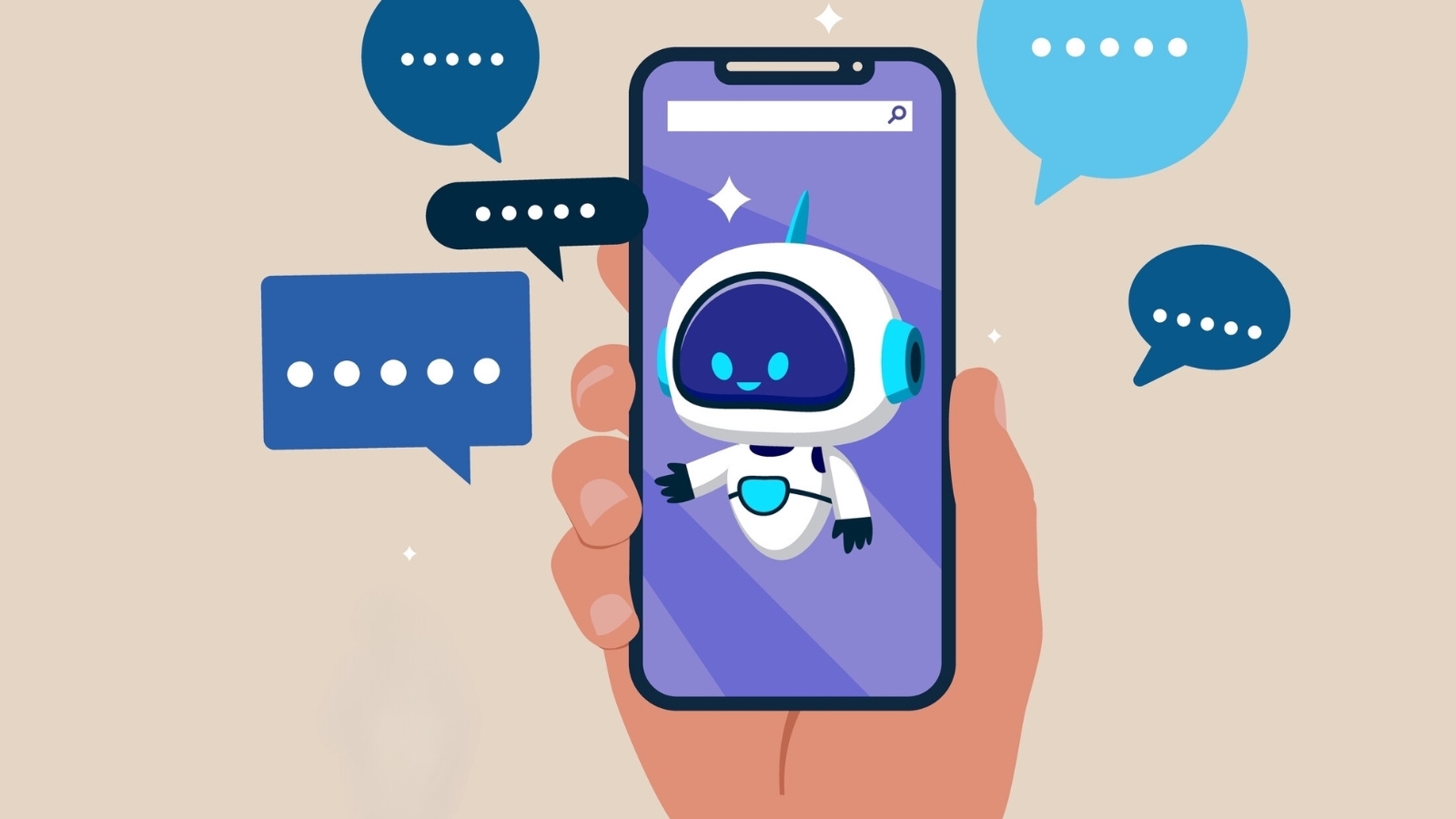
And the magic happens when it combines them. A user can point their phone at a broken machine part, say "What is this and how do I fix it?" and the assistant understands both the image and the question together.
That is multimodal. And it is transforming mobile apps.
But building it well requires a completely different approach than traditional app development.
Let me show you what actually works.
Step 3: What Makes Multimodal Different? (No Jargon, Just Honesty)
Here is a simple comparison based on our actual projects.
| Factor | Traditional Mobile App | Text-Only AI Assistant | Multimodal AI Assistant |
|---|---|---|---|
| Input types | Touch, text, buttons | Text only | Voice, image, video, text, audio |
| Understanding | Exact commands | Text intent | Cross-modal reasoning (image + text together) |
| User experience | User adapts to app | User types carefully | App adapts to user (natural interaction) |
| Development complexity | Moderate | Moderate-High | High |
| Compute location | Device + cloud | Mostly cloud | Hybrid (on-device for speed, cloud for heavy tasks) |
| Latency expectations | <100ms | <1-2 seconds | <2-3 seconds (with good design) |
| Cost per interaction | Very low (server + bandwidth) | Low (tokens/API calls) | Higher (vision + audio + text tokens) |
| Battery impact | Low | Low | Moderate-High (if poorly optimized) |
| Example | Weather app with search | ChatGPT app | Google Lens + voice + search together |
The key insight:
Multimodal assistants are not just "text assistants with extra features." They require rethinking everything:
-
How you process input
-
Where you run models (device vs cloud)
-
How you manage latency and cost
-
How you handle failures gracefully
Step 4: Real Examples – Multimodal Assistants We Have Built
Let me share three actual projects from our portfolio.
Example 1: Healthcare Symptom Checker
The problem:
A telemedicine app wanted users to describe symptoms naturally – not by filling long forms. Users could point their camera at a rash, speak "What is this and should I see a doctor?" and get an answer.
What we built:
A multimodal assistant that:
-
Analyzes skin images using a vision model
-
Transcribes voice to text
-
Combines both inputs to generate a likely condition
-
Recommends action (home care, pharmacy, or doctor visit)
Technical stack:
-
On-device: Wake word detection, basic image preprocessing
-
Cloud: GPT-4V (vision) + Whisper (speech) + custom medical knowledge base
Challenges we faced:
-
Latency: 4-5 seconds initially. Optimized to 2.5 seconds by using smaller models for initial screening.
-
False positives: Vision models sometimes saw things that weren't there. Added a confidence threshold and "not sure" fallback.
Results:
-
60% reduction in form abandonment
-
Users completed symptom checks in 90 seconds instead of 5 minutes
-
Higher user satisfaction (4.6/5 vs 3.8/5 for text-only)
Example 2: Retail Product Search
The problem:
An e-commerce app wanted users to find products by pointing their camera at anything – a friend's shoes, a furniture catalog, a handwritten note.
What we built:
A multimodal assistant that:
-
Identifies objects in images
-
Matches them to products in inventory
-
Allows voice refinement ("Find this dress but in blue")
-
Shows results with prices and "buy now" options
Technical stack:
-
On-device: CLIP-based embedding model for initial image search
-
Cloud: Larger vision model for difficult matches + LLM for voice refinement
Challenges we faced:
-
Inventory matching: Generic vision models suggested products we didn't sell. Fine-tuned on our client's catalog.
-
Real-time camera: Processing every frame would kill battery. Implemented trigger-based capture (user taps screen to freeze and analyze).
Results:
-
Search conversion rate increased by 2.5x
-
Average order value up 25% (users found products they didn't know existed)
-
Support tickets for "I can't find this product" dropped by 70%
Example 3: Field Service Assistant
The problem:
A manufacturing company had field technicians who needed to diagnose equipment problems quickly. Typing on dirty, gloved hands was impossible.
What we built:
A multimodal assistant that:
-
Listens to the technician speaking ("The motor on unit 47 is making a grinding noise")
-
Allows pointing camera at the machine
-
Access maintenance manuals and previous repair logs
-
Speaks back instructions step by step
Technical stack:
-
On-device: Speech-to-text (small model), text-to-speech
-
Cloud: RAG system over maintenance manuals + LLM for diagnosis
Challenges we faced:
-
Industrial noise: Speech recognition failed near loud machines. Added push-to-talk button as fallback.
-
Offline operation: Factories have spotty internet. Added offline mode with basic diagnosis and sync when connection returns.
Results:
-
Repair time reduced by 40%
-
New technicians became productive in 2 weeks instead of 3 months
-
Error rate on repairs dropped by 60%
Notice the pattern?
Every successful multimodal assistant:
-
Starts with a clear use case (not "let's add AI because cool")
-
Uses hybrid architecture (some on-device, some cloud)
-
Has graceful fallbacks when AI is uncertain
-
Is optimized ruthlessly for latency and cost
Step 5: Cost Based on Mobile App Type (2026 Realistic Pricing)
Here is what you will actually pay for different types of multimodal assistants in 2026. These are real ranges from our projects.
| App Type | Text-Only Assistant Cost (₹) | Multimodal Assistant Cost (₹) | Monthly API/Cloud Cost (₹) |
|---|---|---|---|
| Basic FAQ assistant | 25,000 – 80,000 | 1,00,000 – 2,50,000 | 5,000 – 20,000 |
| Customer support assistant | 80,000 – 2,00,000 | 2,50,000 – 5,00,000 | 20,000 – 80,000 |
| E-commerce product finder | 1,00,000 – 3,00,000 | 3,00,000 – 7,00,000 | 30,000 – 1,50,000 |
| Healthcare symptom checker | 2,00,000 – 5,00,000 | 5,00,000 – 12,00,000 | 50,000 – 2,00,000 |
| Field service/industrial assistant | 3,00,000 – 6,00,000 | 6,00,000 – 15,00,000 | 40,000 – 1,50,000 |
| Enterprise full multimodal agent | 5,00,000 – 10,00,000 | 10,00,000 – 25,00,000 | 1,00,000 – 5,00,000 |
Why is multimodal more expensive?
Because you are paying for:
-
Vision models (more expensive per call than text)
-
Speech-to-text and text-to-speech (Whisper, ElevenLabs, etc.)
-
More complex infrastructure (managing image/video uploads, streaming)
-
More testing (edge cases multiply with each modality)
But here is what most people miss:
A well-built multimodal assistant often replaces multiple other systems:
-
Forms and surveys
-
Search interfaces
-
Menu navigation
-
Human support agents
When you factor in what you save, multimodal pays for itself quickly.
Step 6: Breakdown by Developer Type (2020 – 2026 Rates)
I have been hiring developers since 2020. Here is how rates have evolved – and what you should expect to pay for multimodal specialists in 2026.
| Developer Type | 2020 Rate (₹/month) | 2024 Rate (₹/month) | 2026 Rate (₹/month) | What Changed |
|---|---|---|---|---|
| Mobile Developer (iOS/Android) | 40,000 – 70,000 | 50,000 – 90,000 | 55,000 – 1,00,000 | Cross-platform tools reduced demand |
| Backend Developer (API integration) | 40,000 – 70,000 | 50,000 – 90,000 | 60,000 – 1,10,000 | Multimodal API skills now required |
| AI/ML Engineer (traditional) | 50,000 – 80,000 | 70,000 – 1,20,000 | 80,000 – 1,50,000 | Still valuable, but not sufficient alone |
| Multimodal AI Specialist | Did not exist | 1,20,000 – 2,00,000 | 1,80,000 – 3,50,000 | New role. Very scarce. Combines vision, speech, language. |
| On-Device ML Engineer | Did not exist | 80,000 – 1,50,000 | 1,20,000 – 2,50,000 | Optimizes models to run on phones (battery, latency) |
| Prompt Engineer (multimodal) | Did not exist | 50,000 – 1,00,000 | 80,000 – 1,80,000 | Crafts prompts that work across text, image, audio |
The 2026 reality:
Multimodal AI specialists are the most expensive and hardest-to-find roles in mobile development today. If you find a good one, pay them well and keep them.
But here is a secret: you may not need a dedicated specialist for your first project.
Many teams start with:
-
A strong mobile developer + backend developer
-
Using pre-built multimodal APIs (GPT-4V, Gemini, Claude Vision)
-
Adding specialists only when they hit scaling limits
This approach can save you 40-60% on initial development costs.
Step 7: Why Prices Changed in 2026
You might be wondering why building multimodal assistants costs what it does today.
Here is what happened.
1. Vision-Enabled LLMs Became Mainstream
GPT-4V launched in late 2023. Gemini and Claude Vision followed. By 2026, these models are mature, reliable, and available via API.
But they are still expensive per call compared to text-only models.
A text-only call: ~0.01−0.05Amultimodalcall(image+text): 0.01−0.05Amultimodalcall(image+text): 0.05-0.20
That adds up fast with thousands of users.
2. On-Device Model Optimization Matured
In 2024, running a vision model on a phone was nearly impossible. By 2026, we have:
-
Quantized models (smaller, faster, slightly less accurate)
-
NPUs (Neural Processing Units) in most mid-range and high-end phones
-
Mature libraries (ML Kit, Core ML, TensorFlow Lite)
This means we can now do some processing on the device, saving cloud costs and reducing latency.
3. Open Source Multimodal Models Emerged
Models like LLaVA, BLIP-2, and ImageBind are now production-ready. You can self-host them for a fraction of API costs – if you have the infrastructure expertise.
4. Indian Talent Specialized
Delhi and Bangalore now have developers who have built multimodal systems for global clients. They are expensive by local standards but still a bargain globally.
5. Clients Demanded Measurable ROI
Gone are the days of building AI because "it's cool." Clients now ask:
-
"How many support tickets will this reduce?"
-
"What is the expected increase in conversion?"
-
"How long until we recover our investment?"
This has forced agencies to be more disciplined about use cases.
Step 8: Pro Tips to Save Money in 2026
I have made expensive mistakes building multimodal assistants. Let me save you from them.
Tip 1: Start Single-Modal, Add Multimodal Later
Do not build a full multimodal assistant on day one.
Start with text-only. Add voice. Then add images. Then add video.
Why? Because each modality multiplies complexity and cost. Validate that users actually want each feature before building it.
Tip 2: Use On-Device Processing Wherever Possible
Every API call to a vision or speech model costs money and adds latency.
Where you can, run small models on the device:
-
Wake word detection
-
Basic image classification
-
Speech-to-text for short phrases
-
Text-to-speech for responses
Only send complex tasks to the cloud.
Tip 3: Cache Aggressively
If multiple users ask about the same product image, do not process it every time.
Cache:
-
Common image embeddings
-
Frequently asked voice queries
-
Popular responses
We reduced API costs by 60% on one project just by implementing a smart cache.
Tip 4: Implement Confidence Thresholds
Your vision model will sometimes be wrong. That is fine.
Set a confidence threshold. If the model is 80% sure, answer. If it is 60% sure, ask for clarification. If it is below 50%, fall back to a human or a simple menu.
This prevents your assistant from giving confidently wrong answers – which destroys user trust.
Tip 5: Design for Failure
Multimodal assistants will fail. The network will drop. The camera will be blurry. The user will have an accent.
Design graceful fallbacks:
-
"I did not quite see that. Can you take another photo?"
-
"I am having trouble hearing you. Can you type your question?"
-
"I am not sure about this image. Would you like to speak to a human?"
Tip 6: Monitor Everything
You cannot optimize what you do not measure.
Track:
-
Latency per modality
-
Cost per interaction
-
Success rate (did the user complete their goal?)
-
Fallback rate (how often did AI fail?)
Use this data to continuously improve.
Step 9: Questions to Ask Before Hiring a Multimodal AI Agency
I wish every client asked me these questions. It would save everyone time and money.
Technical Questions
1. "What multimodal systems have you built that are in production?"
Ask for specific examples. Proof of working code matters more than promises.
2. "How do you decide what runs on device vs in the cloud?"
A thoughtful answer shows they understand latency, cost, and battery trade-offs.
3. "What is your approach to handling low-confidence predictions?"
If they have not thought about this, they will build a system that gives confidently wrong answers.
4. "How do you test multimodal interactions?"
Testing is much harder than for text-only. They should have a systematic approach.
Business Questions
5. "Can we start with a single-modality pilot (text or voice) before adding vision?"
If they insist on building everything at once, be skeptical.
6. "What are the ongoing API/cloud costs for our expected user volume?"
A good agency will give you a spreadsheet, not a guess.
7. "Who owns the data? Can we fine-tune models on our own data?"
The answer should be 100% yes.
Red Flags – Run If You Hear These
| What They Say | Why It Is Dangerous |
|---|---|
| "We will build you AGI" | AGI does not exist. They are lying. |
| "Multimodal is just like text AI but with pictures" | No. It is fundamentally different. They do not understand it. |
| "We guarantee 99% accuracy" | No one can guarantee this. The real world is messy. |
| "No need to test. Our models are perfect." | Run. Do not walk. |
Step 10: Why Delhi is a Great Hub for Multimodal AI Development
I am based in Delhi. I am biased. But here is why Delhi is becoming a global center for multimodal AI.
1. Cost Advantage Without Quality Drop
A multimodal AI specialist in Delhi costs ₹1.8–3.5 lakhs per month.
Same skill in San Francisco? $20,000–35,000 per month (₹16–28 lakhs).
Same technical education. Same English fluency. Same ability to work with global clients.
2. Emerging Specialization
Delhi developers adopted multimodal AI early because of:
-
Strong computer science fundamentals from top engineering schools
-
Experience with global clients demanding cutting-edge features
-
A culture of building, not just theorizing
3. English-First Work Culture
No translation needed. No cultural friction. We work seamlessly with clients from the US, UK, Australia, and Europe.
4. Time Zone Overlap
Morning in Delhi = late night in US.
Afternoon in Delhi = early morning in UK.
We overlap with everyone. Many of our clients wake up to working demos.
5. Real-World Problem Solving
Delhi developers have built for challenging environments:
-
Low bandwidth (rural healthcare, factories)
-
Noisy environments (speech recognition near machinery)
-
Diverse languages and accents
Our multimodal assistants work for your reality.
Step 11: What We Offer (And What We Do Not)
At Innovative AI Solutions, we build multimodal AI assistants that actually work in production.
What We Do
-
Multimodal mobile assistants (vision + voice + text)
-
On-device AI optimization (battery and latency efficient)
-
Hybrid cloud/device architectures
-
RAG systems for domain-specific knowledge
-
Custom fine-tuning of vision and language models
-
Testing and evaluation frameworks for multimodal systems
-
Ongoing monitoring and cost optimization
What We Do Not Do
-
We do not sell AGI dreams (it does not exist)
-
We do not lock you into long contracts (you own everything)
-
We do not disappear after launch (we monitor, maintain, optimize)
-
We do not pretend multimodal is easy (we are honest about challenges)
Step 12: Frequently Asked Questions
Q1: Do I need a multimodal assistant, or will text-only be enough?
Ask: Does your use case involve images, audio, or voice naturally? If yes, multimodal will feel magical. If users are happy typing, text-only may be fine.
Start with text-only. Add modalities based on user feedback.
Q2: How much data do I need to train a multimodal assistant?
You likely will not train from scratch. You will use pre-trained models (GPT-4V, Gemini, Claude) and fine-tune on your data.
For fine-tuning: 1,000-5,000 examples per modality is a good start.
Q3: What about privacy? My users are uncomfortable with cameras and microphones.
Always ask for permission. Explain why you need each modality. Offer alternatives (upload photo instead of live camera, type instead of speak).
Store as little as possible. Process on device where you can. Delete immediately after processing.
Q4: How do I handle users with poor internet?
Design offline-first. Use on-device models for basic functionality. Queue tasks for when connection returns. Be transparent: "I will answer when you are back online."
Q5: What is the typical latency for a multimodal interaction?
Well-optimized: 1-2 seconds for simple tasks. 2-4 seconds for complex vision+language tasks. Users will tolerate 3-4 seconds if the answer is valuable.
Q6: Can you integrate multimodal AI into my existing mobile app?
Yes. We can add multimodal capabilities to your existing iOS or Android app without a full rewrite.
Q7: What is the smallest budget multimodal project you have built?
₹3.5 lakhs for a simple "snap a plant and identify it" assistant. Used pre-built vision API + basic voice input.
Q8: What is the largest?
₹45 lakhs for a full enterprise field service assistant with vision, voice, offline mode, and integration with maintenance systems.
Q9: How long does a typical multimodal assistant take?
-
Simple prototype (1 modality + text): 2-4 weeks
-
Full assistant (2-3 modalities): 3-5 months
-
Enterprise system with custom models: 6-12 months
Q10: Why should I choose Innovative AI Solutions?
Because we have built multimodal assistants that are actually in production. Because we are honest about challenges and costs. Because we are based in Delhi – you can visit our team. And because 80% of our clients come back for more.
Step 13: Final Tagline (SEO & Social Media Friendly)
"Build multimodal AI assistants that see, hear, and understand. But build them right."
Short version for Twitter/LinkedIn:
Vision + Voice + Text = The future of mobile AI.
Hashtags:
#MultimodalAI #MobileAI #AIAssistants #VisionLanguageModels #OnDeviceAI #InnovativeAISolutions #DelhiAI #MobileDevelopment2026
Ready to Build Your Multimodal AI Assistant?
You do not need a massive budget. You do not need a team of researchers. You just need a clear use case and a partner who has built this before.
Let us talk.
Contact Us
Phone:
+91 7464 099 059
+91 96899 67356
Email:
info@innovativeais.com
Office Address:
Netaji Subhash Place, Pitampura, Delhi – 110034
(Netaji Subhash Place metro station, 2 minutes walk)
Working Hours:
Monday–Friday, 10:00 AM – 7:00 PM IST
(We also accommodate US, UK, and Australia time zones by appointment)
Related services: to apply this in your business, explore our LLM integration and mobile app development.