Understanding the Architecture
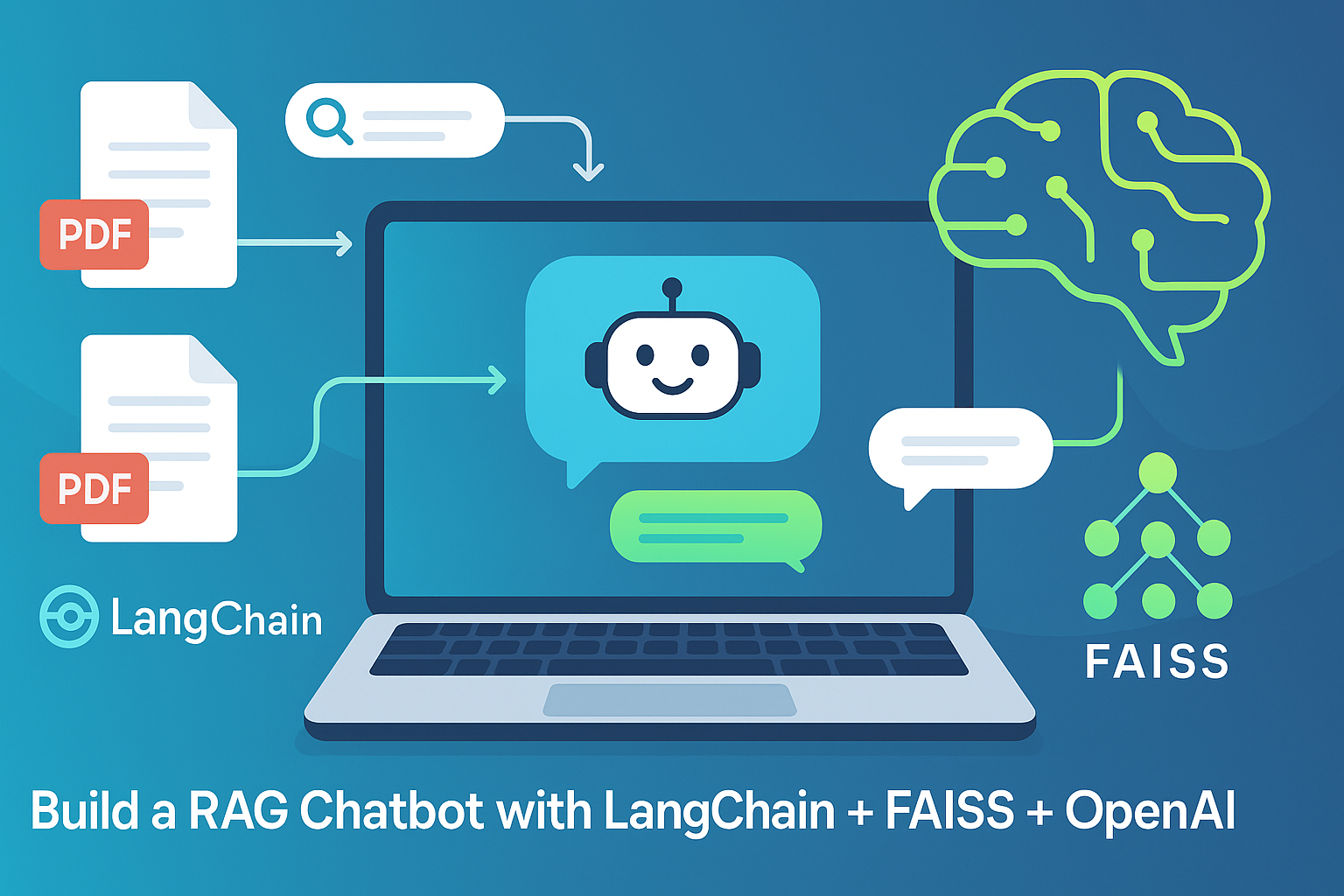
A RAG chatbot built with Django and FAISS follows a clear separation of concerns. The system has two distinct pipelines: an ingestion pipeline that processes documents and builds the vector index, and a query pipeline that handles user questions and generates answers.
In the ingestion pipeline, documents enter the system through Django's admin interface or API. The system reads the document, splits it into manageable chunks, generates vector embeddings for each chunk, and stores both the chunks and their vectors in FAISS. FAISS does not store the original text, only the vectors. The original text chunks are stored separately, typically in a PostgreSQL database with a reference to the vector index position. This separation is important because FAISS returns vector indices, not document content.
In the query pipeline, a user submits a question through a chat interface. The system converts the question into a vector embedding using the same embedding model used during ingestion. FAISS performs a similarity search against the index, returning the most relevant chunks. The system retrieves the corresponding text from the database and constructs a prompt containing the user question and the retrieved context. An LLM generates the final answer grounded in that context. The response streams back to the user.
The architecture is straightforward but requires careful attention to data synchronization. When documents are added, updated, or deleted, the vector index must be updated accordingly. FAISS does not support real-time updates. The common pattern is to rebuild the index periodically or use incremental indexing strategies for larger datasets.
Step 3: Project Structure
A typical Django RAG project follows this structure. The core app contains the vector index management logic. The documents app handles document models, chunking, and embedding generation. The chat app manages conversation history and LLM interactions. Background tasks for document processing run through Celery or Django Q.
The FAISS index files are stored on disk, typically in a directory indexed by collection or tenant. For multi-tenant applications, separate index files per tenant are recommended. The embedding model is loaded once at application startup and reused across requests. For production deployments, a dedicated embedding service may be separated from the web workers to manage memory and GPU resources efficiently.
Step 4: Document Ingestion Workflow
The ingestion workflow begins when a user uploads a document through Django's admin or a custom API endpoint. Supported formats typically include PDF, text files, markdown, and Word documents. The system extracts the raw text using libraries like PyPDF2, python-docx, or text extraction tools.
Once the text is extracted, the system splits it into chunks. Chunk size is a critical parameter that affects retrieval quality. Smaller chunks capture specific details but may lose context. Larger chunks preserve context but may dilute relevance. A chunk size of 500 to 1000 tokens with 50 to 200 tokens of overlap between consecutive chunks is a common starting point. Recursive character splitting, which respects paragraph and sentence boundaries, produces better results than fixed-size splitting.
Each chunk is then converted into a vector embedding using an embedding model. OpenAI's text-embedding-3-small or text-embedding-3-large, Cohere's embed-english-v3, or open-source models like all-MiniLM-L6-v2 are common choices. The embedding dimension determines the vector size, which directly impacts FAISS memory usage. Higher dimensions capture more nuance but consume more memory and compute.
The system stores the chunk text in Django's database along with metadata such as the source document, page number, chunk index, and any custom tags. The vector is added to a FAISS index. FAISS stores vectors as float32 arrays. The index type affects both speed and memory. IndexFlatIP or IndexFlatL2 are simplest but memory-intensive. IndexIVFFlat requires training but reduces memory usage and speeds up search at the cost of some accuracy. HNSW offers the best balance for production workloads.
For the index to be useful for search, it must be saved to disk. FAISS provides methods to write and read indices. A typical pattern is to maintain the index in memory during application runtime and save it periodically or after significant updates. For large indices, loading from disk at application startup adds to the startup time, so strategies like lazy loading or separate index server processes are considered.
Step 5: Query Processing Workflow
When a user sends a message through the chat interface, Django receives the request and extracts the question text. The system generates an embedding for the question using the same embedding model used for the documents. Consistency is critical here. If different embedding models are used for ingestion and query, the vectors will exist in different spaces and similarity search will fail.
The system then performs a FAISS similarity search. FAISS returns the indices of the most similar vectors and their similarity scores. The number of results returned, typically between 5 and 20, is configurable. Higher k values provide more context but increase token usage and latency. A similarity threshold can filter out irrelevant results.
The retrieved vector indices are used to look up the corresponding text chunks in the database. The system assembles a prompt that includes the user question and the retrieved context. The prompt structure significantly affects answer quality. A typical prompt includes instructions for the LLM to answer based only on the provided context, cite sources when appropriate, and indicate when information is not available.
The prompt is sent to an LLM API such as OpenAI, Anthropic, or a self-hosted model. Streaming is strongly recommended for chat applications because it dramatically improves perceived performance. The system streams the response back to the client while also storing the conversation history for context in future turns. Conversation history can be stored in Django's database or in a cache like Redis for faster access.
Step 6: Handling the FAISS Index in Production
FAISS indices are in-memory structures. This is fast but creates challenges for production deployments. When the Django application restarts, the index must be reloaded from disk. For large indices, this adds to the startup time. Strategies to mitigate this include pre-loading the index in a separate service, using Django's caching framework to warm the index, or keeping the index in a persistent memory store.
Concurrent requests to FAISS require thread safety. FAISS indices are not inherently thread-safe. The simplest solution is to use read-write locks or to have a single worker process handle all FAISS operations. For higher concurrency, replicating the index across multiple workers or using a dedicated index server becomes necessary.
Updating the index with new documents is another challenge because FAISS does not support real-time updates. For small to medium datasets, the simplest approach is to rebuild the entire index periodically. For larger datasets, incremental indexing strategies can be implemented. One approach is to maintain multiple indexes: a main index for stable documents and a small "delta" index for new documents. Searches query both indexes and merge results.
For very large datasets where rebuilding is impractical, FAISS provides methods for adding vectors to existing indexes, but this can cause fragmentation and degrade performance over time. Periodic index rebuilding is still required for optimal performance.
Step 7: Metadata Filtering Strategies
A significant limitation of FAISS is its lack of native metadata filtering. In production RAG systems, users often need to filter by date, category, source, or other attributes before performing semantic search. Several workarounds exist.
The pre-filtering approach applies metadata filters to the database first, retrieving a set of candidate document IDs, and then performs FAISS search only on vectors belonging to those IDs. This works well when the metadata filter selects a small subset of the total documents. When the filter selects a large subset, performance degrades.
The post-filtering approach performs FAISS search first, retrieving the top K vectors, and then filters the results by metadata. This is fast but risks missing relevant vectors that would have been retrieved if the filter had been applied earlier. This approach works best when the user is interested in the most semantically similar results regardless of metadata constraints.
The partitioned index approach creates separate FAISS indexes for each metadata category. This provides both performance and accuracy but requires managing multiple indexes and routing queries to the correct index. This is practical when the number of categories is small and stable.
For most applications, a combination of pre-filtering for restrictive filters and post-filtering for permissive filters works well. The optimal strategy depends on the query patterns and dataset characteristics.
Step 8: Cost and Performance Considerations
Self-hosting FAISS with Django eliminates per-query vector database costs. The primary costs become compute instances for Django and the embedding model, storage for documents and FAISS index files, and LLM API costs for generation. For high-volume applications, the savings can be substantial compared to managed vector database services.
Memory usage is the primary constraint for FAISS. A 768-dimension float32 vector uses approximately 3KB of memory per vector. One million vectors require roughly 3GB of RAM. Quantization techniques like Product Quantization can compress vectors to 1KB or less, reducing memory usage by 70% or more with some loss of recall.
Latency is generally excellent for FAISS. Single-machine searches typically complete in 5 to 50 milliseconds depending on index type and dataset size. GPU acceleration can reduce this further but adds hardware cost. For most applications, CPU-based FAISS is sufficient.
The embedding model choice affects both cost and latency. Cloud embedding APIs charge per million tokens and add network latency. Self-hosted embedding models eliminate per-query costs but require GPU resources. For high-volume applications, self-hosting becomes cost-effective quickly. For low-volume applications, API-based embeddings are simpler to operate.
Step 9: Deployment Considerations
Production deployment of a Django + FAISS RAG system requires attention to several infrastructure details. The FAISS index must be accessible to all Django workers. For single-server deployments, storing the index on a shared filesystem is sufficient. For multi-server deployments, a network filesystem like EFS or a dedicated index service is required.
The embedding model can be co-located with Django workers or run as a separate service. Co-location simplifies deployment but increases memory pressure. Separation allows independent scaling but adds network latency. For most small to medium applications, co-location with CPU-based embeddings is acceptable.
Background task processing for document ingestion should be separated from web request handling using Celery or Django Q. This prevents long-running embedding generation from blocking user requests. The ingestion queue can also implement retries and error handling.
Monitoring is essential for production RAG systems. Key metrics include embedding generation latency, FAISS search latency, LLM API latency, memory usage of the FAISS index, and cache hit rates for repeated queries. Django's built-in logging and monitoring integrations provide a solid foundation.
Step 10: Frequently Asked Questions
Q1: Is FAISS slower than Pinecone or Weaviate?
For equivalent hardware, FAISS is generally faster because it has less overhead. Managed services add network latency and multi-tenancy overhead. However, FAISS requires you to manage the hardware, which may not be optimally configured.
Q2: Can FAISS handle millions of vectors on a single machine?
Yes. With quantization and efficient indexing, a single machine with 32GB of RAM can handle 50 to 100 million vectors. For hundreds of millions of vectors, multiple machines or advanced compression techniques become necessary.
Q3: How do I update the index without downtime?
The common pattern is to build a new index in the background while the old index serves queries. Once the new index is ready, swap it atomically. This requires maintaining two index files and implementing a versioning mechanism.
Q4: What embedding model should I use with FAISS?
For English-only applications, OpenAI's text-embedding-3-small offers excellent quality at reasonable cost. For open-source deployments, all-MiniLM-L6-v2 (384 dimensions) is lightweight, and BAAI/bge-large-en-v1.5 (1024 dimensions) offers higher quality. For multilingual applications, Cohere's embed-multilingual-v3 or intfloat/multilingual-e5-large are strong choices.
Q5: Is Django the best framework for RAG applications?
Django excels when you need user management, admin interface, and database ORM. For simpler APIs, FastAPI is a lighter alternative. Django's batteries-included approach reduces integration work for full-featured applications.
Q6: How do I handle different document formats?
Django applications can use format-specific parsers: PyPDF2 or pdfplumber for PDFs, python-docx for Word documents, and markdown libraries for markdown files. Each parser extracts text to a unified representation before chunking.
Q7: What is the most common mistake when building FAISS-based RAG?
The most common mistake is not persisting the FAISS index properly. Many developers rebuild the index from scratch on every application restart, which becomes impractical as the dataset grows. Always save the index to disk and load it at startup.
Q8: How can Innovative AI Solutions help?
We help teams design, build, and deploy RAG systems with Django and FAISS – from architecture planning and index optimization to production deployment and monitoring.
Step 11: Final Tagline
Django gives you the web framework. FAISS gives you the vector search. Together, they give you a production-ready RAG system that you control completely – no vendor lock-in, no per-query database costs, just the infrastructure you choose to run.
Short version: How to build a RAG chatbot with Django and FAISS – complete architecture guide, ingestion pipeline, query workflow, production considerations, and cost analysis.
Hashtags: #RAGChatbot #Django #FAISS #VectorSearch #GenerativeAI #PythonAI #AIDevelopment #InnovativeAISolutions
Ready to Build Your RAG Chatbot?
Not sure if Django + FAISS is the right stack for your use case? Let us help you evaluate your requirements and design the optimal architecture.
Contact Us
Phone: +91 7464 099 059 / +91 96899 67356
Email: info@innovativeais.com
Address: Netaji Subhash Place, Pitampura, Delhi – 110034
Website: https://innovativeais.com
About the Author
Abhishek Kumar
Founder & CEO, Innovative AI Solutions
5+ years building AI systems – from vector search to production RAG. Based in Delhi, serving clients across India.
Related services: to apply this in your business, explore our RAG development and API development and integration.