our Business Has Outgrown the WhatsApp Business App
You started with the WhatsApp Business App. It was fine at first. You set up quick replies. You labeled chats. You created a catalog.
But now you have 5 people handling customer messages. You miss replies because no one knows who is responsible. You cannot connect to your CRM. You cannot send broadcast messages to more than 256 customers. You cannot automate beyond simple quick replies.
You have outgrown the App. You need the API.
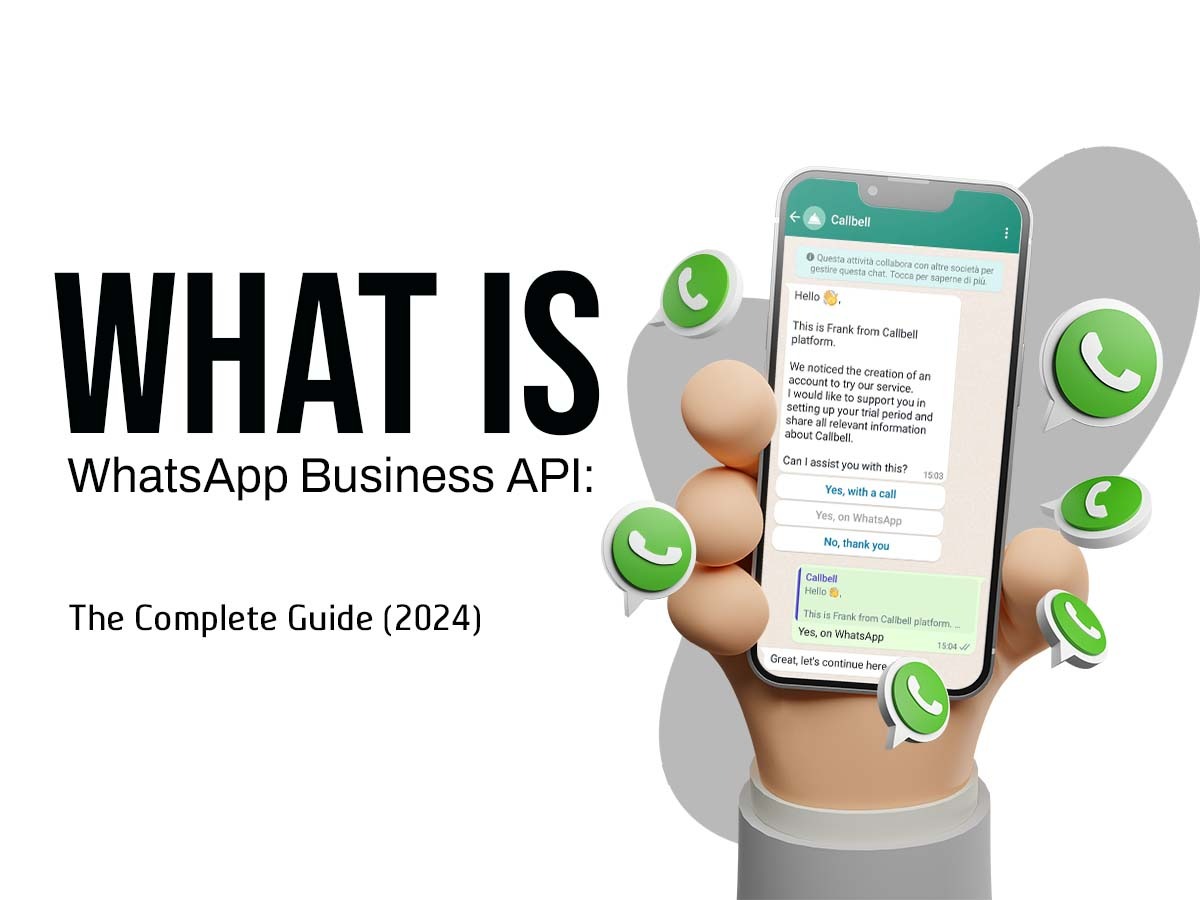
The WhatsApp Business API is not a different app. It is a connection between your systems and WhatsApp. It lets you build chatbots, integrate with your CRM, send bulk notifications, and scale to unlimited users.
See how our WhatsApp Business API solutions help growing businesses:
https://innovativeais.com/others/our_works.php
WhatsApp Business App vs. API: The Complete Comparison
Many business owners do not understand the difference. Here it is clearly laid out.
| Feature | WhatsApp Business App | WhatsApp Business API |
|---|---|---|
| Cost | Free | Pay per conversation (starting ₹0.13 per message) |
| Number of users | 1 phone + 4 linked devices | Unlimited via API integration |
| Automated replies | Basic quick replies only | Full AI chatbot capability |
| Broadcast limit | 256 contacts maximum | Unlimited (with customer opt-in) |
| CRM integration | None (manual copy-paste) | Full two-way integration |
| Chatbot support | No | Yes |
| Message templates | Basic, limited approval | Full template library |
| Analytics | None | Detailed conversation analytics |
| Multi-agent support | Clunky (shared device) | Native via API |
| Best for | Micro businesses (1-5 employees) | Growing businesses (6+ employees) |
The API is not a replacement for the App. It is an upgrade for businesses that have outgrown the App.
Learn more about our approach to WhatsApp API implementation:
https://innovativeais.com/
What Is the WhatsApp Business API? (Simple Explanation)
Think of the API as a pipe.
One end of the pipe connects to WhatsApp's servers. The other end connects to your own software. Whatever happens in your software can now happen on WhatsApp automatically.
Example:
A customer places an order on your website. Your website tells the API (via the pipe). The API tells WhatsApp. WhatsApp sends an order confirmation to the customer.
No human typed that message. It happened automatically in 3 seconds.
What the API enables:
-
Automated order confirmations and shipping updates
-
Chatbots that answer customer questions 24/7
-
Broadcast messages to thousands of customers (with permission)
-
Connection to your CRM, helpdesk, or e-commerce platform
-
Multiple team members managing conversations from their own devices
-
Analytics on response times, conversation volume, and customer satisfaction
Read about our technical implementation:
https://innovativeais.com/others/about.php
Why Your Business Needs the WhatsApp API in 2026
Reason 1: Your Customers Expect Instant Replies
A customer who messages you on WhatsApp expects a reply within minutes. If you take hours, they buy from your competitor.
The API lets you build chatbots that reply instantly. Even at 2 AM. Even on Sunday. Even when your team is asleep.
Reason 2: Manual Messaging Does Not Scale
At 10 customers per day, you can reply manually. At 100 customers per day, you need help. At 500 customers per day, manual messaging is impossible.
The API automates repetitive messages. Order confirmations. Shipping updates. Appointment reminders. Payment receipts. Your team only handles exceptions.
Reason 3: Your Data Is Siloed
Right now, your customer conversations are in WhatsApp. Your orders are in Shopify or your website. Your customer records are in a CRM or Excel.
These systems do not talk to each other. Your team wastes hours copying information.
The API connects everything. When a customer messages about an order, the API fetches the order status from your system and replies automatically.
Reason 4: You Cannot Send Broadcasts at Scale
The Business App limits broadcasts to 256 contacts. For any real business, that is useless.
The API lets you send broadcast messages to thousands of customers. But there is a catch: customers must opt in. No spamming. No buying lists. Legitimate businesses only.
See which industries benefit most from the API:
https://innovativeais.com/others/industries.php
How Much Does the WhatsApp Business API Cost in India? (2026)
The total cost has three components. Do not let any vendor hide these from you.
Component 1: Meta's Per-Message Pricing
Starting January 1, 2026, Meta charges per message, not per conversation.
| Message Category | Price per Message (INR) | When to Use |
|---|---|---|
| Marketing | ₹0.99 | Promotions, offers, announcements |
| Utility | ₹0.13 | Order updates, receipts, appointment reminders |
| Authentication | ₹0.13 | OTPs, verification codes |
| Service (customer-initiated) | ₹0.13 after free tier | Customer service conversations |
Free tier: The first 1,000 service conversations (customer messages you first) per month are free. Beyond that, service conversations cost ₹0.13 per message.
Component 2: Business Solution Provider (BSP) Fees
You cannot connect directly to the WhatsApp API. You need a BSP. Examples include WATI, Interakt, AiSensy, and many others.
BSP fees range from ₹1,000 to ₹25,000 per month depending on features and volume.
Component 3: Custom Development (If You Build a Chatbot)
If you want a custom AI chatbot, you will pay a one-time development fee of ₹1,50,000 to ₹4,00,000 plus ongoing maintenance.
Total Monthly Cost Examples
| Business Size | Monthly Meta Fees | Monthly BSP Fees | Total Monthly Cost |
|---|---|---|---|
| Small (500 utility + 200 service) | ₹65 + ₹0 | ₹1,000-3,000 | ₹1,065-3,065 |
| Medium (2,000 utility + 1,000 service) | ₹260 + ₹0 | ₹3,000-8,000 | ₹3,260-8,260 |
| Large (10,000 utility + 5,000 service) | ₹1,300 + ₹520 | ₹8,000-25,000 | ₹9,820-26,820 |
Note: Service conversations are free for the first 1,000 messages. Beyond that, they cost ₹0.13 per message.
Special offer: 20% OFF first 3 months on any API plan
Contact us for pricing
How to Get Started with WhatsApp Business API
Step 1: Determine If You Are Eligible
You need:
-
A registered business (GST certificate, PAN, incorporation certificate)
-
A phone number not already registered with WhatsApp (or you can delete existing registration)
-
A legitimate business use case (no spam, no prohibited products)
Step 2: Choose Your Path
Path A: Use a BSP Platform (Recommended for most businesses)
You sign up for a platform like WATI, Interakt, or AiSensy. They handle the API connection. You get a dashboard. You can start within days.
Path B: Build Custom Integration (For larger businesses)
Your development team connects directly to the API via a BSP. You build your own chatbot, your own dashboard, your own integrations. More control. Higher upfront cost.
Step 3: Complete Meta's Verification
You submit your business documents. Meta verifies. This takes 2-5 business days if everything is correct.
Step 4: Create Message Templates
Any message you send first (not in reply to a customer) needs a pre-approved template. This includes order confirmations, shipping updates, and marketing broadcasts.
Step 5: Build Your Automation
Depending on your path, this is either configuring the BSP's chatbot builder or developing custom code.
Step 6: Go Live
Start with a soft launch. Test with 50 customers. Fix issues. Then scale.
Get a free consultation on which path is right for you:
https://innovativeais.com/others/insight.php
Implementation Timeline: From Zero to Live API
Here is what a typical implementation looks like.
| Week | Activities |
|---|---|
| Week 1 | Gather documents, choose BSP, register with Meta |
| Week 2 | Submit verification, create message templates |
| Week 3 | Build automations, connect to CRM or e-commerce platform |
| Week 4 | Test, train team, soft launch |
Total time: 3-4 weeks for most businesses.
We offer a 7-day fast-track implementation for businesses ready to go.
Start your API implementation today
What Can You Build with the WhatsApp Business API?
1. Automated Order Management System
When a customer places an order:
-
Order confirmation sent automatically
-
Shipping update when dispatched
-
Delivery confirmation with photo
-
Feedback request after delivery
No human touches any of these messages.
2. AI Customer Support Chatbot
A customer asks: "What is your return policy?"
The chatbot searches your knowledge base and replies instantly. If the question is complex, it escalates to a human agent.
3. Two-Way CRM Integration
When a customer messages you, the API fetches their record from your CRM. Your agent sees:
-
Order history
-
Past complaints
-
Lifetime value
-
Preferred language
Personalized service without asking "who is this?"
4. Broadcast System with Segmentation
Send offers only to customers who have opted in. Segment by:
-
Purchase history
-
Location (pincode level)
-
Last interaction date
5. Appointment Booking and Reminders
A customer books an appointment via WhatsApp. The API:
-
Checks availability in your calendar
-
Confirms the booking
-
Sends a reminder 24 hours before
-
Handles rescheduling and cancellation
See real examples in our portfolio:
https://innovativeais.com/others/our_works.php
Case Study: How a Delhi E-commerce Brand Scaled from 50 to 500 Daily Orders with API
Client: D2C wellness brand in Pitampura, selling via website and Instagram.
The problem:
-
200+ daily WhatsApp inquiries
-
3 customer support agents overwhelmed
-
Order confirmations sent manually (2-3 hour delay)
-
No system for abandoned cart recovery
-
Response time: 4-6 hours
The API solution:
-
Automated order confirmations and shipping updates
-
AI chatbot for product FAQs
-
Abandoned cart recovery messages after 1 hour
-
Integration with their Shopify store
-
WhatsApp Business API via a BSP plus custom development
The cost:
-
One-time development: ₹2,50,000
-
Monthly BSP fee: ₹12,000
-
Monthly Meta fees: ₹8,000-15,000 (depending on volume)
The result after 6 months:
| Metric | Before API | After API |
|---|---|---|
| Customer support agents | 3 full-time | 1 part-time (handles exceptions only) |
| Response time | 4-6 hours | Under 60 seconds |
| Order confirmations | 2-3 hour delay | Instant |
| Abandoned cart recovery rate | 0% (no system) | 28% |
| Daily orders | 50-60 | 450-520 |
| Team time saved | 0 hours | 120 hours/month |
ROI calculation:
-
Monthly savings in salaries: ₹60,000
-
Additional revenue from abandoned cart recovery: ₹2,50,000/month
-
Total monthly benefit: ₹3,10,000
-
Monthly cost: ₹25,000
-
Net monthly gain: ₹2,85,000
"The API paid for itself in the first month. Our customers love getting instant order updates. Our team loves not typing the same message 200 times a day." — Founder
Read more case studies:
https://innovativeais.com/others/our_works.php
Common Mistakes When Implementing WhatsApp API
Mistake 1: Using the Wrong BSP
Not all BSPs are equal. Some have poor reliability. Some charge hidden fees. Some have terrible support.
Solution: Ask for uptime guarantees, transparent pricing, and references before signing.
Mistake 2: Sending Broadcasts Without Opt-In
You cannot upload a purchased list and start broadcasting. Customers must explicitly opt in. Violations lead to permanent banning.
Solution: Collect opt-ins via your website, store counter, or during checkout.
Mistake 3: Ignoring Template Approval
Every message you initiate needs a pre-approved template. If you try to send an unapproved template, the message fails.
Solution: Create and submit all templates before launch. Keep copies of approved templates.
Mistake 4: No Human Escalation Path
A chatbot alone is insufficient. Some customers will be frustrated. Some issues require a human.
Solution: Build seamless escalation to a human agent. The customer should not need to switch apps or start a new conversation.
Mistake 5: Poor Language Support
If your chatbot only speaks English, you are ignoring 80% of Indian customers.
Solution: Use an AI model that supports Hindi, Hinglish, and other regional languages.
Learn how we avoid these mistakes:
https://innovativeais.com/others/about.php
Regional Language Support: The Indian Advantage
Indian customers do not communicate in pure English. They switch between languages naturally.
Real customer message:
"Bhai order kab deliver hoga? I ordered 3 days ago and tracking shows no update."
Your chatbot must understand this. It must reply in the same mixed language.
Our API chatbots:
-
Support Hindi, Hinglish, Tamil, Telugu, Bengali, and more
-
Detect the customer's preferred language automatically
-
Respond in the same language the customer used
If your WhatsApp API solution only handles English, you are not serving Indian customers.
Compliance and the Digital Personal Data Protection Act 2023
Under India's new data protection law, you have specific obligations.
| Requirement | What You Must Do |
|---|---|
| Consent | Get explicit opt-in before sending any message |
| Purpose limitation | Use customer data only for stated purposes |
| Data minimization | Collect only what you need |
| Opt-out mechanism | Provide easy unsubscribe in every message |
| Data security | Encrypt stored customer data |
Meta's Commerce Policy also applies. You cannot sell prohibited products (alcohol, tobacco, weapons, etc.). You must have clear pricing and refund policies.
We build compliant API solutions with proper consent collection and opt-out mechanisms.
Pro Tips to Save Money on WhatsApp Business API
1. Use utility templates for transactional messages. They cost ₹0.13 per message versus ₹0.99 for marketing. Order confirmations are utility.
2. Consolidate your messages. Sending one combined message is cheaper than three separate messages under per-message pricing.
3. Leverage the free service tier. The first 1,000 customer-initiated messages per month are free. Let customers message you first.
4. Choose your BSP carefully. Some mark up Meta's fees by 20-50%. Ask for transparent pass-through pricing.
5. Start with simple use cases. Automate order confirmations first. Add more complexity after you see ROI.
6. Monitor your analytics. Which messages are customers reading? Which templates get rejected? Use data to optimize.
Join our team and help build WhatsApp API solutions for Indian businesses:
https://innovativeais.com/others/careers.php
Frequently Asked Questions
Q1: Can I use my existing WhatsApp Business App number with the API?
Yes, but you must delete your existing Business App account first. This will erase your chat history. Most businesses use a new number to avoid disruption.
Q2: How long does Meta verification take?
2-5 business days if your documents are correct. Incomplete or incorrect documents can take weeks.
Q3: What documents do I need?
GST registration certificate, PAN card (business), certificate of incorporation, business address proof, and a website or digital presence showing your products/services.
Q4: Can I send marketing broadcasts to my customer list?
Only if customers have explicitly opted in to receive marketing messages. You cannot upload a purchased list.
Q5: What is the difference between a BSP and direct API access?
You cannot access the WhatsApp API directly without a BSP. The BSP handles the technical connection. Some large enterprises negotiate directly with Meta, but for most businesses, a BSP is the only option.
Q6: How much does a custom API chatbot cost to build?
₹1,50,000 to ₹4,00,000 one-time, depending on complexity. Plus monthly BSP and Meta fees.
Q7: Can I try the API before committing?
Some BSPs offer free trials. For custom builds, we offer a 7-day paid pilot with a money-back guarantee.
Q8: Is my customer data safe on the API?
Yes, if you choose the right BSP or build custom. Your data stays within the BSP's infrastructure or your own servers. We can also host the API solution on your own cloud account for complete control.
Q9: What happens if my BSP goes down?
Choose a BSP with 99.9% uptime guarantees. For mission-critical use cases, build a custom solution with redundancy.
Q10: What is the ROI of WhatsApp Business API?
Most businesses recover their investment within 2-3 months. For e-commerce, abandoned cart recovery alone often pays for the API in the first month.
The WhatsApp Business App is where you start. The API is where you scale.
If you have one person handling customer messages, the App is fine. If you have five people, the App is a bottleneck. If you have ten people, the App is impossible.
The API is not just for large enterprises. It is for any business that takes customer communication seriously. Any business that wants to reply instantly. Any business that wants to automate repetitive messages. Any business that wants to connect WhatsApp to their CRM, their website, their order system.
In 2026, the API is not a luxury. It is a competitive necessity.
Your customers are on WhatsApp. Your competitors are moving to the API. The question is not whether you will switch. The question is when.
Limited-Time Offers
| Offer | Code | Valid For |
|---|---|---|
| Free WhatsApp API readiness audit | APIFREE | Your current setup analysis |
| 20% OFF first 3 months on BSP fees | API20 | New API clients |
| Free consultation | APICONSULT | 45-minute strategy call |
| 7-day fast-track implementation | APIFAST | Delhi NCR businesses |
"WhatsApp Business API Implementation for Indian Businesses – Innovative AI Solution Delhi"
Contact Us
Phone: +91 7464 099 059 / +91 96899 67356
Email: info@innovativeais.com
Address: Netaji Subhash Place, Pitampura, Delhi – 110034
Website: https://innovativeais.com/
"The WhatsApp Business App is a tool. The WhatsApp Business API is a platform. Tools help you start. Platforms help you scale."
— Founder, Innovative AI Solution (Est. 2020)
Related services: to apply this in your business, explore our API development and integration and WhatsApp chatbot development.