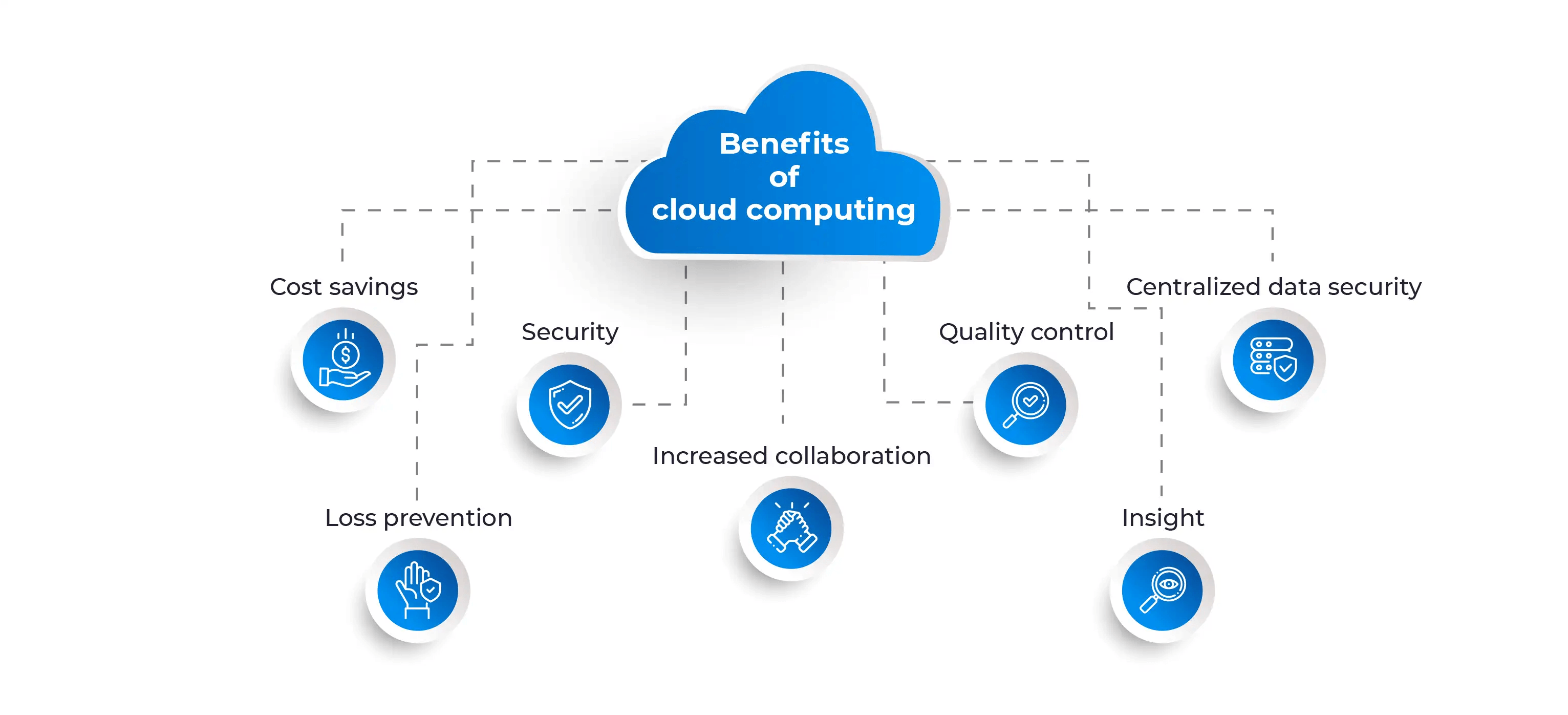
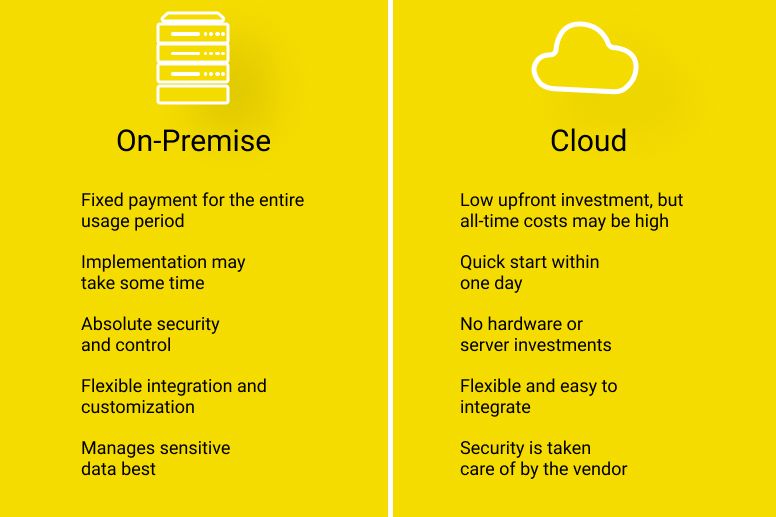
The Seven Benefits of Cloud-Native AI
Benefit 1: Elastic Scalability
Traditional AI applications are provisioned for peak capacity. The infrastructure must be sized to handle the maximum expected load, even if that load occurs only a few times per year. The remaining capacity sits idle, wasting money.
Cloud-native AI applications scale elastically. When demand increases, the system automatically adds resources. When demand decreases, the system removes resources. The infrastructure always matches the load, no more and no less.
| Workload Pattern | Traditional Approach | Cloud-Native Approach | Waste Reduction |
|---|---|---|---|
| Predictable peaks (month-end, holidays) | Over-provision for peak | Auto-scale before peak | 40 to 60 percent |
| Unpredictable spikes (viral content) | Over-provision for worst case | Auto-scale during spike | 60 to 80 percent |
| Gradual growth | Provision for future capacity | Scale as you grow | 30 to 50 percent |
| Diurnal patterns (daytime high, nighttime low) | Run 24/7 | Scale to near-zero at night | 70 to 90 percent |
The cost savings are substantial, but the operational benefit is even greater. Teams no longer need to predict the future. They do not need to guess how many users will arrive next month or whether a marketing campaign will go viral. The infrastructure handles the uncertainty automatically.
Benefit 2: Reduced Operational Overhead
Traditional AI applications require significant operational effort. Teams must provision servers, configure networking, install dependencies, apply security patches, monitor health, handle failover, and manage backups. Each of these tasks is manual, time-consuming, and error-prone.
Cloud-native AI applications use managed services that eliminate most of this overhead. The cloud provider handles the underlying infrastructure. The team focuses on the application logic.
| Operational Task | Traditional | Cloud-Native | Effort Reduction |
|---|---|---|---|
| Server provisioning | Days to weeks | Minutes to hours | 90 to 95 percent |
| Dependency management | Manual (pip, conda, Docker) | Managed container images | 70 to 80 percent |
| Security patching | Manual, scheduled | Automatic, continuous | 80 to 90 percent |
| Load balancing | Manual configuration | Managed load balancer | 80 to 90 percent |
| Failover | Manual or custom scripts | Managed availability zones | 80 to 90 percent |
| Backup and recovery | Manual scheduling and testing | Managed backup services | 70 to 80 percent |
The time saved is not just a cost reduction. It is a capability multiplier. The same team that spent 80 percent of its time on infrastructure can now spend 80 percent of its time on application features. The velocity of innovation increases dramatically.
Benefit 3: Faster Time-to-Market
Traditional AI applications take months to deploy. The infrastructure must be procured, configured, and tested before any application code can run. Each environment (development, testing, staging, production) requires the same manual effort.
Cloud-native AI applications use infrastructure as code. The entire infrastructure is defined in text files that can be versioned, reviewed, tested, and deployed automatically. A new environment can be created in minutes, not months.
| Milestone | Traditional | Cloud-Native | Time Reduction |
|---|---|---|---|
| Development environment | 2 to 4 weeks | 1 to 2 hours | 95 to 99 percent |
| Testing environment | 1 to 2 weeks | 1 to 2 hours | 90 to 95 percent |
| Production environment | 4 to 8 weeks | 1 to 2 days | 90 to 95 percent |
| First deployment | 8 to 16 weeks | 1 to 2 weeks | 80 to 90 percent |
The faster time-to-market is not just about speed. It is about learning. The team that deploys in weeks can test ideas, get feedback, and iterate. The team that deploys in months makes big bets with long feedback loops. The cloud-native team will out-learn and out-innovate the traditional team.
Benefit 4: Higher Reliability
Traditional AI applications are vulnerable to infrastructure failures. A server crash, a network partition, or a power outage can cause downtime. Redundancy requires duplicate infrastructure, which doubles cost.
Cloud-native AI applications are built for failure. The architecture assumes that components will fail and is designed to tolerate those failures automatically. Multiple availability zones provide geographic redundancy. Auto-scaling replaces failed instances. Load balancers route around unhealthy targets.
| Failure Scenario | Traditional | Cloud-Native | Downtime Reduction |
|---|---|---|---|
| Server crash | Hours to days (replace hardware) | Minutes (auto-replace instance) | 90 to 95 percent |
| Availability zone outage | Days (if no redundancy) | Minutes (failover to another zone) | 95 to 99 percent |
| Region outage | Weeks (rebuild) | Hours (failover to another region) | 90 to 95 percent |
| Network partition | Hours (manual rerouting) | Seconds (automatic rerouting) | 90 to 99 percent |
The reliability improvement is not just technical. It is business-critical. For customer-facing AI applications, downtime means lost revenue, damaged reputation, and frustrated users. Cloud-native architectures make high availability the default, not an expensive add-on.
Benefit 5: Cost Efficiency
Traditional AI applications pay for idle capacity. Servers run 24/7, even when no one is using them. The cost is fixed and predictable but wasteful.
Cloud-native AI applications pay only for what they use. Serverless functions charge per invocation. Auto-scaling groups charge for the instances that are running. Spot instances charge a fraction of on-demand prices for fault-tolerant workloads.
| Workload Type | Traditional Cost | Cloud-Native Cost | Savings |
|---|---|---|---|
| Low-volume inference (1,000 requests/day) | ₹15,000 per month (always-on VM) | ₹500 per month (serverless) | 95 to 97 percent |
| Medium-volume inference (100,000 requests/day) | ₹50,000 per month (provisioned) | ₹15,000 per month (auto-scaling) | 70 to 80 percent |
| Batch processing (1 hour/day) | ₹30,000 per month (24/7 instance) | ₹1,000 per month (spot instance) | 95 to 97 percent |
| Development and testing | Same as production | Ephemeral environments (destroy when done) | 70 to 90 percent |
The cost savings are dramatic for variable or low-volume workloads. For steady, high-volume workloads, reserved instances or dedicated infrastructure may be more cost-effective. The cloud-native approach is not always cheapest, but it is always more efficient.
Benefit 6: Geographic Reach
Traditional AI applications serve users from a single location. Users far from that location experience high latency. Expanding to new regions requires building new infrastructure in each location, which is expensive and slow.
Cloud-native AI applications can be deployed to multiple regions with minimal effort. Infrastructure as code defines the application once. The same definition can be deployed to any region. Traffic is routed to the nearest region automatically.
| Geographic Capability | Traditional | Cloud-Native | Benefit |
|---|---|---|---|
| Number of regions | 1 to 2 (expensive to add) | Dozens (easy to add) | 5 to 10x more regions |
| Latency for distant users | 200 to 500 milliseconds | 20 to 50 milliseconds | 5 to 10x improvement |
| Data residency compliance | Manual, custom per region | Built-in per region deployment | 90 percent less effort |
| Disaster recovery | Cold standby (hours to days) | Active-active (seconds to minutes) | 100x faster recovery |
For global applications, the geographic reach of cloud-native architectures is transformative. Users everywhere get low latency. Data stays in compliance with local regulations. The application remains available even when entire regions fail.
Benefit 7: Innovation Velocity
Traditional AI applications are difficult to change. Every update requires provisioning new infrastructure, updating configurations, and coordinating deployments. The friction discourages experimentation.
Cloud-native AI applications are designed for change. Infrastructure as code makes changes repeatable and auditable. CI/CD pipelines automate testing and deployment. Blue-green and canary deployments enable safe rollouts.
| Innovation Activity | Traditional | Cloud-Native | Velocity Improvement |
|---|---|---|---|
| Deploy new model version | Days to weeks | Minutes to hours | 10 to 100x |
| A/B test two models | Weeks to set up | Hours to set up | 10 to 20x |
| Roll back bad deployment | Hours to days | Minutes | 10 to 50x |
| Scale for new feature launch | Weeks of planning | Automatic | 90 percent less effort |
The velocity improvement compounds. The team that can deploy in hours runs more experiments, learns faster, and adapts more quickly to market changes. The traditional team falls further behind with each passing quarter.
Step 3: Architectural Patterns for Cloud-Native AI
Pattern 1: Serverless Inference
Serverless inference is the simplest cloud-native pattern for AI applications. Each inference request triggers a serverless function that loads the model, runs inference, and returns the result. The function scales to zero when idle and scales to thousands of concurrent executions under load.
| Component | Service (AWS) | Service (Azure) | Service (GCP) |
|---|---|---|---|
| Inference function | Lambda | Functions | Cloud Functions |
| Model storage | S3 | Blob Storage | Cloud Storage |
| API gateway | API Gateway | API Management | Cloud Endpoints |
This pattern is ideal for low-volume or spiky inference workloads where the cost of always-on instances would be prohibitive.
Pattern 2: Containerized Inference with Auto-Scaling
Containerized inference is the standard pattern for production AI applications. The model runs in a container on a container orchestration platform. The platform automatically scales the number of containers based on load.
| Component | Service (AWS) | Service (Azure) | Service (GCP) |
|---|---|---|---|
| Container orchestration | ECS or EKS | AKS | GKE |
| Model registry | ECR | ACR | Artifact Registry |
| Load balancing | ALB or NLB | Load Balancer | Cloud Load Balancing |
| Auto-scaling | ECS Service Auto Scaling | Horizontal Pod Autoscaler | Horizontal Pod Autoscaling |
This pattern is ideal for steady-state or high-volume inference workloads where serverless cold starts would be problematic.
Pattern 3: Event-Driven Batch Inference
Event-driven batch inference is optimal for asynchronous workloads. New data arrives in a storage bucket, triggering a batch inference job. The job processes the data, stores the results, and shuts down.
| Component | Service (AWS) | Service (Azure) | Service (GCP) |
|---|---|---|---|
| Event source | S3 Event Notification | Blob Storage Events | Cloud Storage Triggers |
| Compute | Batch on Spot Instances | Batch on Spot VMs | Batch on Preemptible VMs |
| Orchestration | Step Functions | Durable Functions | Workflows |
| Result storage | DynamoDB or S3 | Cosmos DB or Blob | Firestore or Cloud Storage |
This pattern is ideal for document processing, video analysis, and any workload where results are not needed immediately.
Step 4: Implementation Roadmap
Phase 1: Containerize the Model (Week 1 to 2)
| Action | Output |
|---|---|
| Package model with dependencies in Docker container | Container image |
| Test container locally | Working inference endpoint |
| Push container to registry | Stored image |
Phase 2: Deploy to Managed Service (Week 2 to 3)
| Action | Output |
|---|---|
| Deploy container to serverless or container service | Running inference endpoint |
| Configure auto-scaling | Scales with load |
| Set up monitoring and alerting | Operational visibility |
Phase 3: Add Cloud-Native Features (Week 3 to 4)
| Action | Output |
|---|---|
| Implement infrastructure as code | Repeatable, auditable deployments |
| Add CI/CD pipeline | Automated testing and deployment |
| Configure multi-region deployment | Low latency for global users |
| Enable caching for frequent requests | Reduced inference cost |
Phase 4: Optimize (Ongoing)
| Action | Output |
|---|---|
| Monitor cost per inference | Optimization opportunities |
| Implement spot instances for batch | Lower cost |
| Tune auto-scaling thresholds | Balance cost and performance |
| Add canary deployments | Safe rollouts |
Step 5: Frequently Asked Questions
Q1: Is cloud-native AI more expensive than traditional AI?
For steady, high-volume, predictable workloads, traditional reserved instances may be cheaper. For everything else, cloud-native is cheaper because you do not pay for idle capacity. The breakeven point depends on your workload pattern.
Q2: Do I need to rewrite my AI application to be cloud-native?
Not necessarily. Many traditional AI applications can be containerized and deployed to cloud container services with minimal changes. However, to get the full benefits of cloud-native (auto-scaling, managed services, infrastructure as code), some refactoring is usually required.
Q3: What is the hardest part of moving to cloud-native AI?
The cultural shift is harder than the technical shift. Teams accustomed to manual infrastructure management must learn infrastructure as code. Teams accustomed to long release cycles must adopt CI/CD. The technology is mature. The habits are the barrier.
Q4: How do I handle state in cloud-native AI applications?
Use external state stores. For session state, use Redis or DynamoDB. For long-term state, use object storage or databases. The inference instances should be stateless. This enables horizontal scaling.
Q5: What is the best way to learn cloud-native AI development?
Start with a small, non-critical application. Containerize it. Deploy it to a managed service. Add auto-scaling. Add monitoring. Add CI/CD. Each step builds on the previous. Learn by doing.
Q6: How do I ensure security in cloud-native AI?
Use identity-based access control (IAM). Rotate credentials automatically. Encrypt data at rest and in transit. Use private networking for internal services. Audit all actions. Cloud-native security is more about configuration than code.
Q7: How can Innovative AI Solutions help?
We help businesses design, build, and deploy cloud-native AI applications, from containerization and infrastructure as code to CI/CD pipelines and cost optimization.
Step 6: Final Tagline
Cloud-native AI is not about running the same application in a different location. It is about building applications that leverage the full power of the cloud: elastic scaling, managed services, infrastructure as code, and continuous delivery. The benefits are transformative: lower cost, higher reliability, faster innovation, and global reach. Organizations that embrace cloud-native AI will outrun competitors still struggling with traditional architectures.
Short version: Benefits of cloud-native AI applications – elastic scaling, reduced operational overhead, faster time-to-market, higher reliability, cost efficiency, geographic reach, and innovation velocity.
Hashtags: #CloudNativeAI #AICloud #ServerlessAI #AIScaling #MLOps #AIInfrastructure #CloudAI #InnovativeAISolutions
Contact Us
Phone: +91 7464 099 059 / +91 96899 67356
Email: info@innovativeais.com
Address: Netaji Subhash Place, Pitampura, Delhi – 110034
Website: https://innovativeais.com
About the Author
Abhishek Kumar
Founder & CEO, Innovative AI Solutions
5+ years building cloud-native AI applications. Based in Delhi, serving clients across India.
Related services: to apply this in your business, explore our DevOps and CI/CD and RAG development.