AI Integration Services
AI integration means connecting AI capabilities — chatbots, automation, predictions, document processing — into the software you already run, instead of replacing it. As an AI integration company in India, we work against your existing CRM, ERP, helpdesk, and internal tools via their APIs, so AI features show up inside the systems your team already uses daily rather than as a separate app nobody opens.
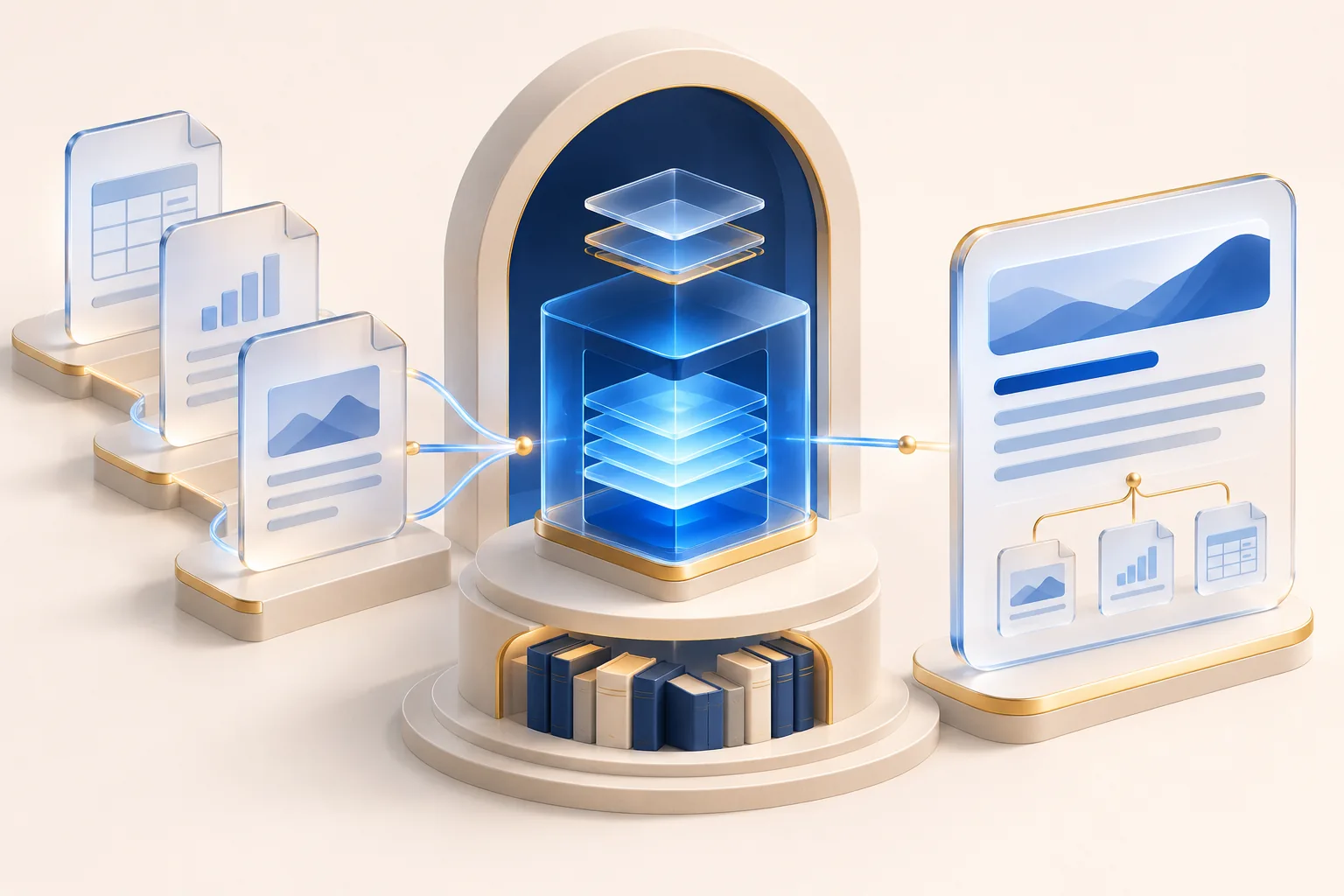
Integration, not replacement
Most businesses don't need a new platform — they need the software they already depend on (CRM, ERP, helpdesk, WhatsApp Business, internal dashboards) to gain AI capability without a migration project. AI integration services connect these systems to AI models and automation logic via their existing APIs and webhooks, so your team keeps its current workflow and tools.
System audit
Map what your current CRM, ERP, helpdesk or internal tools expose via API, and where AI can plug in without custom middleware.
API-first connection
Build against existing APIs and webhooks rather than requiring you to switch platforms or duplicate data entry.
Safe rollout
Ship against a single workflow first, verify it holds up on real data, then expand — not a big-bang cutover.
How we integrate AI into your stack
Map the stack
Identify every system AI needs to read from or write to — CRM, ERP, ticketing, spreadsheets, WhatsApp — and what each one's API actually supports.
Pick the integration points
Decide where AI adds value inside existing workflows — a CRM field auto-filled, a ticket auto-classified — rather than building a separate AI dashboard.
Build & connect
Implement the AI logic (chat, automation, prediction, document processing) and wire it to your systems via API, with error handling for when an upstream system is slow or down.
Roll out & monitor
Launch against one workflow, monitor accuracy and failure modes on real data, then extend to additional systems and teams.
Where AI integration fits
CRM-connected AI
Lead scoring, auto-generated follow-up drafts, and call/chat summaries written directly back into CRM records your sales team already works from.
SalesSaaSHelpdesk & ticketing integration
Auto-classification, priority tagging, and suggested responses inside your existing support/ticketing tool rather than a bolt-on chat widget.
SupportEcommerceERP & document workflows
Invoice, order and document data extracted and pushed directly into ERP or accounting systems instead of manual entry.
ManufacturingFinanceWhatsApp & messaging integration
AI responses and lead capture inside WhatsApp Business, feeding straight into your existing CRM or lead-tracking sheet.
Real EstateRetailHow we connect to your systems
Why integrate instead of replace
Your team keeps working in the tools they already know — no retraining on a new platform.
No data migration project, no parallel systems to keep in sync.
Faster time to value — a single integrated workflow can ship in weeks, not a platform-wide rollout.
Lower risk — start with one workflow, prove it, then expand rather than committing upfront.
Integrations we've shipped
Explore the delivery behind the service
See the work.
Discuss your requirements.
These portfolio examples show our broader product experience. Your scope, integrations and acceptance criteria will be agreed for your project.
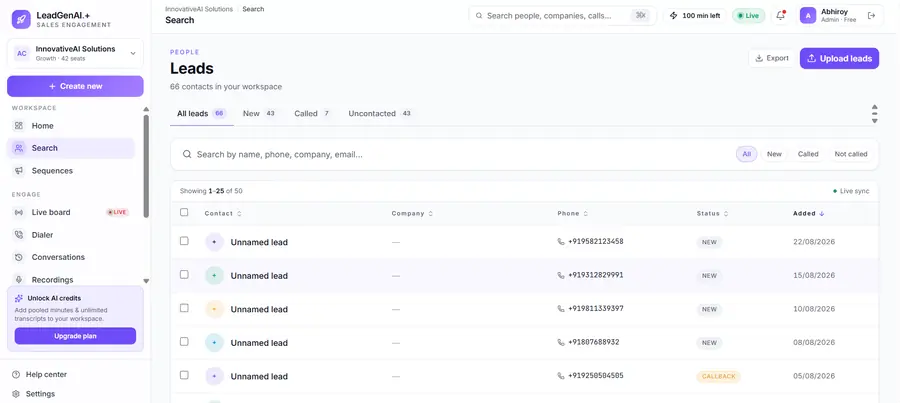
LeadGenPlus.ai
An AI sales platform with lead search and engagement tools.
Explore project →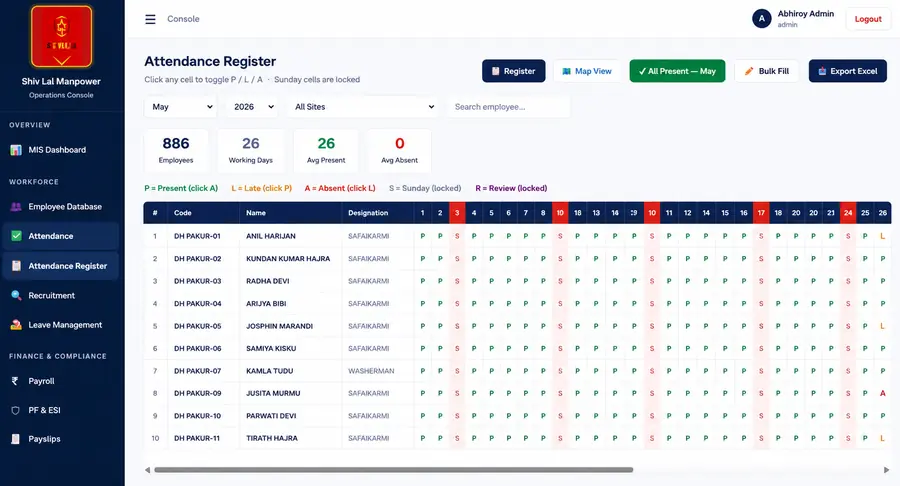
Shivlal Manpower
An HR and attendance system with a companion mobile attendance experience.
Explore project →Bring the context to the first conversation.
Your workflow, existing systems, data constraints and target outcome are a useful starting point. Review delivery checkpoints and acceptance, and discuss data access and security boundaries before sharing production information.
What an AI integration project hands over
The goal is AI that shows up inside the screens your team already uses. That means the hand-over is mostly integration work, monitoring and documentation — not a new app.
Integration map. A diagram of which system sends what to the AI layer, what comes back, and where it is written — reviewed with your IT team before build.
Connectors. API, webhook or database connectors for each system in scope, with retries and error queues so a failed call never loses a record.
Prompt and model configuration. Versioned prompts, model choice and fallbacks kept in configuration, so behaviour can be tuned without a code release.
Access controls. The AI layer only sees the fields it needs. Credentials are stored in a secrets manager, never in code.
Usage and cost dashboard. Calls, latency, failures and model spend per feature, so you can see what the integration costs to run.
Runbook. What to do when a provider is down, how to roll back a prompt change and who to call.
Is AI integration the right starting point?
A good fit when
- Your CRM, ERP, helpdesk or HRMS already holds the data and the team lives in it
- You want AI to score, summarise, classify or draft inside an existing workflow
- IT needs the change to be reversible and auditable
Probably not yet when
- The core system is being replaced in the next few months — integrate after the switch
- You need a new customer-facing product rather than a feature in an existing one (see Custom AI Development)
- The source system has no API, export or database access at all
Typical integrations by industry
Healthcare
Summaries of patient enquiries written into the hospital CRM, and follow-up tasks created from discharge notes.
AI for healthcare →CRM case: hospital chain →Banking & NBFC
Document checks and risk flags added to the loan-origination screen instead of a separate tool.
AI for banking & finance →KYC automation case →IT & support teams
Ticket triage and suggested replies inside the existing helpdesk, with agents approving before send.
Helpdesk automation case →HR
Resume screening scores written into the ATS so recruiters keep their current pipeline view.
AI for HR →Resume screening case →What drives integration effort
Quality of the existing API
Modern REST APIs are quick to connect. Legacy systems may need a database connector, file drop or RPA bridge.
Write-back vs read-only
Reading data is simpler than writing it back; writes need validation and an audit trail.
Volume and latency
Real-time suggestions in a user’s screen need a faster path than an overnight batch job.
Approval rules
If a human must approve AI output before it is saved, we build that review step into the existing UI.
AI integration across India
Integration work is delivered remotely with your IT team; regional pages cover the industries we see most in each area.
Guides and tools before you decide
Frequently asked questions
What is AI integration?
How is AI integration different from LLM integration?
Do we need to replace our current CRM/ERP to add AI?
What systems can you integrate AI with?
How long does an AI integration project take?
Do you provide AI integration services across India?
Will AI integration slow down our existing system?
Can we switch AI providers later?
Who owns the integration code?
Explore related AI & Automation services
Want AI inside the systems you already use?
Tell us what you're running — we'll map where AI can plug in without a platform migration.
Request a Project Estimate