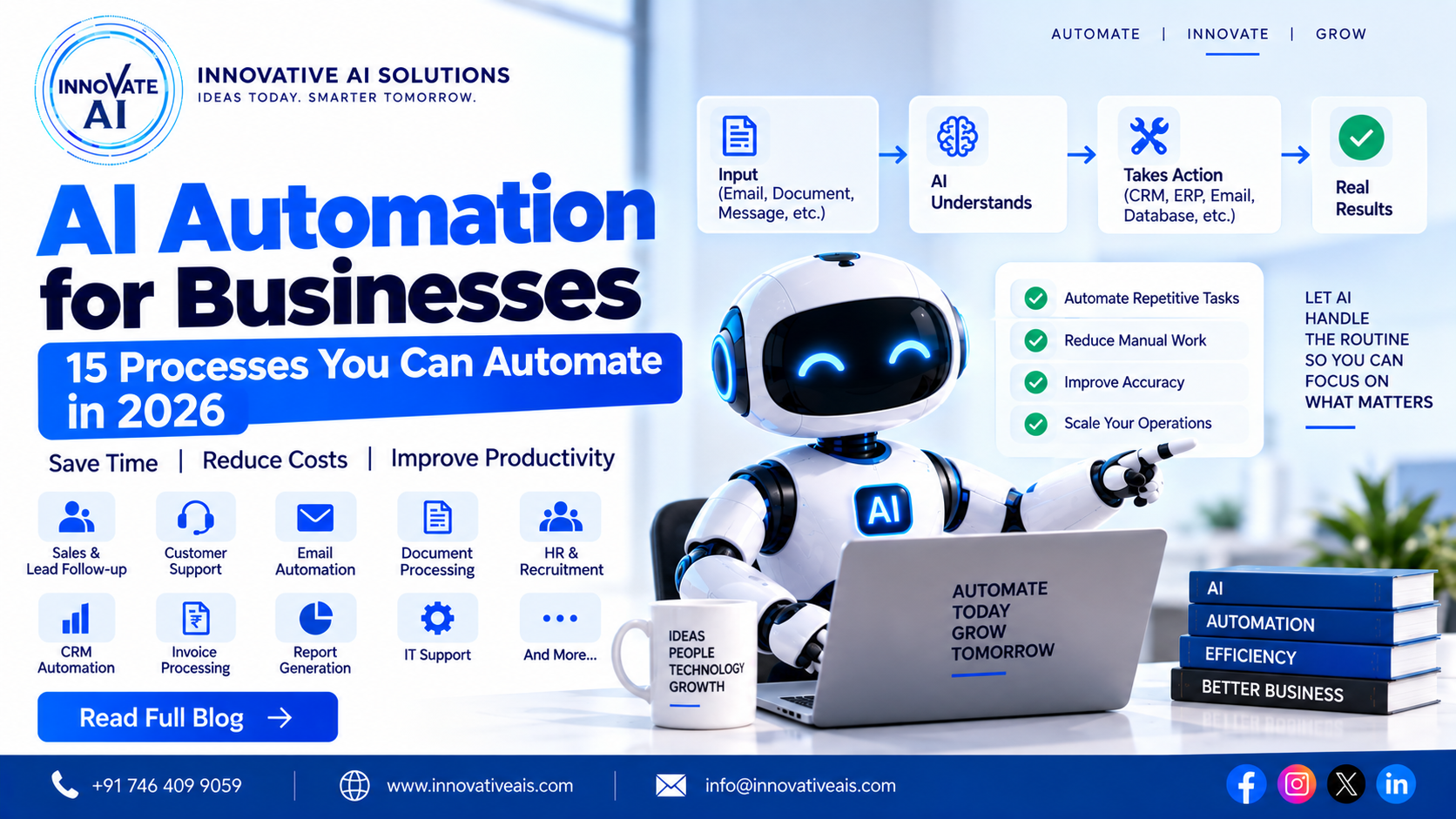
AI Automation for Businesses: 15 Processes You Can Automate in 2026
Most businesses don't have a shortage of work.
They have a shortage of time.
Employees spend a surprising amount of their day doing repetitive tasks—checking emails, updating CRM records, copying information between systems, preparing reports, answering the same customer questions and searching through documents.
None of these tasks are necessarily difficult. But when they happen hundreds or thousands of times every month, they become expensive.
This is where AI automation for businesses can make a real difference.
Traditional automation works well when a process follows predictable rules. AI adds another layer by allowing software to understand unstructured information such as emails, documents, customer messages and natural-language requests.
For example:
Customer Email
      ↓
AI Understands Request
      ↓
Classifies Email
      ↓
Extracts Information
      ↓
CRM Update
      ↓
Response / Human Review
Instead of asking an employee to manually process every email, the system can handle the repetitive parts and involve a person when a decision requires human judgment.
In this guide, we'll look at 15 business processes that can be automated with AI, how AI automation works, where it provides the most value, what technologies are involved and how businesses in India and Delhi NCR can approach AI automation projects.
What Is AI Automation?
AI automation is the combination of artificial intelligence and workflow automation.
Traditional automation usually follows predefined rules:
IF condition happens
      ↓
Perform action
AI automation can handle situations where the input isn't perfectly structured.
For example:
"Hi, I purchased the product last week but haven't received my order yet. Can you check what's happening?"
The system first needs to understand what the customer is asking.
An AI-powered workflow could:
Customer Message
       ↓
AI Understands Intent
       ↓
Order API
       ↓
Check Order
       ↓
Determine Status
       ↓
Generate Response
       ↓
Customer
This combination of AI + APIs + business rules + automation is what makes intelligent automation useful.
Why Businesses Are Adopting AI Automation
Businesses typically look at AI automation for a few practical reasons:
- Reduce repetitive manual work
- Respond to customers faster
- Reduce data-entry errors
- Improve employee productivity
- Process large volumes of information
- Improve lead follow-up
- Make information easier to access
- Standardize workflows
- Reduce operational costs
But AI automation shouldn't be implemented simply because AI is popular.
A better question is:
Which repetitive process is currently costing us the most time or money?
That's where you should start.
How AI Automation Works
A typical AI automation workflow looks like:
Trigger
  ↓
AI Understands Input
  ↓
Retrieve Information
  ↓
Apply Business Rules
  ↓
Call Tools / APIs
  ↓
Take Action
  ↓
Log Result
  ↓
Human Review if Required
For example:
New Lead
   ↓
AI Reads Requirement
   ↓
Lead Qualification
   ↓
CRM
   ↓
Personalized Message
   ↓
Sales Team
15 Business Processes You Can Automate With AI
1. Lead Qualification
Sales teams receive leads from:
- Websites
- Google Ads
- Social media
- Landing pages
Manually reviewing every lead takes time.
AI can analyze the enquiry and identify:
- Customer requirement
- Budget
- Location
- Product interest
- Urgency
- Lead quality
Example:
New Lead
 ↓
AI Reads Message
 ↓
Extracts Requirement
 ↓
Scores Lead
 ↓
CRM
 ↓
Sales Team
This allows sales teams to focus more attention on promising opportunities.
2. Customer Support
Customer support is one of the most obvious applications.
AI can handle repetitive questions such as:
- Product information
- Shipping
- Returns
- Account questions
- Basic troubleshooting
- Policies
For more complex issues, the system can transfer the conversation to a human.
Customer
   ↓
AI Assistant
   ↓
Can AI Solve?
  ↙       ↘
Yes       No
 ↓         ↓
Answer   Human Agent
This hybrid model is often more practical than trying to automate every support request.
3. Email Automation
Companies receive hundreds or thousands of emails.
AI can:
- Classify emails
- Detect intent
- Extract information
- Summarize messages
- Draft replies
- Route emails
- Create tickets
For example:
Email
 ↓
AI Classification
 ↓
Sales / Support / Finance / HR
 ↓
Correct Workflow
Employees can then review the AI's suggested action instead of starting from scratch.
4. CRM Automation
CRM data often becomes outdated because employees don't have time to update every record.
AI automation can assist with:
- Lead creation
- Lead qualification
- Call summaries
- Email summaries
- Follow-up reminders
- Customer classification
- Data enrichment
Example:
Sales Call
 ↓
Transcript
 ↓
AI Summary
 ↓
Extract Next Steps
 ↓
CRM Update
5. Document Processing
Businesses still spend enormous amounts of time processing documents.
Examples:
- Invoices
- Forms
- Applications
- Contracts
- Purchase orders
- Reports
AI automation can combine OCR and document understanding:
Document
 ↓
OCR
 ↓
AI Extraction
 ↓
Validation
 ↓
Structured Data
 ↓
ERP / Database
This can eliminate significant amounts of manual data entry in document-heavy workflows.
6. Invoice Processing
Finance teams can automate parts of invoice processing.
For example:
Invoice
 ↓
OCR
 ↓
Vendor Detection
 ↓
Invoice Number
 ↓
Amount
 ↓
Tax
 ↓
Validation
 ↓
Accounting System
The system can flag exceptions for human review.
For example:
Invoice amount doesn't match the purchase order.
Instead of automatically approving it, the system can send it to an employee.
7. Sales Follow-Up
One of the biggest problems in sales is inconsistent follow-up.
AI automation can help identify leads that haven't received a response.
Example:
Lead
 ↓
No Response
 ↓
AI Checks Context
 ↓
Generate Follow-Up
 ↓
Human Approval / Automatic Send
The message can be personalized based on the customer's previous conversation.
8. Meeting Summaries
After meetings, employees often spend time writing notes.
AI can help:
- Transcribe meetings
- Summarize discussions
- Extract decisions
- Identify action items
- Assign responsibilities
Example:
Meeting
 ↓
Transcript
 ↓
AI Summary
 ↓
Action Items
 ↓
CRM / Project Management
This is a relatively straightforward AI use case with a clear productivity benefit.
9. HR Automation
HR teams deal with repetitive employee questions.
An AI assistant can answer questions about:
- Leave policies
- Company policies
- Benefits
- Onboarding
- Internal procedures
A RAG-based system can retrieve answers from approved company documents.
Employee Question
 ↓
RAG
 ↓
HR Policies
 ↓
AI Response
Sensitive employee actions should still follow proper authorization and approval processes.
10. Recruitment Automation
Recruitment teams process many resumes.
AI can assist with:
- Resume parsing
- Skill extraction
- Job matching
- Candidate summaries
- Interview scheduling
- Candidate communication
Example:
Resume
 ↓
AI Extraction
 ↓
Skills
 ↓
Experience
 ↓
Job Requirements
 ↓
Candidate Match
Recruiters should remain involved in important hiring decisions, and automated screening should be carefully evaluated for fairness and accuracy.
11. Internal Knowledge Search
Employees often ask:
"Where is the latest process document?"
or:
"What is our refund policy?"
Instead of searching through folders, employees can ask an AI assistant.
The system can use RAG:
Employee
 ↓
Question
 ↓
Search Knowledge Base
 ↓
Retrieve Documents
 ↓
Generate Answer
 ↓
Show Sources
This is one of the strongest use cases for enterprise AI.
12. Report Generation
Many teams spend hours preparing recurring reports.
AI can help transform structured data into understandable summaries.
For example:
Database
 ↓
Analytics
 ↓
AI Interpretation
 ↓
Business Summary
 ↓
Management Report
The AI should not invent numbers. The underlying data and calculation logic should remain controlled by the application.
13. E-commerce Automation
E-commerce businesses can automate several workflows.
Examples:
- Product descriptions
- Customer questions
- Product recommendations
- Order-status assistance
- Return-policy questions
- Review classification
A product assistant might work like:
Customer
 ↓
AI Product Assistant
 ↓
Product Database
 ↓
Product Information
 ↓
Recommendation
14. IT Support Automation
Internal IT teams handle many repetitive tickets.
AI can assist with:
- Password-reset guidance
- Troubleshooting
- Knowledge-base search
- Ticket classification
- Ticket summaries
Example:
Employee
 ↓
IT AI Assistant
 ↓
Troubleshooting Knowledge
 ↓
Solution
 ↓
Ticket if unresolved
The system can escalate issues that require administrator access or human intervention.
15. Business Workflow Automation
The most powerful use cases often combine several systems.
For example:
Website Lead
      ↓
AI Qualification
      ↓
CRM
      ↓
Email
      ↓
Calendar
      ↓
Sales Team
Here, AI doesn't replace the CRM or email system.
It acts as an intelligence layer connecting different parts of the workflow.
AI Automation + RAG
RAG can make automation much more useful when a workflow depends on business knowledge.
For example:
Customer Question
       ↓
AI
       ↓
RAG Search
       ↓
Company Knowledge
       ↓
Business API
       ↓
Action
This allows the AI to combine:
Knowledge + Context + Action
For example:
"Check our refund policy and tell me whether this customer's order qualifies."
The system may need both:
- The refund policy
- Customer/order information
That's where RAG plus API integration becomes powerful.
AI Automation + AI Agents
AI agents can take AI automation one step further.
Instead of following one fixed workflow, an agent can choose among approved tools based on the task.
For example:
User Goal
    ↓
AI Agent
    ↓
Search Knowledge
    ↓
Check CRM
    ↓
Call API
    ↓
Generate Response
    ↓
Update CRM
This is particularly useful when workflows have multiple possible paths.
For a deeper explanation, link this article to your AI Agent Development article.
AI Automation Architecture
A production AI automation platform might look like:
                    USER / EVENT
                         ↓
                  Automation Trigger
                         ↓
                    API Backend
                         ↓
                 AI Processing Layer
                         ↓
             ┌───────────┼───────────┐
             ↓           ↓           ↓
            RAG        AI Agent     Rules
             ↓           ↓           ↓
             └───────────┼───────────┘
                         ↓
                   Tool / API Layer
                         ↓
        ┌────────────────┼────────────────┐
        ↓                ↓                ↓
       CRM              ERP             Email
        ↓                ↓                ↓
        └────────────────┼────────────────┘
                         ↓
                    Final Action
                         ↓
                  Logging / Analytics
Security and permissions should sit across the system, not be treated as an afterthought.
AI Automation Technology Stack
The technology stack depends on the project.
Backend
- Python
- FastAPI
- Django
- Node.js
- TypeScript
Frontend
- React
- Next.js
- Angular
AI
- Large language models
- Embedding models
- Machine learning models
- Vision models
- Speech models
Databases
- PostgreSQL
- MySQL
- MongoDB
- Redis
Search
- Vector databases
- Search engines
- PostgreSQL vector search
Integrations
- CRM APIs
- ERP APIs
- Calendar
- WhatsApp business infrastructure
- Internal APIs
Cloud
- AWS
- Azure
- Google Cloud
- Docker
- Kubernetes
How to Identify a Good AI Automation Use Case
Not every process should be automated.
A good candidate usually has:
High volume
The task happens frequently.
Repetitive steps
The process follows a recognizable pattern.
Digital inputs
The required information exists electronically.
Clear outcome
You can define what success looks like.
Measurable value
You can measure time saved, cost reduction, faster response or another business outcome.
A Simple AI Automation Score
You can evaluate a process using:
Frequency
×
Time Consumed
×
Business Impact
×
Automation Feasibility
For example:
| Process | Frequency | Effort | AI Potential |
|---|---|---|---|
| Lead qualification | High | Medium | 🔥 High |
| Email classification | Very High | Medium | 🔥 High |
| Invoice extraction | High | High | 🔥 High |
| Complex negotiations | Low | High | Low |
| Strategic decisions | Low | High | Human-led |
This helps businesses prioritize instead of automating everything.
Human-in-the-Loop AI Automation
A good automation system doesn't have to be 100% autonomous.
Consider:
AI
 ↓
Prepare Action
 ↓
Human Approval
 ↓
Execute
This is useful when an action could have significant consequences.
Examples:
- Financial transactions
- Contract approval
- High-value customer changes
- Sensitive employee actions
- Legal communications
AI can do the preparation while a person remains responsible for the final decision.
How to Measure AI Automation ROI
Before implementing automation, establish a baseline.
For example:
Before automation
1,000 requests/month
10 minutes/request
= 10,000 minutes
After automation:
AI handles routine requests
Human handles exceptions
Then measure:
- Time saved
- Cost saved
- Response time
- Error rate
- Conversion rate
- Customer satisfaction
- Employee productivity
This makes the business case much clearer.
How Much Does AI Automation Cost in India?
AI automation costs vary significantly.
A simple workflow with one integration can be relatively straightforward.
A large automation platform involving:
- Multiple APIs
- AI agents
- RAG
- CRM
- ERP
- Authentication
- Dashboards
- Monitoring
requires much more engineering.
The main cost factors include:
- Number of workflows
- Integrations
- AI model usage
- Data volume
- Security
- User count
- Infrastructure
- UI/UX
- Testing
- Maintenance
The best approach is to start with one high-value workflow and measure its results.
AI Automation for Small Businesses
Small businesses don't need to build a huge AI platform.
Start with one problem.
For example:
Website leads are not being followed up quickly enough.
Start with:
Lead
 ↓
AI Qualification
 ↓
CRM
 ↓
Follow-Up
Once the workflow works, expand it.
AI Automation for Enterprises
Enterprises may have dozens of processes that can potentially benefit from AI.
But enterprise automation requires:
- Security
- Access controls
- Audit logs
- Integration architecture
- Monitoring
- Data governance
- Human approval
The focus should be on reliable automation, not maximum autonomy.
AI Automation in Delhi NCR
Businesses across Delhi, Noida, Gurugram, Greater Noida, Ghaziabad and Faridabad can use AI automation for:
- Sales
- Customer support
- Manufacturing
- Education
- Real estate
- E-commerce
- Professional services
- Internal operations
An AI automation company in Delhi NCR can help businesses identify repetitive processes and design systems around their existing software.
However, location should not be the only factor when selecting a technology partner.
Technical experience and actual implementation capability matter more.
How to Choose an AI Automation Company in India
Before choosing a partner, ask:
Do they understand your business process?
A good team should ask questions before suggesting technology.
Can they integrate your existing software?
AI automation usually needs APIs and databases.
Can they handle AI and traditional software?
You need both.
Do they understand security?
Automation can create risk if permissions aren't properly designed.
Can they measure ROI?
The project should have measurable objectives.
Do they provide post-launch support?
Production automation needs monitoring and maintenance.
Why Choose Innovative AI Solutions?
Innovative AI Solutions works on AI and software solutions that can combine:
- AI automation
- Generative AI
- RAG
- AI agents
- AI chatbots
- Document AI
- OCR
- Machine learning
- Custom software
- API integrations
- Cloud and DevOps
The approach should start with the business process.
Then identify:
What should be automated?
What should remain deterministic?
Where should AI be involved?
Where should a human remain in control?
This produces a more practical automation strategy.
Our AI Automation Development Process
Step 1: Process Discovery
Map the existing workflow.
Current Process
 ↓
Manual Steps
 ↓
Pain Points
 ↓
Automation Opportunities
Step 2: Prioritization
Select the highest-value workflow.
Step 3: Architecture
Define:
- AI
- APIs
- Database
- Automation
- Security
Step 4: Prototype
Build one workflow.
Step 5: Testing
Test normal and unusual scenarios.
Step 6: Deployment
Deploy the automation.
Step 7: Monitoring
Track:
- Success rate
- Errors
- Cost
- Latency
Step 8: Scale
Automate additional workflows after proving the first one.
Common AI Automation Mistakes
Automating the Wrong Process
Don't automate a process simply because you can.
Automate where there is measurable value.
Giving AI Too Much Authority
Limit permissions.
Ignoring Exceptions
Real-world processes contain edge cases.
No Human Escalation
Some workflows need human involvement.
No Monitoring
Automation without monitoring can fail silently.
No ROI Measurement
If you can't measure the benefit, it's difficult to justify the investment.
Frequently Asked Questions
What is AI automation?
AI automation combines artificial intelligence with software workflows to automate tasks involving unstructured information, decisions within defined boundaries and business-system interactions.
What business processes can AI automate?
AI can assist with lead qualification, customer support, email processing, document extraction, CRM updates, reporting, HR knowledge, recruitment workflows and many other repetitive processes.
Is AI automation the same as traditional automation?
No. Traditional automation generally follows predefined rules. AI automation can interpret unstructured information and then trigger traditional workflows.
Can AI automation work with CRM systems?
Yes. AI automation can interact with CRM systems through APIs and other integrations.
Can AI automate WhatsApp leads?
AI can be integrated with supported WhatsApp business infrastructure to help process conversations, qualify leads and trigger workflows.
Can AI automation use RAG?
Yes. RAG can provide business-specific knowledge to an AI automation workflow.
Can AI agents be used for automation?
Yes. AI agents can be used where workflows require multiple tools or dynamic decision paths.
How much does AI automation cost in India?
The cost depends on the number of workflows, integrations, AI requirements, security, infrastructure and project complexity.
Is AI automation suitable for small businesses?
Yes. Small businesses can start with a single high-value workflow and expand gradually.
Can AI automation replace employees?
The better objective is usually to automate repetitive tasks and allow employees to focus on higher-value work. Whether any role changes depends on the specific business and workflow.
Is AI automation secure?
It can be designed securely using authentication, authorization, limited tool permissions, logging, monitoring and appropriate data controls.
Conclusion
AI automation is most useful when it solves a real business problem.
You don't need to automate everything.
Start with one process that:
- Happens frequently
- Takes significant employee time
- Has clear inputs and outputs
- Can be measured
- Has a reasonable level of automation feasibility
Then build, test and improve.
The most effective business systems often combine:
AI + Traditional Automation + APIs + Business Rules + Human Oversight
That combination can turn repetitive workflows into intelligent, measurable processes.
If you're looking for an AI automation company in India or Delhi NCR, Innovative AI Solutions can help evaluate your existing workflows and identify where AI can create practical value.
Have a repetitive process your team handles every day?
Start there.
Automate smarter. Work faster. Grow better with AI.
Related services: to apply this in your business, explore our API development and integration and CRM automation.