The Big Question
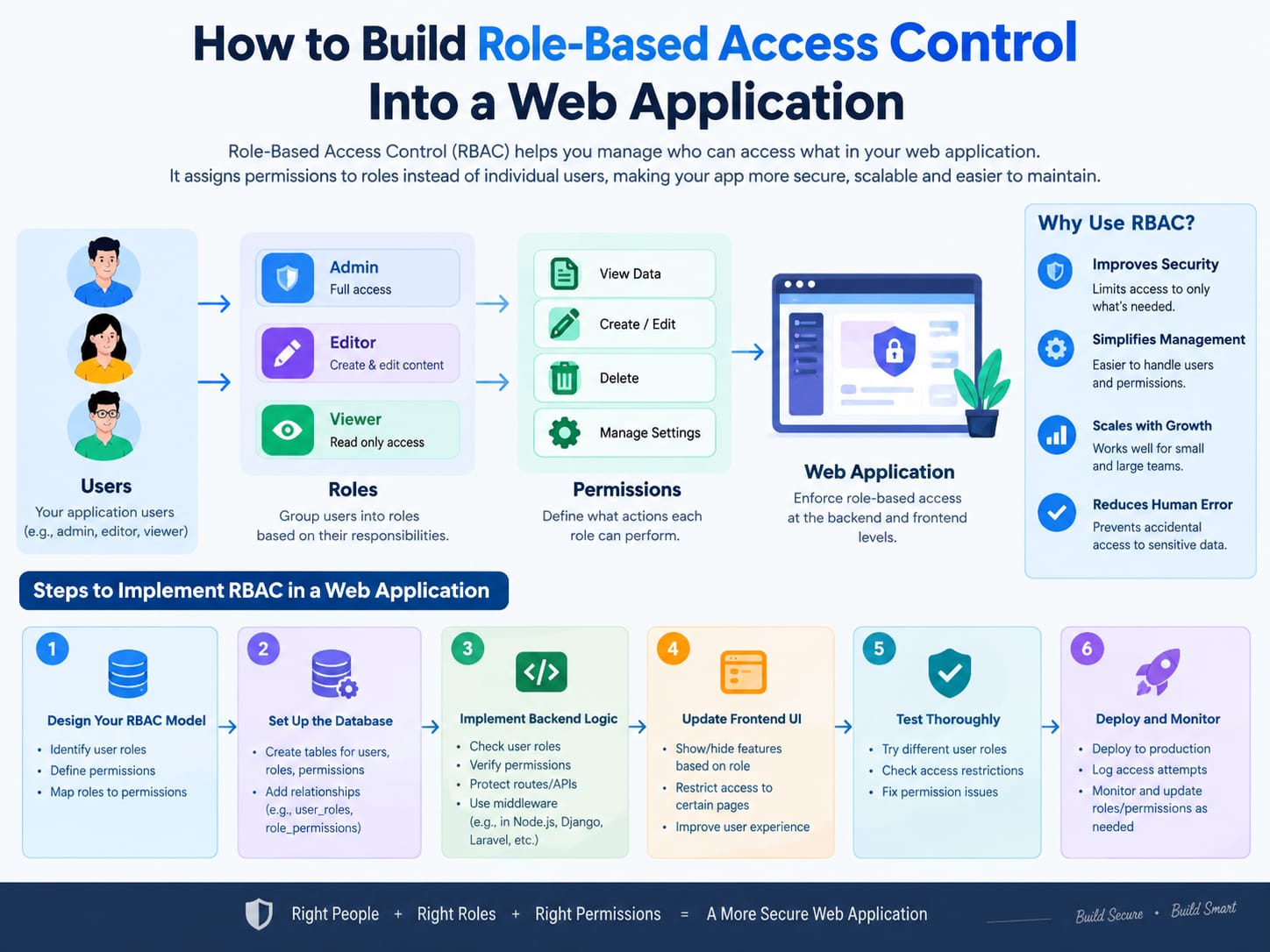
Role-Based Access Control is the practice of granting permissions based on roles, not individual users. An admin gets admin rights. A viewer gets read-only access. A nurse can see patient records but not billing details. A contractor can access project files but not payroll .
The concept is simple. The implementation rarely is.
The first mistake most teams make is treating RBAC as a checkbox feature. They add a role column to the users table, write a few statements, and call it done. Six months later, they're debugging why a customer can see another customer's invoices.
The second mistake is overbuilding. Teams spend months designing a perfect, infinitely configurable permissions system attribute-based access control, hierarchical roles, dynamic policies when they only have three user types and no near-term plans for more.
The third mistake is the most expensive: building RBAC into the frontend and calling it security. Hiding a button in the UI is not access control. If the API endpoint is unprotected, the button doesn't matter. Client-side RBAC must always be paired with server-side enforcement .
The right approach sits between these extremes. Define your roles clearly. Enforce permissions at the API layer. Keep the system simple enough to audit, and flexible enough to evolve when your user base does.
Cost Based on Application Type
The cost of building RBAC depends heavily on how complex your permission model needs to be and how deeply it ties into the rest of your application. Here's what the 2026 market looks like:
| Application Type | RBAC Complexity | Typical Cost Range | Timeline |
|---|---|---|---|
| MVP / Internal Tool | 2-3 roles, basic permissions | $1,400 – $2,500 | 3-5 days |
| SaaS / Customer Portal | 4-6 roles, resource-level access | $2,500 – $6,000 | 1-2 weeks |
| Multi-tenant Platform | 7+ roles, org-scoped permissions | $6,000 – $20,000+ | 2-6 weeks |
| Enterprise / Regulated | Granular permissions, audit trails, compliance | $20,000 – $100,000+ | 1-6 months |
A focused RBAC implementation for a standard web app typically costs $1,400 to $4,200 and takes about 5 days to build and test .
The jump to multi-tenant and enterprise pricing comes from three factors: complexity of the permission model, compliance requirements (SOC2, HIPAA, PCI-DSS), and integration depth. When permissions need to be scoped to organizations, projects, or individual resources not just global roles the engineering effort multiplies.
The services are's also the build vs. integrate decision. Managed s like Clerk, Auth0, and Microsoft Entra ID offer built-in RBAC. For most MVPs, integrating a managed service is significantly cheaper than building from scratch . Custom builds only make sense when you have specific requirements that managed services can't meet.
Breakdown by Developer Type (2020-2026 Rates)
Who builds your RBAC system matters. Here's the 2026 talent landscape for web application development in India:
| Role | India (Hourly) | US (Hourly) | What They Do |
|---|---|---|---|
| Backend Developer | $20-$45 | $80-$160 | Implements role middleware, permission checks, API enforcement |
| Full-Stack Developer | $25-$55 | $90-$180 | Handles both API and UI permission logic |
| Security/Identity Engineer | $40-$80 | $150-$250 | Designs permission models, audits access control, compliance |
| Dedicated Team (3-4 people) | $70-$150/hr combined | $250-$500/hr combined | End-to-end RBAC ownership |
The India advantage is structural. A senior backend developer in Delhi costs 60-70% less than their US counterpart while delivering comparable technical capability . But for RBAC specifically, experience with identity and access management (IAM) matters more than cost. A developer who has built five RBAC systems will finish in days what takes a generalist weeks.
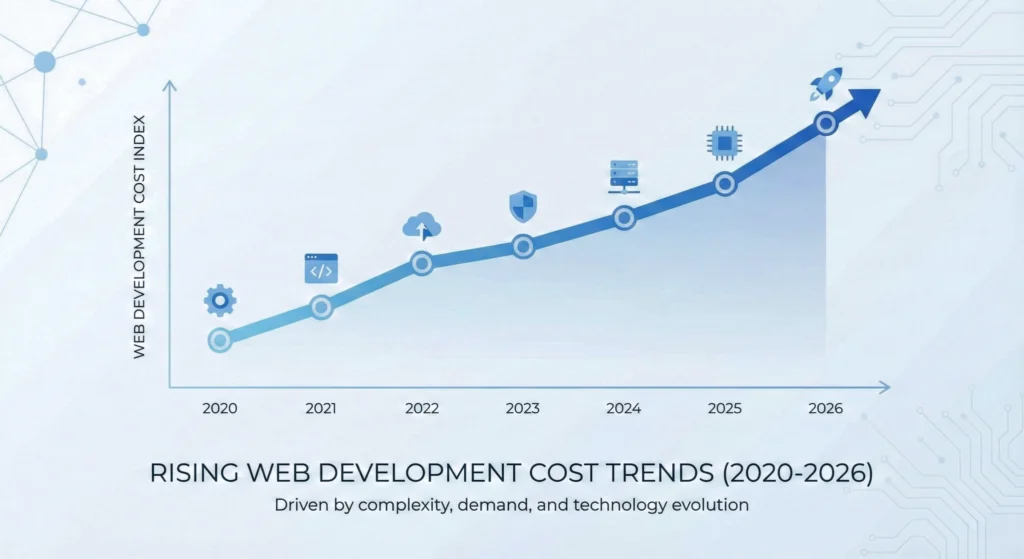
Why Prices Changed in 2026
Three shifts have reshaped RBAC development economics:
First, AI coding tools changed the baseline. Tools like Cursor and Claude Code now scaffold RBAC middleware, permission schemas, and test cases in minutes. A feature that required 20 billable hours in 2022 might now land closer to 12 . This compresses the cost of the initial build but only for teams who use these tools well.
Second, the cost of getting RBAC wrong has never been higher. Compliance frameworks like SOC2, HIPAA, and PCI-DSS now explicitly require documented access controls. A significant number of organizations over 40% still rely on fully manual access reviews, and 65% have faced compliance fines due to weak access review processes . The cost of a security incident from poor access control dwarfs the cost of building it right.
Third, managed services made the build-vs-buy decision clearer. Platforms like Clerk, Auth0, and Microsoft Entra ID now offer production-grade RBAC out of the box. For most teams, integrating a managed service costs 5-10× less than custom development . Custom builds are increasingly reserved for cases where the permission model is genuinely complex or where data residency requirements prevent third-party integration.
Pro Tips to Save Money in 2026
1. Define roles before you write code. The single biggest cost driver is scope creep in the permission model. Write down every role, every resource, and every action. Get stakeholders to sign off. Then build. Changing roles mid-development is the most expensive mistake in RBAC .
2. Start with 3 roles, not 30. Most applications need admin, editor, and viewer. That's it. Add more roles only when you have a concrete user story that requires it. Over-engineering the permission model early is a classic trap.
3. Use a managed service for your MVP. Clerk, Auth0, and Entra ID all offer RBAC that takes days to integrate, not weeks to build. Only go custom when the managed service's model doesn't fit your requirements .
4. Enforce at the API layer, not just the UI. Hiding a button is not access control. Every permission check must happen server-side. Client-side checks are for user experience, not security .
5. Build an access review workflow from day one. Permissions accumulate. Someone changes roles, but their old access isn't revoked. Build a simple admin dashboard that shows who has what, and review it quarterly. This costs almost nothing to build and saves enormous pain later .
Questions to Ask Before Hiring
Before you hand your RBAC project to any development partner, ask these questions.
1. "Walk me through your permission model. How do roles, resources, and actions relate?" A serious partner will have a clear mental model. A vague answer means they'll figure it out during your project—at your expense.
2. "How do you enforce permissions at the API layer?" The answer should involve middleware, decorators, or authorization guards. If they talk about hiding UI elements, they don't understand access control.
3. "What happens when a user's role changes?" Permissions must be revoked immediately, not cached. This is a classic source of privilege escalation bugs.
4. "How do you handle multi-tenancy?" If your app serves multiple organizations, roles need to be scoped to organizations. A global admin in one tenant should not be a global admin in another .
5. "Show me how you'd audit who has access to what." If they can't describe an access review workflow, they haven't built RBAC for a regulated environment.
Why Delhi is a Great Hub for Web Application Development
Delhi-NCR has become a default destination for founders sourcing development talent, and RBAC work is no exception.
The region offers a large, English-fluent engineering talent pool, competitive costs relative to Western markets, and a business culture accustomed to working across time zones . Delhi specifically has a mix of legacy IT services firms, agency-style shops, and companies closely tied to enterprise and government contracts .
For RBAC specifically, the concentration of fintech, healthtech, and enterprise SaaS companies in Delhi-NCR means developers here have seen the full spectrum of access control requirements from simple role checks to complex multi-tenant permission models.
And the cost structure remains compelling. A dedicated team through a vetted Delhi-based firm runs $35-$55 per person per hour, with no ramp fees and built-in attrition replacement . That's a fraction of what equivalent talent costs in the US or Western Europe.
What We Offer
At Innovative AI Solutions, we build RBAC systems that are secure by default, simple to audit, and designed to evolve with your user base.
Our approach:
-
Permission Model Design. We map your roles, resources, and actions into a clear schema before writing a line of code. Stakeholder sign-off prevents the scope creep that kills budgets.
-
API-First Enforcement. Every permission check happens server-side. Client-side checks are for UX only.
-
Access Review Dashboard. We build the admin tools that let you see who has what and revoke it when roles change.
-
Managed Service Integration. When Clerk, Auth0, or Entra ID fits your needs, we integrate rather than rebuild. You get production-grade security without the custom build cost.
Who this fits: Teams building multi-user applications who need role-based access control that won't become a security liability six months from now.
Frequently Asked Questions
Q: How long does it take to build RBAC?
For a standard web application with 3-5 roles, 5 to 10 days is typical. Multi-tenant or compliance-heavy implementations take 2-6 weeks. The timeline depends more on permission model complexity than raw coding effort .
Q: Should I build RBAC from scratch or use a managed service?
For most MVPs and standard SaaS applications, a managed service is the right call. It's 5-10× cheaper and ships in days, not weeks . Build custom only when your permission model is genuinely unique or data residency requirements prevent third-party integration.
Q: What's the biggest mistake teams make with RBAC?
Building it into the frontend and calling it done. Hiding UI elements is not access control. Every permission must be enforced at the API layer .
Q: How do I handle role changes?
Permissions must be revoked immediately when a user's role changes. Cache invalidation is critical. A user who was an admin yesterday should not have admin access today if their role changed overnight .
Q: Do I need RBAC if I only have two types of users?
Even with two roles (admin and regular user), you need RBAC. The moment you have more than one type of user, you have a permission problem. Start simple, but start correctly.
Frequently Asked Questions (Extended)
Q: Can I add RBAC later, or should I build it from the start?
Building it from the start is cheaper. Retrofitting RBAC means auditing every existing endpoint, every database query, and every UI component. It's doable, but it costs 2-3× more than designing it in from day one.
Q: How do I test RBAC properly?
Test negative cases. Don't just verify that an admin can access admin features. Verify that a regular user cannot access them by calling the API directly. Most RBAC bugs live in the negative cases.
Q: What about attribute-based access control (ABAC)?
ABAC is more granular but also more complex. Most applications don't need it. Start with RBAC. Only move to ABAC when you have a concrete requirement that roles alone can't satisfy like "users can edit documents they created, but only for 24 hours."
Contact Us:
Phone: +91 7464 099 059 / +91 9689967356
Email: info@innovativeais.com
Address: 9th Floor, Pearls Best Heights-I, Head Office :- 904, Netaji Subhash Place, Delhi, 110034