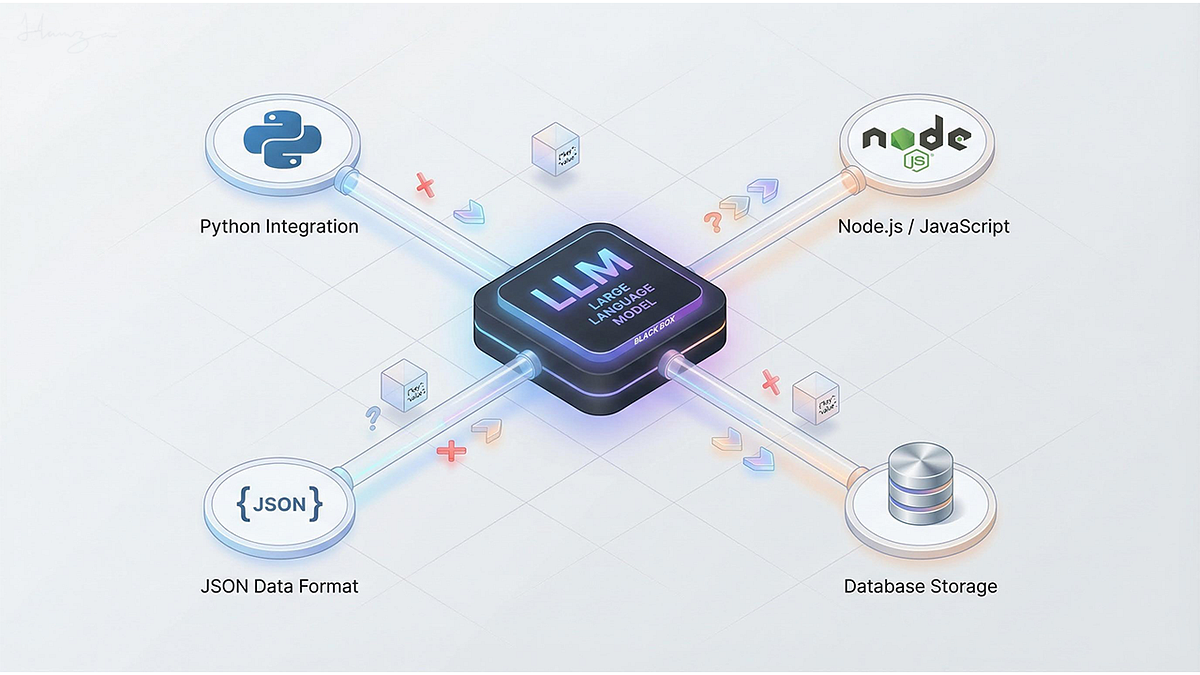
Your Options at a Glance
| Approach | Best For | Latency | Privacy | Cost |
|---|---|---|---|---|
| Vercel AI SDK (Cloud API) | Chatbots, streaming UI, tool calling | Moderate (API round-trip) | Data sent to provider | Pay-per-token |
| LangChain.js + Cloud LLM | Complex chains, RAG, multi-step workflows | Moderate to high | Data sent to provider | Pay-per-token |
| Chrome Built-in AI | Chromium browser extensions, simple tasks | Very low (local) | Data never leaves device | Free |
| Browser Inference (Transformers.js) | Privacy-critical, offline, edge deployments | Low to moderate (GPU-dependent) | Data never leaves device | One-time (model download) |
| Cloud API (Direct) | Simple one-off calls, prototypes | Moderate | Data sent to provider | Pay-per-token |
"The right choice depends on whether you prioritize latency, privacy, cost, or development speed. Most production applications use multiple approaches: cloud for complex reasoning, edge for real-time tasks."
Step 3: Approach 1 – Vercel AI SDK (The Modern Standard)
The Vercel AI SDK provides a unified API to interact with OpenAI, Anthropic, Google, and other providers. It's the most developer-friendly option for Next.js and React applications.
Installation
npm install ai @ai-sdk/openai @ai-sdk/anthropic @ai-sdk/google
Basic Text Generation
// app/api/generate/route.ts
import { generateText } from 'ai';
import { openai } from '@ai-sdk/openai';

export async function POST(req: Request) {
  const { prompt } = await req.json();

  const { text } = await generateText({
    model: openai('gpt-4o'),
    prompt: prompt,
  });

  return Response.json({ text });
}
Streaming Chat (Real-time UX)
The real power of the AI SDK is streaming – tokens appear as they generate, reducing perceived latency.
Backend (API Route):
// app/api/chat/route.ts
import { streamText } from 'ai';
import { anthropic } from '@ai-sdk/anthropic';

export async function POST(req: Request) {
  const { messages } = await req.json();

  const result = streamText({
    model: anthropic('claude-3-5-sonnet-20241022'),
    system: 'You are a helpful assistant.',
    messages,
  });

  return result.toUIMessageStreamResponse();
}
Frontend (React Component):
// app/page.tsx
'use client';

import { useChat } from '@ai-sdk/react';

export default function Chat() {
  const { messages, input, handleInputChange, handleSubmit, status } = useChat({
    api: '/api/chat',
  });

  return (
    <div>
      {messages.map(message => (
        <div key={message.id}>
          <strong>{message.role}: </strong>
          {message.parts.map((part, i) => {
            if (part.type === 'text') return <span key={i}>{part.text}</span>;
            // Handle images, tool calls, etc.
          })}
        </div>
      ))}
      <form onSubmit={handleSubmit}>
        <input
          value={input}
          onChange={handleInputChange}
          disabled={status !== 'ready'}
          placeholder="Send a message..."
        />
      </form>
    </div>
  );
}
Structured Output with Zod Schema
For predictable, parseable outputs – critical for production applications:
import { generateObject } from 'ai';
import { z } from 'zod';

const { object } = await generateObject({
  model: openai('gpt-4o'),
  schema: z.object({
    sentiment: z.enum(['positive', 'neutral', 'negative']),
    confidence: z.number().min(0).max(1),
    keyTopics: z.array(z.string()),
  }),
  prompt: 'Analyze the sentiment of this customer review: ...',
});

// object is fully typed!
console.log(object.sentiment); // 'positive'
Unified Provider Architecture
The AI SDK now supports multiple providers through the Vercel AI Gateway, using simple model strings:
// Using the AI Gateway (no per-provider SDKs needed)
const result = await generateText({
  model: 'anthropic/claude-opus-4.6', // or 'openai/gpt-5.4', 'google/gemini-3-flash'
  prompt: 'Hello!',
});
Step 4: Approach 2 – LangChain.js (Complex Workflows)
When your AI logic requires multiple steps, conditional branching, or retrieval from external data, LangChain.js provides the necessary abstractions.
Installation
npm install langchain @langchain/openai @langchain/community
Basic Chain Example
import { PromptTemplate } from '@langchain/core/prompts';
import { ChatOpenAI } from '@langchain/openai';
import { StringOutputParser } from '@langchain/core/output_parsers';
import { RunnableSequence } from '@langchain/core/runnables';

const model = new ChatOpenAI({ modelName: 'gpt-4o' });
const prompt = PromptTemplate.fromTemplate(
  'Write a {tone} product description for {product}. Target audience: {audience}.'
);

const chain = RunnableSequence.from([prompt, model, new StringOutputParser()]);

const result = await chain.invoke({
  tone: 'enthusiastic',
  product: 'wireless noise-cancelling headphones',
  audience: 'frequent travelers',
});
RAG with Vector Stores
import { RecursiveCharacterTextSplitter } from '@langchain/textsplitters';
import { OpenAIEmbeddings } from '@langchain/openai';
import { MemoryVectorStore } from 'langchain/vectorstores/memory';

// Split documents into chunks
const splitter = new RecursiveCharacterTextSplitter({ chunkSize: 1000 });
const documents = await splitter.splitDocuments(loadedDocs);

// Create vector store
const vectorStore = await MemoryVectorStore.fromDocuments(
  documents,
  new OpenAIEmbeddings()
);

// Retrieve relevant context
const relevantDocs = await vectorStore.similaritySearch('user question', 3);
LangSmith Integration (Observability)
LangSmith provides tracing, monitoring, and evaluation for LangChain applications. Integration with the Vercel AI SDK is automatic through the wrapAISDK function:
import { wrapAISDK } from 'langsmith/wrappers/vercel-ai-sdk';
import { generateText } from 'ai';

const wrappedGenerateText = wrapAISDK({ generateText });

// All calls to generateText are now traced to LangSmith
const result = await wrappedGenerateText({ model, prompt });
Step 5: Approach 3 – Chrome Built-in AI (Zero-Download Inference)
For Chromium-based browsers, Chrome's built-in Prompt API provides on-device inference using Gemini Nano – no API keys, no model downloads, no data leaving the device.
Key Performance Principles
Do this – prepare models early:
//  Initialize session as soon as user intent is identified
const session = await LanguageModel.create({
  initialPrompts: [
    { role: 'system', content: 'You are a helpful assistant specialized in code reviews.' }
  ]
});

// Later, when the user triggers the feature
const review = await session.prompt(`Review this code:\n\n${code}`);
Don't do this – wait for user click to initialize:
//  Don't: Creates cold start delay of several seconds
button.onclick = async () => {
  const session = await LanguageModel.create();
  const result = await session.prompt(prompt);
};
Clone Sessions for Repeated Tasks
Cloning avoids re-parsing heavy system instructions:
//  Do: Create a baseline session and clone it
const baseSession = await LanguageModel.create({
  initialPrompts: [{ role: 'system', content: 'You are a technical editor...' }],
});

// Clone for each task – inherits all instructions
const task1 = await baseSession.clone();
const response1 = await task1.prompt("Review this draft...");

// Destroy clones when done to free memory
task1.destroy();
Structured Output with JSON Schema
const schema = {
  type: 'object',
  properties: {
    isCodeIssue: { type: 'boolean' },
    severity: { enum: ['low', 'medium', 'high'] }
  }
};

const result = await session.prompt(`Analyze this code:\n\n${code}`, {
  responseConstraint: schema,
});

const parsed = JSON.parse(result);
console.log(parsed.severity);
Streaming Output with Sanitization
Always treat LLM outputs as untrusted and sanitize before rendering:
import * as smd from 'streaming-markdown';

const sanitizer = new Sanitizer({
  allowElements: ['p', 'strong', 'em', 'code', 'a'],
  allowAttributes: { 'href': ['a'] }
});

const buffer = new DocumentFragment();
const parser = smd.parser_new(buffer);

// Stream chunks through markdown parser
smd.parser_write(parser, chunk);

// Sanitize and render
const cleanFragment = sanitizer.sanitize(buffer);
container.replaceChildren(cleanFragment);
Step 6: Approach 4 – Browser Inference (Transformers.js + WebGPU)
For maximum control and privacy, run models directly in the browser using Transformers.js with WebGPU acceleration. This approach works across all modern browsers – not just Chrome.
Why Browser Inference?
| Benefit | Explanation |
|---|---|
| Architectural privacy | Data never leaves the device – no server to trust |
| Zero latency | No network round-trips for inference |
| Offline capability | Works without internet once models are cached |
| Cost predictability | No per-token charges; fixed cost of user device |
Transformers.js with WebGPU
import { pipeline } from '@xenova/transformers';

// Load model (cached after first download)
const generator = await pipeline('text-generation', 'onnx-community/Llama-3.2-1B-Instruct');

// Run inference locally
const result = await generator('Explain WebGPU in simple terms:', {
  max_new_tokens: 256,
  temperature: 0.7,
});
Transformers.js v4 delivers a 4x speedup for BERT models via the WebGPU runtime and now supports 20-billion parameter models at 60 tokens per second.
WebLLM – Specialized LLM Runner
WebLLM is optimized specifically for running LLMs in the browser with WebGPU acceleration:
import { CreateMLCEngine } from '@mlc-ai/web-llm';

const engine = await CreateMLCEngine('Llama-3.2-1B-Instruct-q4f32_1');
const reply = await engine.chat.completions.create({
  messages: [{ role: 'user', content: 'What is WebGPU?' }],
});
When to Choose Browser Inference
Use browser inference when: privacy matters (no data leaves the device), low latency is critical (real-time transcription), offline capability is required, or you want predictable costs (no cloud API bills). The trade-off is model size constraints (typically under 7B parameters quantized to 2-4GB) and client hardware dependence.
Step 7: Security and Guardrails
Integrating LLMs introduces new security risks: prompt injection, PII leakage, and toxic output. Several guardrail libraries have matured in 2026 to address these concerns.
open-guardrail – Provider-Agnostic Content Safety
Open-guardrail is an open-source guardrail engine that works with any LLM provider:
import { pipe, promptInjection, pii, keyword } from 'open-guardrail';

const result = await pipe(
  promptInjection({ action: 'block' }),
  pii({ entities: ['email', 'phone'], action: 'mask' }),
  keyword({ denied: ['hack', 'exploit'], action: 'block' })
).run(userInput);

if (!result.passed) {
  console.log('Blocked:', result.action);
}
It includes 30 built-in guards covering security, privacy, content safety, operational controls, and agent safety.
HazelJS Guardrails – Framework Integration
For HazelJS applications, the guardrails module provides decorators for automatic input/output validation:
import { GuardrailsModule } from '@hazeljs/guardrails';

@HazelModule({
  imports: [
    GuardrailsModule.forRoot({
      redactPIIByDefault: true,
      blockInjectionByDefault: true,
      blockToxicityByDefault: true,
    }),
  ],
})
export class AppModule {}

// Use with @AITask for automatic guardrails
@GuardrailInput()
@GuardrailOutput()
@AITask({ provider: 'openai', model: 'gpt-4' })
async chat(@Body() body: { message: string }) {
  return body.message;
}
AIR SDK – Browser Agent Optimization
For browser automation agents, AIR SDK reduces token usage by up to 7,000x by replacing DOM reasoning with pre-verified CSS selectors:
import { AirClient } from '@arcede/air-sdk';

const client = new AirClient({ apiKey: process.env.AIR_API_KEY });

// One API call, regardless of workflow complexity
const capability = await client.browseCapabilities('amazon.com');
await client.executeCapability(capability, 'search for noise-cancelling headphones');
AIR SDK achieves 178ms median latency and $0.0006 per execution at Scale tier – 280x faster than frontier models.
Step 8: Production Observability with LangSmith
LangSmith provides tracing, monitoring, and evaluation for LLM applications. Integration with the Vercel AI SDK is straightforward:
import { wrapAISDK } from 'langsmith/wrappers/vercel-ai-sdk';
import { generateText, streamText } from 'ai';

const wrapped = wrapAISDK({
  generateText,
  streamText,
});

// All calls are now automatically traced to LangSmith
const result = await wrapped.generateText({ model, prompt });
The wrapper automatically captures token usage, tool calls, and execution timing.
Step 9: Implementation Roadmap – Choosing Your Path
| You are building... | Recommended Stack |
|---|---|
| Chatbot on existing website | Vercel AI SDK + Cloud LLM (OpenAI/Anthropic) |
| Complex multi-step workflow (RAG, agents) | LangChain.js + LangSmith + Cloud LLM |
| Privacy-critical application (healthcare, finance) | Browser inference (Transformers.js) or Chrome Built-in AI |
| Browser extension | Chrome Built-in AI (if Chromium) or Transformers.js |
| Real-time voice/video processing | Browser inference (WebGPU) for on-device processing |
| Internal tool (low volume, high accuracy need) | Vercel AI SDK + GPT-4o/Claude 3.5 |
| Cost-sensitive, high-volume | Browser inference (fixed client costs) or smaller cloud models |
Step 10: Frequently Asked Questions
Q1: Which is cheaper – cloud APIs or browser inference?
Browser inference is cheaper at scale because you pay for model download once, then inference costs are borne by user devices. Cloud APIs charge per token, which scales with usage. For low-volume applications, cloud APIs may be cheaper; for high-volume, browser inference wins.
Q2: Do I need LangChain if I'm using Vercel AI SDK?
Not for simple use cases. The Vercel AI SDK handles single-turn generation, streaming, and basic tool calling. LangChain becomes necessary for complex chains, conditional branching, agent orchestration, or when you need advanced RAG pipelines.
Q3: How do I prevent prompt injection?
Use guardrail libraries (open-guardrail or HazelJS) to filter inputs before they reach the LLM. Enable prompt injection detection guards, and always sanitize outputs before rendering in the browser.
Q4: Can I use AI offline in my web app?
Yes, through browser inference with Transformers.js or WebLLM. Models are downloaded once (typically 1-4GB) and then run entirely on-device. Requires WebGPU support for reasonable performance.
Q5: What is the performance of in-browser inference?
With WebGPU acceleration, Transformers.js v4 can run 20-billion parameter models at 60 tokens per second. Whisper models achieve near-human quality transcription locally.
Q6: How do I handle streaming with guardrails?
Use streaming-safe guardrails that validate chunks incrementally. The Vercel AI SDK's streaming output can be piped through guardrail middleware before reaching the client.
Q7: How can Innovative AI Solutions help?
We help teams select and implement the right AI stack – from cloud API integration to browser inference to agentic workflows. We also provide guardrail implementation and production observability setup.
Step 11: Final Tagline
*"The JavaScript AI ecosystem in 2026 offers a spectrum of options – from unified cloud APIs to privacy-preserving browser inference. The right choice depends on your latency, privacy, and cost priorities. Most production applications use a hybrid approach."*
Short version:
How to integrate LLMs into your JavaScript stack in 2026 – Vercel AI SDK, LangChain.js, Chrome Built-in AI, browser inference with Transformers.js, and guardrails.
Hashtags:
#JavaScriptAI #LLMIntegration #VercelAISDK #LangChainJs #BrowserAI #WebLLM #AIEngineering #InnovativeAISolutions
Contact Us
Phone: +91 7464 099 059 / +91 96899 67356
Email: info@innovativeais.com
Address: Netaji Subhash Place, Pitampura, Delhi – 110034
Website: https://innovativeais.com
Related services: to apply this in your business, explore our LLM integration and RAG development.