The Complete 2026 AI-Native Stack
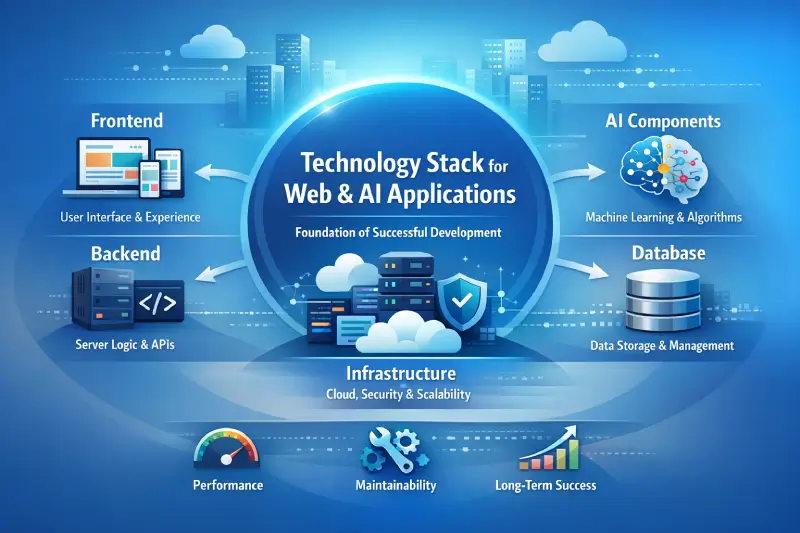
Let me give you the complete picture before we dive into each layer. Think of building an AI-native web application like constructing a house – each technology serves a specific purpose, and they all work together .
The Full Stack at a Glance
| Layer | Technology | Role |
|---|---|---|
| Foundation | Next.js 15+ (App Router) + React 19 | Framework + UI |
| Safety | TypeScript 5.9+ | Type safety across the stack |
| Styling | Tailwind CSS v4 + shadcn/ui | Design system + components |
| State | Zustand | Client-side state management |
| Backend | Supabase / PostgreSQL + pgvector | Data + vector search |
| AI Integration | Vercel AI SDK 5.0 | Universal AI provider interface |
| AI Models | Claude Sonnet 4.5 / GPT-5 / DeepSeek-V3 | Reasoning engine |
| Orchestration | LangGraph / Dify | Multi-agent workflows |
| Knowledge | Graph-RAG + Vector DB | Long-term memory |
| Execution | Sandbox environment | Secure action layer |
| Deployment | Vercel / Cloudflare Workers | Global edge deployment |
How These Layers Connect – A Real Example
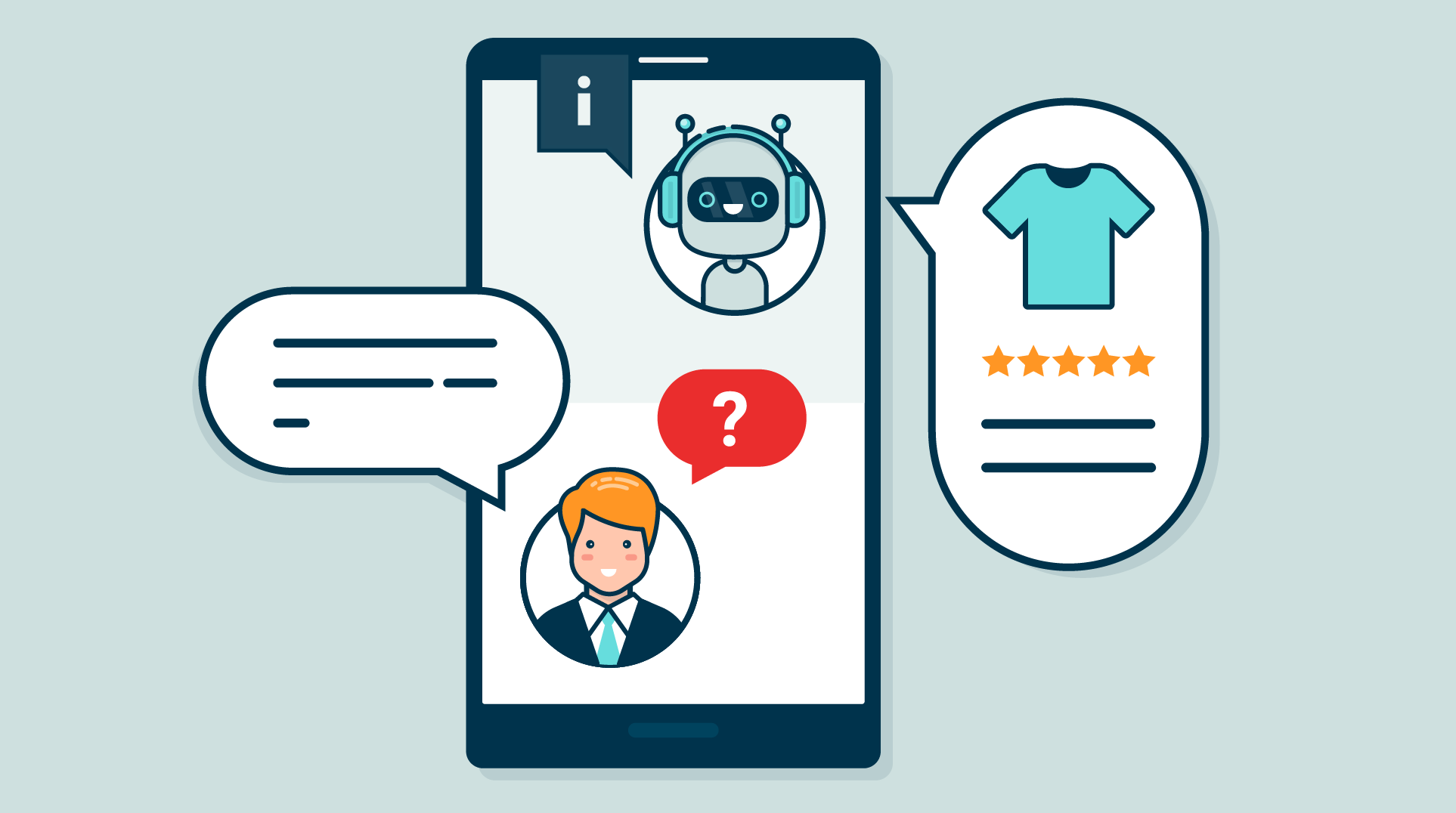
Suppose you are building an AI-powered customer support chatbot:
User visits your site
    ↓
Next.js handles the page request
    ↓
React renders the UI components
    ↓
Tailwind + shadcn/ui make it look beautiful
    ↓
Flags SDK checks if user should see AI chat
    ↓
Chat SDK provides the chat interface
    ↓
User types a question
    ↓
Next.js API route receives the message
    ↓
AI SDK sends question to Claude/GPT
    ↓
Claude Sonnet 4.5 generates intelligent response
    ↓
AI SDK streams response back in real-time
    ↓
Streamdown renders markdown beautifully as it streams
    ↓
Supabase saves conversation history to database
    ↓
User sees helpful response in real-time!
Behind the scenes, TypeScript catches errors before runtime, Node.js runs all server-side logic, PostgreSQL stores user data and conversation history, and Vercel hosts everything globally with instant scaling .
Step 3: Layer 1 – The Foundation (Framework + UI)
Next.js 15+ with App Router – Non-Negotiable
If you are building a serious AI-native web application in 2026, you start with Next.js 15+ using the App Router . This is not optional. The old pages directory does not support the streaming capabilities and React Server Component patterns that AI applications require.
Why Next.js wins for AI:
| Feature | Why It Matters for AI |
|---|---|
| React Server Components | AI inference runs on server, streaming results to client – API keys never touch the browser |
| Built-in streaming | AI responses appear as they generate, dramatically improving perceived performance |
| API routes | Clean server-side endpoints for AI model calls |
| Edge runtime | Deploy AI features closer to users for lower latency |
React 19 – Smaller, Faster, Server-Ready
React 19.1 delivers 50-75% smaller JavaScript bundles and Server Components that render on the server, making your pages faster and your AI interactions smoother .
TypeScript 5.9 – Your AI's Safety Net
With AI generating code, TypeScript is more important than ever. It catches errors before runtime and provides autocomplete everywhere. The latest version offers 10x faster compilation and prevents bugs during development, not at runtime .
The Styling Layer – Tailwind + shadcn/ui
Tailwind CSS v4 provides 100x faster CSS builds with consistent design . shadcn/ui gives you pre-built, accessible UI components that you fully control – no black-box component library locking you in .
State Management – Zustand Over Redux
Zustand has largely replaced Redux for AI-native applications. It is lightweight enough not to add overhead but powerful enough to manage complex state that AI features require – conversation history, streaming status, user context, and application state that the AI needs access to .
// Zustand store managing both app state and AI context
const useAppStore = create((set) => ({
  user: null,
  conversationHistory: [],
  aiContext: {},
  setAI: (aiContext) => set({ aiContext })
}));
Step 4: Layer 2 – The AI Integration Layer
Vercel AI SDK 5.0 – The Universal Remote
The Vercel AI SDK has become the standard library for connecting React applications to AI models . It handles streaming, manages the client-server boundary for AI calls, provides hooks for consuming streamed responses, and works with every major model provider.
The useChat hook – Your AI Conversation Primitive:
import { useChat } from 'ai/react';

function ChatComponent() {
  const { messages, input, handleInputChange, handleSubmit } = useChat({
    api: '/api/chat',
  });

  return (
    <div>
      {messages.map(m => (
        <div key={m.id}>
          {m.role}: {m.content}
        </div>
      ))}
      <form onSubmit={handleSubmit}>
        <input value={input} onChange={handleInputChange} />
      </form>
    </div>
  );
}
This hook manages the streaming state, loading indicators, error handling, and message history for you .
Streamdown – Beautiful Streaming Markdown
When AI responses stream, they arrive in chunks. Streamdown renders markdown beautifully as it streams, preventing broken markdown and providing syntax highlighting and security features .
The Chat SDK – Production-Ready UI
The Chat SDK provides zero-configuration chat interface components with modern UX patterns. You don't need to build a chat UI from scratch .
Step 5: Layer 3 – The Data and Memory Layer
PostgreSQL + pgvector – Your AI's Memory
Most serious AI applications need Retrieval Augmented Generation (RAG) – giving the model access to your actual data rather than just its training knowledge . By 2026, RAG has become the default architecture for production AI applications .
What you need:
-
Vector database (pgvector on PostgreSQL) for storing embeddings
-
Embedding generation to convert your data into vectors
-
Retrieval logic that pulls relevant context before each model call
Supabase provides this out of the box with vector search, sub-100ms queries, and handles auth/database/storage together .
Graph-RAG – Beyond Simple Vector Search
Simple vector search retrieves similar chunks. Graph-RAG combines knowledge graphs with vector databases, enabling your AI to remember complex logical relationships and user behavior from months ago .
Model Context Protocol (MCP) – The New Standard
MCP is the 2026 standard that solves the fragmentation problem between AI agents and local data/tools. It enables "plug-and-play" integration, making your AI application extensible without custom code for every new tool .
Step 6: Layer 4 – Generative UI (The Paradigm Shift)
This is where 2026 diverges most sharply from traditional development.
Traditional UI: You code every button, screen, and interaction in advance. The user navigates through your pre-built structure.
Generative UI: The AI itself shapes the interface on the fly. The AI decides what UI components to show, modifies layouts based on context, and generates new interface elements as needed .
Why Generative UI for AI-Native Apps?
| Problem with Traditional UI | Generative UI Solution |
|---|---|
| You must anticipate every possible user need upfront | AI adapts the interface in real-time |
| Static forms and dashboards fail to engage users with AI | Interface becomes as flexible as the AI behind it |
| Glue code between AI outputs and UI grows unmaintainable | AI's output directly specifies which component to render |
| Pivoting requires weeks of frontend redesign | Adjust the AI's prompts, not the code |
How Generative UI Works
Developers provide a palette of UI elements (charts, tables, forms, buttons). When the AI wants to present information, it responds with a structured instruction to render a specific component – not just text .
Example: If a user asks an AI assistant for data analysis:
-
Traditional app: Returns text answer
-
Generative UI: AI generates a dynamic chart or table on the fly
If the user then asks to filter the data, the AI might generate a form with relevant input fields rather than requiring a pre-built form for every possible filter .
Benefits for Startups
| Benefit | Impact |
|---|---|
| Faster development | Iterate in days rather than weeks |
| Reduced maintenance | Less boilerplate and glue code |
| Personalization | Interface tailors to each user's context |
| Future-proofing | UI evolves with your AI's capabilities |
"Generative UI gives startups a critical edge in speed and iteration. Companies adopting GenUI have found they can iterate in days rather than weeks, since the AI handles the heavy lifting of UI updates."
Step 7: Layer 5 – Agentic Architecture (Multi-Agent Systems)
In 2026, complex applications are not a single AI call. They are orchestrations of multiple specialized agents working together .
Agent Orchestration with LangGraph or Dify
The workflow looks like this:
| Agent | Role |
|---|---|
| Planner Agent | Decomposes complex objectives into achievable goals |
| Execution Agents | Parallel workers, each handling a specific sub-task |
| Reviewer Agent | Quality checks and error correction |
| Validator Agent | Ensures task completion |
Example: A customer support AI might have a "planner" that interprets the user's issue, a "knowledge retriever" that finds relevant documentation, an "action agent" that updates records, and a "reviewer" that ensures quality .
MCP-First Architecture
Zaltech, a full-stack AI-native framework, exemplifies this architecture with three layers per feature :
| Layer | Responsibility |
|---|---|
| MCP Layer | Defines tools, schemas, UI resources, handles tool registration |
| App Layer | Implements business logic, provider routing, state management |
| UI Layer | React components rendered as embedded widgets |
Step 8: Layer 6 – Deployment and Infrastructure
Vercel – The Deployment Standard
Vercel (built by the same team as Next.js) provides 85% cost savings through its global CDN and instant deployments. Preview environments let you test AI features before merging .
Edge Runtime – Lower Latency for AI
Deploy AI features closer to users with edge computing. This is critical for real-time AI interactions where every millisecond matters.
Observability – You Cannot Improve What You Cannot Measure
Your AI stack must include:
| Component | Purpose |
|---|---|
| OpenTelemetry | Traces, metrics, logs instrumentation |
| Prometheus + Grafana | Metrics and dashboards |
| Loki + Promtail | Log aggregation |
Step 9: The Decision Tree – What Do You Actually Need?
| You are building... | You need... |
|---|---|
| Simple website | Next.js + React + Tailwind (skip AI tools unless needed) |
| SaaS application | Next.js + React + TypeScript + Tailwind + shadcn/ui + Supabase + Vercel |
| AI-powered application | Everything! Plus AI SDK + Streamdown + Chat SDK + Graph-RAG + Agent orchestration |
| Experimenting/learning | Start with Next.js + React + Tailwind + AI SDK + Streamdown |
The rule is simple: start simple, add complexity as needed. Do not build a multi-agent system for a simple chatbot .
Step 10: Common Mistakes and How to Avoid Them
| Mistake | Why It Fails | The Fix |
|---|---|---|
| Using pages directory instead of App Router | Fights AI SDK's streaming features | Use App Router from day one |
| Storing API keys in client-side code | Security disaster | Keep AI logic in server components and route handlers |
| Not handling streaming state | Blank UI until full response arrives | Build for streaming from the beginning |
| AI context isolated from app state | AI doesn't know what user is doing | Store both in same Zustand store |
| Skipping vector database | Sending entire documents in every request | Implement RAG properly |
| No rate limiting | API budget drained during traffic spike | Add rate limiting to AI route handlers |
| Testing only on fast connections | Streaming breaks on mobile networks | Test on slow connections |
"The gap between working and production-ready is where most projects stall. Add rate limiting, caching, proper error handling, and test on slow connections before shipping."
Step 11: The 2026 Roadmap – From Zero to AI-Native
Month 1: Foundation
| Week | Focus | Actions |
|---|---|---|
| 1-2 | Set up Next.js 15+ with App Router | Configure TypeScript, Tailwind, shadcn/ui |
| 3-4 | Implement basic AI integration | Vercel AI SDK, simple chat route handler |
Month 2: Core Features
| Week | Focus | Actions |
|---|---|---|
| 5-6 | Add RAG | Vector database (pgvector), embedding pipeline |
| 7-8 | Implement streaming UI | Streamdown, Chat SDK, Zustand store |
Month 3: Scale & Optimize
| Week | Focus | Actions |
|---|---|---|
| 9-10 | Add Generative UI | Component palette, AI-driven UI generation |
| 11-12 | Production hardening | Rate limiting, caching, error handling, edge deployment |
Step 12: Frequently Asked Questions
Q1: Do I need to know Python to build AI-native web apps?
No. The modern stack uses JavaScript/TypeScript throughout. The Vercel AI SDK and LangChain.js work entirely in JavaScript .
Q2: What is the difference between a traditional web app and an AI-native app?
A traditional app has fixed UI and deterministic logic. An AI-native app has AI-generated UI (Generative UI), AI-driven logic, and streaming responses .
Q3: Which AI model should I use?
| Use Case | Recommended Model |
|---|---|
| Complex reasoning, code generation | Claude Sonnet 4.5 (77.2% SWE-bench) |
| General purpose, lower cost | GPT-4o-mini or DeepSeek-V3 |
| Best overall performance | Claude Sonnet 4.5 |
The AI SDK lets you switch providers without rewriting your application.
Q4: Is Generative UI ready for production?
Early-stage startups are successfully using Generative UI in production. It significantly reduces frontend development time, but requires careful component palette design and security boundaries .
Q5: How do I handle AI costs in production?
-
Implement rate limiting on API routes
-
Use prompt caching (70-98% cost reduction for repeated prompts)
-
Cache common responses
-
Monitor token usage per user
Q6: What is the Model Context Protocol (MCP)?
MCP is the 2026 standard for connecting AI agents to tools and data sources. It enables plug-and-play integrations without custom code for every new tool. Major frameworks like Zaltech are built entirely around MCP .
Q7: How can Innovative AI Solutions help?
We help teams design and build AI-native web applications – from stack selection and architecture design to implementation and production deployment.
Step 13: Final Tagline
"Traditional apps have fixed UI and deterministic logic. AI-native apps have AI-generated UI, probabilistic reasoning, and streaming responses. The difference is not incremental. It is foundational."
Short version:
The complete 2026 tech stack for AI-native web applications – Next.js, React 19, Vercel AI SDK, Generative UI, Graph-RAG, and agent orchestration. Build applications where AI is the architecture, not a feature.
Hashtags:
#AINative #WebDevelopment #Nextjs #React19 #GenerativeUI #VercelAISDK #RAG #AgenticAI #InnovativeAISolutions
Ready to Build Your AI-Native Application?
The stack is mature. The tools are ready. The patterns are proven. Let us help you build applications that put AI at the core – not the edge.
Contact Us
Phone: +91 7464 099 059 / +91 96899 67356
Email: info@innovativeais.com
Address: Netaji Subhash Place, Pitampura, Delhi – 110034
Website: https://innovativeais.com
Related services: to apply this in your business, explore our web development and RAG development.