Why React Native App Security Demands Specific Attention
React Native apps are not inherently less secure than native apps — but they face a distinct set of risks that generic mobile security advice does not cover. The framework's JavaScript runtime, its use of third-party packages, its bridging to native code, and its reliance on cloud APIs all create specific attack surfaces.
The consequences of poor security are no longer abstract. India's Digital Personal Data Protection Act (DPDPA) is fully operational, and the Rules carry penalties for non-compliance regardless of who built the app. A data breach in a React Native app can expose user data, trigger regulatory penalties, and destroy user trust.
The threat landscape is real. Mobile apps handle authentication credentials, payment information, personal data, and business-critical operations. Attackers target mobile apps specifically because they are often less protected than web applications, and because they hold valuable data on user devices.
Indian businesses building React Native apps must address security at every layer: how data is stored on device, how it travels over networks, how users are authenticated, how code is protected, and how compliance is maintained. This guide covers the best practices that matter most in 2026.
Understanding React Native's Security Surface
Where React Native Apps Are Vulnerable
React Native apps have five primary security surfaces:
1. Local data storage — AsyncStorage, MMKV, and file storage can expose sensitive data if not properly encrypted.
2. Network communication — API calls, WebSocket connections, and third-party integrations can be intercepted or manipulated.
3. Authentication and session management — Token storage, refresh mechanisms, and biometric integration.
4. JavaScript bundle — The JS code is bundled and shipped to devices, where it can be extracted and analysed.
5. Native bridge and modules — Third-party packages and native modules can introduce vulnerabilities.
Common React Native Security Mistakes
| Mistake | Risk | Impact |
|---|---|---|
| Storing tokens in AsyncStorage | Unencrypted, accessible on rooted devices | Account takeover |
| No certificate pinning | Man-in-the-middle attacks | Data interception |
| Hardcoded API keys | Extracted from bundle | API abuse, cost overruns |
| No jailbreak/root detection | Full device access to app data | Data theft |
| Unvalidated deep links | Injection attacks | Data manipulation |
| Unvetted third-party packages | Malicious or vulnerable code | Supply chain attack |
| Logging sensitive data | Data exposure in logs | Privacy violation |
| No code obfuscation | Business logic extraction | IP theft |
Best Practice 1: Secure Local Data Storage
Never Store Sensitive Data in AsyncStorage
AsyncStorage stores data in plaintext and is accessible on rooted or jailbroken devices. It should never hold tokens, credentials, personal data, or anything sensitive.
| Storage Option | Security Level | Best For |
|---|---|---|
| AsyncStorage | Low — plaintext | Non-sensitive preferences only |
| MMKV | Low-Moderate — can be encrypted | Performance-critical non-sensitive data |
| react-native-keychain | High — Keychain/Keystore | Tokens, credentials, secrets |
| Encrypted MMKV | High — encrypted | Larger sensitive datasets |
| Expo SecureStore | High — Keychain/Keystore | Tokens, credentials (Expo apps) |
Recommended Storage Architecture
| Data Type | Storage | Encryption |
|---|---|---|
| Access tokens | react-native-keychain | Keychain/Keystore |
| Refresh tokens | react-native-keychain | Keychain/Keystore |
| User credentials | Never stored | N/A |
| PII (personal data) | Encrypted storage | AES-256 |
| Preferences | AsyncStorage or MMKV | None required |
| Cached content | Encrypted storage if sensitive | AES-256 |
Data Minimisation
Store only what the app actually needs. Data that is not stored cannot be stolen.
-
Cache only non-sensitive data locally
-
Clear sensitive data on logout
-
Set expiry on cached tokens and data
-
Avoid storing full user profiles locally
Best Practice 2: Secure Network Communication
Enforce HTTPS Everywhere
All network communication must use HTTPS with TLS 1.2 or higher. React Native enforces HTTPS by default on iOS; Android requires explicit configuration.
Android network security configuration:
-
Disable cleartext traffic in AndroidManifest
-
Define network security config for certificate pinning
-
Restrict trusted certificate authorities
Implement Certificate Pinning
Certificate pinning prevents man-in-the-middle attacks by validating that the server's certificate matches an expected value.
| Pinning Approach | Pros | Cons |
|---|---|---|
| Certificate pinning | Strongest protection | Requires updates when cert rotates |
| Public key pinning | Survives cert rotation | Slightly less strict |
| Backup pins | Prevents lockout | Must be managed carefully |
Implementation options:
-
react-native-ssl-pinningfor certificate pinning -
TrustKit for iOS
-
OkHttp CertificatePinner for Android
-
Expo's built-in SSL pinning configuration
API Security Practices
| Practice | Purpose |
|---|---|
| Token-based auth | Short-lived access tokens with refresh |
| Request signing | Verify request integrity |
| Rate limiting | Prevent abuse |
| Input validation | Prevent injection attacks |
| Output encoding | Prevent data leakage |
| API key protection | Never hardcode keys in the bundle |
Protecting API Keys
API keys in React Native bundles can be extracted. Never hardcode sensitive keys in JavaScript.
| Approach | Security Level |
|---|---|
| Hardcoded in JS | Very low — easily extracted |
| Environment variables at build | Low — still in bundle |
| Backend proxy | High — keys never reach client |
| Short-lived tokens from backend | High — time-limited access |
The correct approach for sensitive API keys is a backend proxy. The app calls your backend, which calls the third-party API with the protected key. The key never reaches the device.
Best Practice 3: Authentication and Session Management
Token Storage and Handling
| Token Type | Storage | Lifetime |
|---|---|---|
| Access token | Keychain/Keystore | Short (15 min–1 hour) |
| Refresh token | Keychain/Keystore | Longer (days–weeks) |
| ID token | Memory only | Session duration |
Biometric Authentication
Biometric authentication adds a security layer without adding friction. React Native supports Face ID, Touch ID, and Android BiometricPrompt.
Best practices:
-
Use biometrics as a convenience layer, not the only authentication
-
Fall back to PIN/password when biometrics fail
-
Store biometric-protected tokens in Keychain/Keystore with biometric access control
-
Never store biometric data in the app — it stays in the secure enclave
Session Management
| Practice | Purpose |
|---|---|
| Short access token lifetime | Limits damage from token theft |
| Refresh token rotation | Detects token reuse |
| Server-side session invalidation | Enables remote logout |
| Logout clears all local data | Prevents data remnants |
| Re-authentication for sensitive actions | Confirms identity for critical operations |
Best Practice 4: Code Protection
Understanding the Risk
React Native JavaScript bundles are shipped to devices and can be extracted. Without protection, attackers can read business logic, extract API endpoints, find hardcoded secrets, and understand authentication flows.
Code Protection Techniques
| Technique | Protection Level | Effort |
|---|---|---|
| Hermes bytecode compilation | Moderate | Low (default) |
| JavaScript minification | Low | Low |
| Code obfuscation | Moderate-High | Moderate |
| Native module for sensitive logic | High | High |
| Backend for sensitive logic | Highest | Moderate |
Recommended Approach
-
Keep sensitive logic on the backend — Authentication, payment processing, and business-critical logic should not live in the app.
-
Use Hermes bytecode — Compiles JavaScript to bytecode, harder to reverse than plain JS.
-
Obfuscate remaining JavaScript — Tools like
javascript-obfuscatoradd complexity. -
Move truly sensitive operations to native modules — Native code is harder to reverse than JavaScript.
Best Practice 5: Third-Party Package Security
The Supply Chain Risk
React Native projects depend on dozens or hundreds of third-party packages. Each package is a potential vulnerability.
Package Security Practices
| Practice | Purpose |
|---|---|
| Audit dependencies regularly | Identify known vulnerabilities |
Use npm audit or yarn audit |
Automated vulnerability scanning |
| Pin package versions | Prevent unexpected updates |
| Review package maintainers | Assess trustworthiness |
| Minimise dependencies | Reduce attack surface |
| Monitor security advisories | Stay informed of new vulnerabilities |
Evaluating Packages Before Adoption
Before adding a package:
-
Check download counts and maintenance activity
-
Review the package's dependencies
-
Look for security advisories
-
Verify the maintainer's reputation
-
Consider whether the functionality can be built in-house
Best Practice 6: Platform Security Integration
Jailbreak and Root Detection
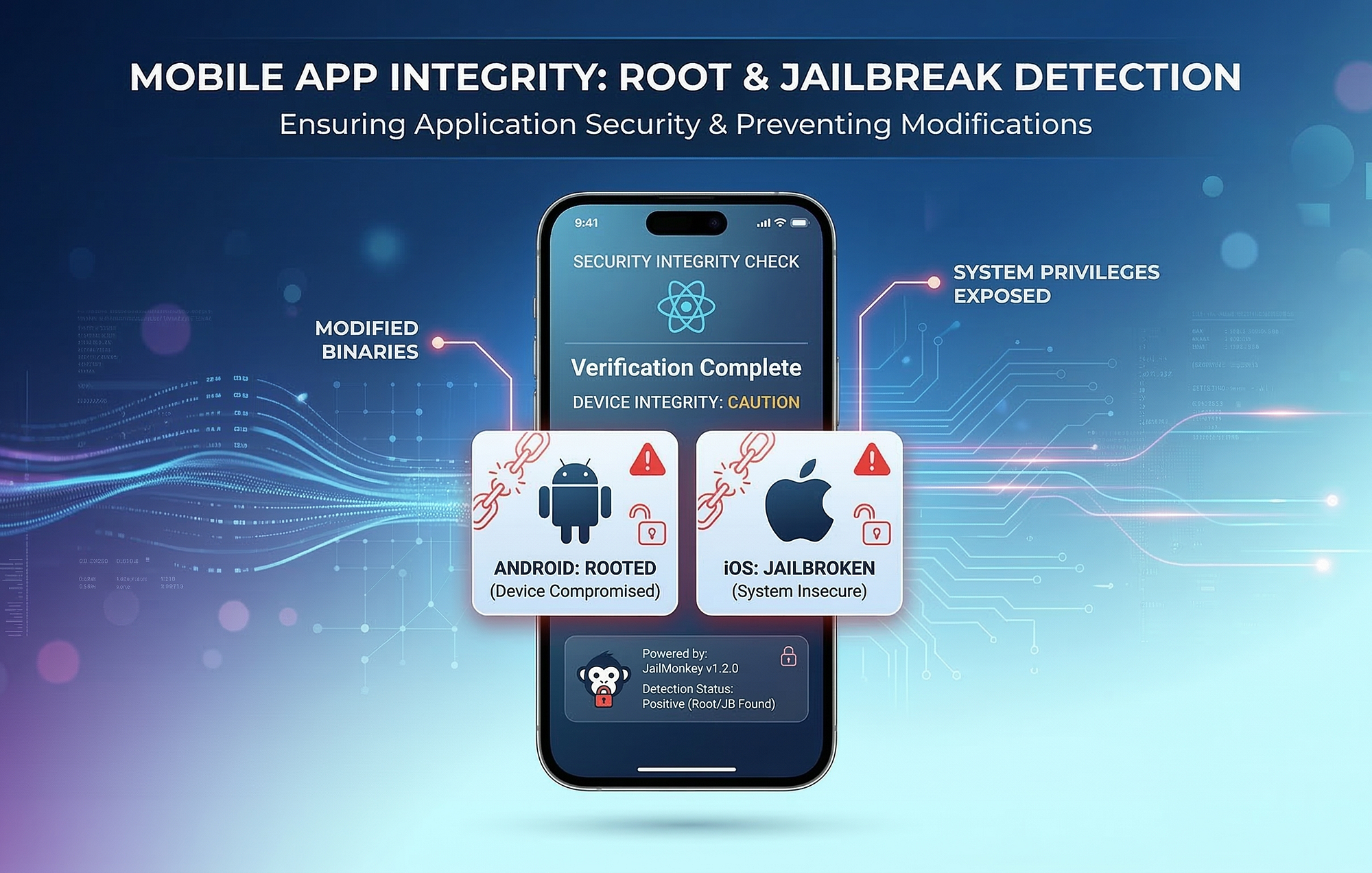
Jailbroken (iOS) and rooted (Android) devices bypass platform security controls. Apps handling sensitive data should detect and respond to these conditions.
| Response Option | When to Use |
|---|---|
| Block app entirely | High-security apps (banking) |
| Warn user | Moderate-security apps |
| Restrict features | Apps with mixed sensitivity |
| Log and monitor | Analytics-driven security |
Implementation: jail-monkey for React Native provides jailbreak and root detection.
Secure Screen Protection
Prevent screenshots and screen recording for sensitive screens.
| Platform | Protection |
|---|---|
| Android | FLAG_SECURE prevents screenshots |
| iOS | Screen capture detection, blur on background |
Deep Link Validation
Deep links can be exploited for injection attacks. Validate all deep link parameters before use.
-
Validate URL schemes and hosts
-
Sanitise all parameters
-
Never execute commands from deep links
-
Verify authentication state before sensitive actions
Best Practice 7: DPDPA Compliance for React Native Apps
Key DPDPA Requirements
India's Digital Personal Data Protection Act applies to any app processing personal data of Indian users.
| Requirement | App Implementation |
|---|---|
| Consent | Explicit consent before data collection |
| Purpose limitation | Data used only for stated purposes |
| Data minimisation | Collect only necessary data |
| Storage limitation | Delete data when no longer needed |
| Security safeguards | Encryption, access controls |
| Breach notification | Notify users and authorities of breaches |
| User rights | Access, correction, deletion |
Implementing DPDPA Compliance
Consent management:
-
Clear consent screens before data collection
-
Granular consent for different data uses
-
Easy withdrawal of consent
-
Record of consent for audit
Data handling:
-
Encrypt personal data at rest and in transit
-
Minimise local storage of personal data
-
Implement data deletion on user request
-
Maintain audit logs of data access
User rights:
-
In-app access to personal data
-
Request correction or deletion
-
Export data in portable format
AI Features and DPDPA
Apps with AI features face additional DPDPA considerations:
-
Consent required for using personal data to train AI models
-
AI decisions must be explainable where required
-
User data used for AI must be minimised and protected
Decision Framework: Security Priorities
Security Priority Matrix
| Security Area | Risk Level | Implementation Effort | Priority |
|---|---|---|---|
| Secure token storage | Critical | Low | Immediate |
| HTTPS enforcement | Critical | Low | Immediate |
| No hardcoded secrets | Critical | Moderate | Immediate |
| Input validation | High | Low | High |
| Certificate pinning | High | Moderate | High |
| Code obfuscation | Moderate | Moderate | High |
| Jailbreak detection | Moderate | Low | Medium |
| Dependency auditing | High | Low | High |
| DPDPA compliance | Critical | Moderate-High | Immediate |
| Security logging | Moderate | Moderate | Medium |
Security Readiness Scorecard
| Criteria | Weight | Score (1–5) | Weighted Score |
|---|---|---|---|
| Sensitive data stored securely | 20% | ||
| Network communication secured | 20% | ||
| Authentication properly implemented | 15% | ||
| No secrets in bundle | 15% | ||
| Dependencies audited | 10% | ||
| DPDPA compliance implemented | 10% | ||
| Platform security integrated | 10% | ||
| Total | 100% | /5 |
A score below 3.0 indicates significant security gaps. Above 4.0 indicates production-ready security.
Frequently Asked Questions
1. Is React Native less secure than native apps?
No. React Native apps can be as secure as native apps when best practices are followed. The framework introduces specific considerations — JavaScript bundle exposure, third-party packages — but these are manageable with proper implementation.
2. Where should I store tokens in a React Native app?
Store tokens in react-native-keychain or Expo SecureStore, which use the platform's secure storage (iOS Keychain, Android Keystore). Never store tokens in AsyncStorage, which is unencrypted and accessible on rooted devices.
3. What is certificate pinning and why does it matter?
Certificate pinning validates that the server's certificate matches an expected value, preventing man-in-the-middle attacks. It matters because standard TLS can be bypassed on compromised devices. Implement pinning with react-native-ssl-pinning or platform-specific tools.
4. How do I protect API keys in a React Native app?
Never hardcode API keys in the JavaScript bundle — they can be extracted. Route sensitive API calls through your backend, which holds the keys. The app calls your backend, which calls the third-party API.
5. How does DPDPA affect React Native app development?
DPDPA requires consent for data collection, purpose limitation, data minimisation, security safeguards, breach notification, and user rights (access, correction, deletion). React Native apps must implement these requirements, including encryption, consent management, and data deletion.
6. What is the risk of third-party packages in React Native?
Third-party packages can introduce vulnerabilities, malicious code, or abandoned dependencies. Audit dependencies regularly, pin versions, minimise the number of packages, and monitor security advisories.
7. Should I implement jailbreak and root detection?
For apps handling sensitive data (banking, healthcare, enterprise), yes. Jailbroken and rooted devices bypass platform security controls. Use jail-monkey to detect these conditions and respond appropriately.
8. How do I secure deep links in React Native?
Validate all deep link parameters before use. Verify URL schemes and hosts, sanitise parameters, never execute commands from deep links, and verify authentication state before sensitive actions.
9. What is the best way to protect business logic in a React Native app?
Keep sensitive logic on the backend, not in the app. Use Hermes bytecode compilation, obfuscate remaining JavaScript, and move truly sensitive operations to native modules. No client-side protection is absolute.
10. How do I audit React Native dependencies for vulnerabilities?
Use npm audit or yarn audit for automated scanning. Review package maintainers, check for security advisories, and monitor platforms like Snyk for React Native-specific vulnerabilities. Update dependencies regularly.
11. What should I do if my React Native app has a security breach?
Follow DPDPA breach notification requirements: notify affected users and authorities promptly. Investigate the breach, contain the damage, patch the vulnerability, and document the incident for compliance.
12. How can Innovative AI Solutions help?
Innovative AI Solutions is a Delhi-based app development company specialising in secure React Native applications. We implement secure storage, network protection, authentication, code protection, and DPDPA compliance. Our security approach covers the full app lifecycle from architecture through deployment and monitoring. Learn more at https://innovativeais.com.
Contact Innovative AI Solutions
Ready to build a secure React Native app?
We help Indian businesses implement security best practices and DPDPA compliance in React Native applications.
Contact Information
Innovative AI Solutions
📍 Netaji Subhash Place, Pitampura, Delhi – 110034
🌐 Website: https://innovativeais.com
📧 Email: info@innovativeais.com
📞 Phone: +91 7464 099 059 / +91 96899 67356
Business Services
• AI Automation
• AI Development
• AI Consulting
• Machine Learning Solutions
• Deep Learning Solutions
• Generative AI Services
• NLP Solutions
• AI Agents
• AI Chatbots
• Voice AI
• CRM Development
• Custom Software Development
• Website Development
• Mobile App Development
About the Author
Abhishek Kumar
Founder & CEO, Innovative AI Solutions
5+ years building production AI systems for Indian businesses. Based in Delhi, serving clients across India.
Ready to build AI solutions for your business?
Innovative AI Solutions — Delhi's leading AI development company. Free consultation available.
Get Free Consultation →
A complete 2026 security guide for React Native apps covering storage, network, authentication, code protection, and DPDPA compliance.
#ReactNativeSecurity #AppSecurity #BestPractices #2026 #MobileAppSecurity #SecureStorage #Authentication #APISecurity #CodeObfuscation #CertificatePinning #DataProtection #DPDPA #Encryption #MobileSecurity #AppDevelopmentIndia #DelhiNCRTech #StartupApps #EnterpriseApps #SecurityAudit #OWASP #BiometricAuth #JailbreakDetection #MobileApps #TechIndia #InnovativeAISolutions
Copyright ©️ 2015–2026 Innovative AI Solutions. All Rights Reserved. | Privacy Policy | Terms & Conditions