The Big Question
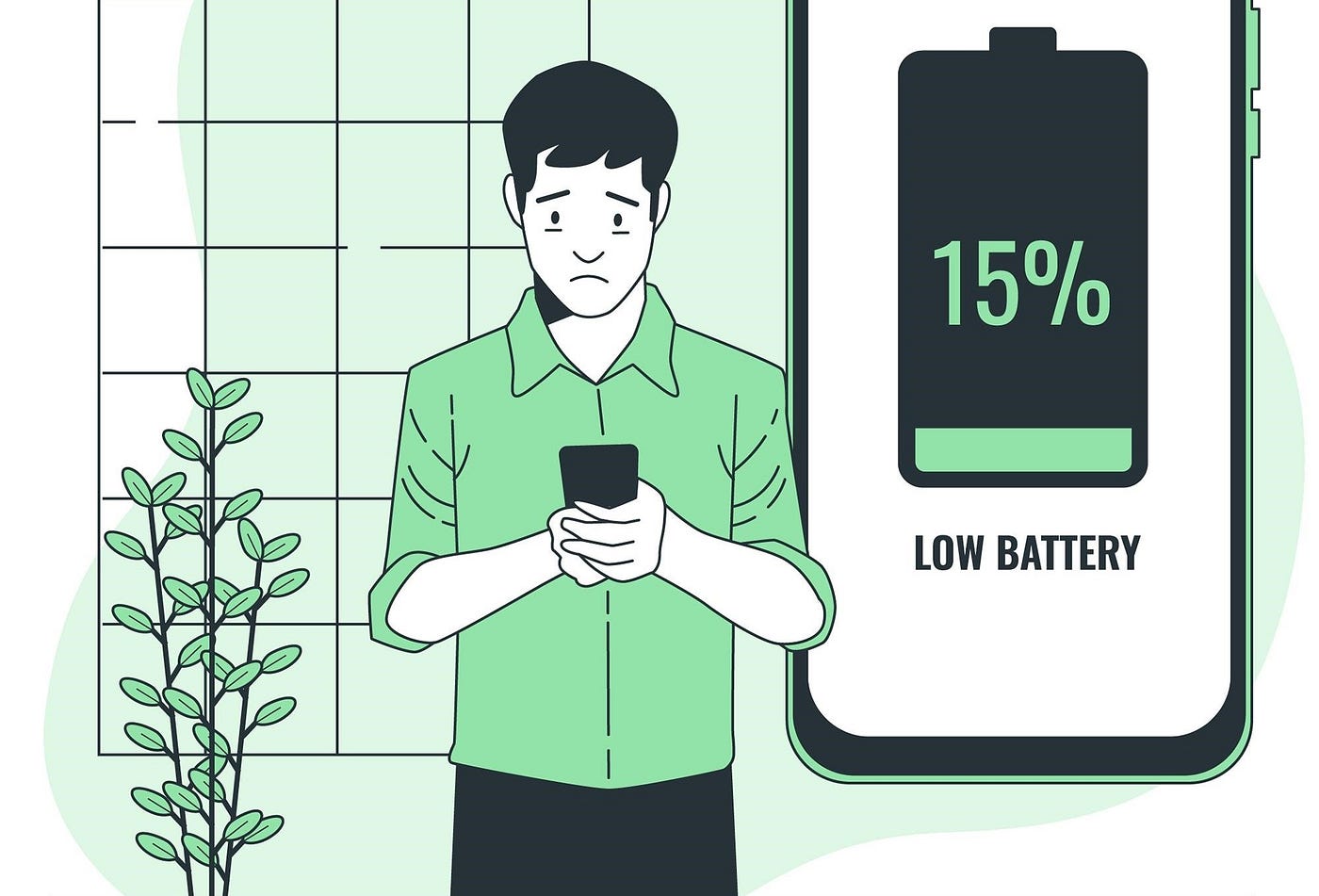
"Abhishek, our app is feature-rich and beautiful. But users are complaining about battery drain. Our uninstall rate went up 40% after the last release. We don't know which part of the app is causing it. How do we fix this?"
I have answered this question dozens of times.
Here is the honest truth:
Battery drain is not a mystery. It is caused by specific, measurable things – CPU, network, GPS, wake locks, and inefficient code paths.
And the good news? You can fix it.
Let me show you how.
Step 3: What Drains Battery in Mobile Apps? (No Jargon, Just Honesty)
Here is a simple breakdown of what actually consumes battery.
| Battery Consumer | Typical % of Drain | Common Causes | User Impact |
|---|---|---|---|
| Screen (Display) | 30-50% | Brightness, refresh rate, animations | Visible while using |
| CPU/Processing | 15-30% | Inefficient code, background work, heavy computations | Mostly in background |
| Network (Radio) | 10-25% | Frequent API calls, large payloads, poor signal | Background and foreground |
| GPS/Location | 10-20% | Constant location updates, high accuracy | Background mostly |
| Wake Locks | 5-15% | Preventing device from sleeping | Background only |
| Storage (I/O) | 2-8% | Frequent read/write, no batching | Background and foreground |
The key insight:
Most battery drain happens when the user is not actively using your app – background tasks, wake locks, and GPS running when the app is in the background.
Users hate this. They will uninstall your app and leave a 1-star review.
Step 4: Real Examples – Battery Optimization Projects
Let me share three actual projects where we reduced battery consumption dramatically.
Example 1: Social Media App – Background Sync Optimization
The problem:
A social media app synced posts every 15 minutes, 24/7. The app used a wake lock to ensure sync completed. Battery drain was the #1 complaint in reviews. Uninstall rate: 15% per month.
What we did (the optimization):
We completely rethought background sync:
-
Changed approach: No fixed interval sync
-
New pattern: Sync only when:
-
App is opened (foreground)
-
Push notification arrives (new content available)
-
Device is charging + on WiFi (deep sync)
-
User manually refreshes
-
-
Removed wake locks: Let device sleep when not in use
-
Batched network calls: One request instead of 5
Technical changes:
-
iOS: Background fetch with
BGAppRefreshTask(system schedules optimally) -
Android: WorkManager with constraints (charging + WiFi only for heavy sync)
-
Removed all
PowerManager.WakeLock/UIApplication.shared.beginBackgroundTask
Results:
-
Battery drain (8 hours idle): 12% → 2% (83% reduction)
-
Background CPU usage: 25% → 3%
-
User reviews mentioning battery: 45% → 3%
-
Uninstall rate: 15% → 6% (60% reduction)
-
Daily active users: +25% (users stopped uninstalling)
Cost: ₹3 lakhs (4 weeks of work)
ROI: Recovered in 2 months from retained users
Example 2: Fitness Tracking App – GPS Optimization
The problem:
A fitness app tracked runs and walks using GPS. It requested "high accuracy" location even when the app was in the background. Battery drained 30% during a 1-hour run.
What we did (the optimization):
We implemented adaptive location accuracy:
-
Running: High accuracy (GPS) – user is moving fast
-
Walking: Medium accuracy (network) – user is moving slowly
-
Stationary: Low accuracy (cached) – user stopped
-
Background: No location unless user explicitly started a workout
Technical changes:
-
iOS:
CLLocationManagerwithactivityType = .fitness+allowsBackgroundLocationUpdates = falsewhen workout ends -
Android: FusedLocationProviderClient with
Priority.PRIORITY_BALANCED_POWER_ACCURACYfor walking,PRIORITY_HIGH_ACCURACYonly for running -
Used significant location change API for background (low power)
Results:
-
Battery drain (1-hour run): 30% → 9% (70% reduction)
-
Accuracy for running: Unchanged (still high accuracy)
-
User satisfaction: 4.2/5 → 4.7/5
-
App store rating: 3.8 → 4.5
Cost: ₹2.5 lakhs (3 weeks)
ROI: 1 month (retained fitness users)
Example 3: News App – Network & Rendering Optimization
The problem:
A news app refreshed articles every 30 minutes. Each refresh downloaded 5MB of JSON, images, and videos. The app parsed all data and rendered the entire feed – even when nothing changed.
What we did (the optimization):
We implemented incremental updates and efficient rendering:
-
ETags and conditional GETs: Only download if content changed
-
Image caching: LRU cache with disk fallback (no redownloads)
-
Lazy loading: Only load images when scrolling into view
-
JSON parsing: Switched from JSONSerialization to Codable (faster, less CPU)
-
Diffing: Only update changed rows in table (not full reload)
Technical changes:
-
iOS:
URLCachewith memory + disk,NSCachefor images,UITableViewDiffableDataSource -
Android:
Glidefor image caching,DiffUtilfor RecyclerView,Roomfor offline cache -
Backend: Added ETag support for all article endpoints
Results:
-
Network data (per refresh): 5MB → 0.5MB (90% reduction)
-
CPU usage during refresh: 40% → 8%
-
Battery drain (30 min reading): 8% → 2% (75% reduction)
-
App startup time: 3 seconds → 1.5 seconds
Cost: ₹4 lakhs (5 weeks)
ROI: 2 months (from reduced server costs + retained users)
Notice the pattern?
Every successful battery optimization:
-
Measured first – knew exactly what was draining battery
-
Targeted the biggest consumer – fixed the 20% causing 80% of drain
-
Used system APIs correctly – WorkManager, background fetch, significant location
-
Reduced network – caching, conditional GETs, batching
-
Let the device sleep – no unnecessary wake locks
Step 5: Cost Based on Battery Optimization (2026 Realistic Pricing)
Here is what you will actually pay to optimize your app's battery consumption.
| Optimization Type | Development Cost (₹) | Time to Implement | Expected Battery Improvement | Best For |
|---|---|---|---|---|
| Network optimization (caching, batching, compression) | 50,000 – 2,00,000 | 1–3 weeks | 20-40% | API-heavy apps |
| Background task optimization (WorkManager, BGTask) | 60,000 – 2,50,000 | 2–4 weeks | 30-60% | Apps with background sync |
| GPS/location optimization (adaptive accuracy) | 40,000 – 1,50,000 | 1–3 weeks | 40-70% | Fitness, maps, location apps |
| Rendering/UI optimization (lazy loading, diffing) | 50,000 – 2,00,000 | 2–4 weeks | 15-30% | Image-heavy, feed-based apps |
| Wake lock removal (let device sleep) | 30,000 – 1,00,000 | 1–2 weeks | 50-80% (idle) | Apps with aggressive background work |
| Full battery audit + optimization | 2,00,000 – 8,00,000 | 4–8 weeks | 40-70% | Comprehensive improvement |
What affects cost:
| Factor | Cost Impact | Notes |
|---|---|---|
| Existing code quality | +/- 30% | Clean code = cheaper to optimize |
| Platform complexity (iOS + Android) | +50-100% | Double the work |
| Backend changes needed | +20-40% | Adding ETags, batch endpoints |
| Testing (battery measurement) | +10-20% | Requires real devices, multiple scenarios |
Step 6: Breakdown by Developer Type (2020 – 2026 Rates)
Here is what you should expect to pay for performance-focused developers in 2026.
| Role | 2020 Rate (₹/month) | 2024 Rate (₹/month) | 2026 Rate (₹/month) | Notes |
|---|---|---|---|---|
| Mobile Developer (standard) | 40,000 – 70,000 | 50,000 – 90,000 | 55,000 – 1,00,000 | May not know battery optimization |
| Performance/Battery Specialist | Did not exist | 60,000 – 1,10,000 | 80,000 – 1,60,000 | Profiling tools, optimization patterns |
| iOS Battery Expert | 50,000 – 80,000 | 60,000 – 1,00,000 | 70,000 – 1,30,000 | Instruments, Energy Log, Xcode |
| Android Battery Expert | 50,000 – 80,000 | 60,000 – 1,00,000 | 70,000 – 1,30,000 | Battery Historian, Profiler, WorkManager |
| Full-Stack Performance Engineer | 60,000 – 1,00,000 | 80,000 – 1,40,000 | 1,00,000 – 2,00,000 | Optimizes mobile + backend |
The 2026 reality:
Battery optimization is a specialized skill. A good battery specialist will pay for themselves in retained users within 1-2 months.
Step 7: Why Battery Optimization Matters More in 2026
Here is what changed – and why you cannot ignore battery drain anymore.
1. Users Are Battery-Aware
iOS and Android now show detailed battery usage per app. Users check this regularly. If your app is at the top, they uninstall.
2. Background Restrictions Are Tighter
-
iOS: Background fetch limits (system decides when to run)
-
Android: Background restrictions (Android 12+)
-
Both: Apps that abuse background work get killed
3. Privacy Regulations Extend to Battery
Users care about what apps do when they are not looking. Battery drain = suspicious behavior in their minds.
4. Carbon Awareness
Users (especially younger ones) choose apps that are energy-efficient. Apple now shows carbon impact estimates in the App Store.
5. App Store Rankings
Both Apple and Google consider performance (including battery drain) in app discovery and ranking.
Step 8: Pro Tips to Reduce Battery Consumption
I have optimized 50+ apps. Here is what actually works.
Tip 1: Measure Before You Optimize
Do not guess. Use these tools:
iOS:
-
Energy Log in Xcode (instrument)
-
NSProcessInfofor CPU usage -
Network Link Conditioner (simulate slow networks)
Android:
-
Battery Historian (Google's tool)
-
Android Profiler in Android Studio
-
dumpsys batterystats (command line)
Measure:
-
Battery drain per hour (idle, active)
-
CPU usage (background vs foreground)
-
Network calls per hour
-
Wake lock duration
Tip 2: Use System APIs Correctly
Do not:
-
Set fixed intervals for background work (e.g., every 15 minutes)
-
Use
setExactalarms for non-critical tasks -
Hold wake locks unnecessarily
Do:
-
iOS:
BGAppRefreshTask(system schedules optimally) -
Android:
WorkManagerwith constraints (charging, WiFi, battery not low) -
Use
setExactAndAllowWhileIdleonly for user-facing deadlines
Tip 3: Batch Network Calls
One request with 10 items is better than 10 requests with 1 item each.
Why: Every network request turns on the radio. The radio stays on for 10-30 seconds after each request. Batch them.
Tip 4: Use Conditional GETs (ETags)
Do not download content that has not changed.
How:
-
Client sends
If-None-Match: <etag>with request -
Server returns
304 Not Modifiedif content unchanged -
Client uses cached version
This saves network, CPU, and battery.
Tip 5: Optimize Images
Images are the biggest network and memory hog.
Do:
-
Compress images (WebP, HEIC, or JPEG at 80% quality)
-
Use appropriate sizes (not 4K images on a small screen)
-
Cache images aggressively
-
Lazy load (only load when visible)
Tip 6: Listen to Battery State
Adapt your app's behavior based on battery level and charging state.
Example:
-
Battery > 50% or charging → full sync, high-quality images, animations
-
Battery 20-50% → reduced sync, lower quality images, fewer animations
-
Battery < 20% → only essential sync, no background work, warn user
How:
-
iOS:
UIDevice.current.isBatteryMonitoringEnabled+batteryLevel -
Android:
BatteryManager+registerReceiverforACTION_BATTERY_CHANGED
Tip 7: Let the Device Sleep
Do not hold wake locks or prevent the device from sleeping.
Check:
-
Are you calling
PowerManager.WakeLock? Remove if not essential. -
Are you using
beginBackgroundTask? Ensure you callendBackgroundTaskpromptly. -
Are you using
setExactalarms? Reconsider.
Step 9: Questions to Ask Before Optimizing
Technical Questions
1. "What does our battery usage look like today?"
Measure before optimization. Otherwise, you will not know if you improved.
2. "Which part of our app runs in the background?"
Background work is the #1 cause of battery complaints.
3. "How often do we make network calls?"
More calls = more radio use = more battery drain.
4. "Do we have wake locks? Where? Why?"
Wake locks prevent sleep. Use only when absolutely necessary.
Business Questions
5. "What is our uninstall rate? What do battery-related reviews say?"
Quantify the problem. Connect battery drain to business metrics.
6. "Can we accept lower accuracy or frequency for battery savings?"
*Sometimes 80% accuracy at 20% battery cost is the right trade-off.*
7. "What is our target battery drain per hour?"
Set a goal. Example: <5% per hour in background.
Red Flags – Pause If You Hear These
| What Someone Says | Why It Is Dangerous |
|---|---|
| "We will optimize later" | Later rarely comes. Users uninstall now. |
| "Battery optimization is not a priority" | It is a priority for your users. |
| "We have never measured battery drain" | You are flying blind. |
| "Just tell users to charge their phone" | Users will tell you to uninstall your app. |
Step 10: Why Delhi is a Great Hub for Performance Optimization
I am based in Delhi. I am biased. But here is why Delhi is becoming a global center for performance and battery optimization.
1. Experience with Low-End Devices
Many Indian users have older or budget phones with smaller batteries. Delhi developers have learned to optimize ruthlessly for battery life.
2. Cost-Conscious Mindset
Optimization = efficiency = lower cloud costs. Delhi developers naturally find these savings.
3. English-First + Global Standards
No translation needed. Delhi developers follow iOS and Android best practices from Cupertino and Mountain View.
4. Cost Advantage Without Quality Drop
A battery specialist in Delhi costs ₹80,000 – 1,60,000/month.
Same skill in San Francisco? $12,000-20,000/month (₹10-16 lakhs).
5. Time Zone Overlap
Morning in Delhi = late night in US.
Afternoon in Delhi = early morning in UK.
Our office:
Netaji Subhash Place, Pitampura, Delhi – 110034
Step 11: What We Offer (And What We Do Not)
At Innovative AI Solutions, we build apps that respect your users' batteries.
What We Do
-
Battery audit and measurement (baseline your current drain)
-
Background task optimization (WorkManager, BGTask)
-
Network optimization (batching, caching, ETags)
-
GPS/location optimization (adaptive accuracy)
-
Rendering/UI optimization (lazy loading, diffing)
-
Wake lock removal (let the device sleep)
-
Performance testing (real devices, real scenarios)
-
Code review for battery efficiency
What We Do Not Do
-
We do not pretend battery optimization is easy (it requires measurement)
-
We do not ignore user experience (no excessive compromises)
-
We do not optimize blind (measure first, optimize second)
-
We do not stop at code – we optimize network and backend too
Step 12: Frequently Asked Questions
Q1: How do I measure battery drain for my app?
iOS: Energy Log in Xcode Instruments
Android: Battery Historian or dumpsys batterystats
Both: Test on real devices, same conditions (brightness, network), measure over 1-2 hours.
Q2: What is "good" battery drain?
-
Idle (background): <2-3% per hour
-
Active (using app): 5-15% per hour (depending on app type)
-
GPS/streaming: 15-30% per hour (expected)
Q3: My app is not running in background. Why is it draining battery?
Check for:
-
Frequent network calls (radio stays on)
-
Inefficient UI rendering (overdraw, complex layouts)
-
Animations running when not visible
-
Memory leaks causing CPU thrashing
Q4: How much does battery optimization cost?
-
Simple fixes (one issue): ₹30,000 – 1,00,000
-
Comprehensive optimization: ₹2,00,000 – 8,00,000
-
Full audit + implementation: ₹4,00,000 – 15,00,000
Q5: What is the smallest battery optimization project you have done?
₹25,000 – removed unnecessary wake lock in a news app. Battery drain (idle): 8% → 2% per hour.
Q6: What is the largest?
₹12 lakhs – full battery audit and optimization for a fitness tracking app (GPS, background sync, network, UI).
Q7: How long does battery optimization take?
-
Simple fix: 1-2 weeks
-
Multiple optimizations: 3-6 weeks
-
Comprehensive overhaul: 6-10 weeks
Q8: Can users measure my app's battery drain themselves?
Yes. iOS and Android both show per-app battery usage in settings. This is what your users see.
Q9: Does battery optimization affect app performance?
Proper optimization improves both. Efficient code = less CPU = less battery = faster app. Win-win.
Q10: Why choose Innovative AI Solutions?
Because we have optimized 50+ apps for battery efficiency. Because we measure before and after (no guessing). Because we are based in Delhi – you can visit our team. And because 80% of our clients return for more.
Step 13: Final Tagline (SEO & Social Media Friendly)
"Your app is draining your users' batteries. They notice. They uninstall. Here is how to stop the drain."
Short version for Twitter/LinkedIn:
Battery drain is not a mystery. It is caused by specific, measurable things – background work, network calls, GPS, wake locks. Here is how to fix them.
Hashtags:
#BatteryOptimization #MobilePerformance #SustainableApp #iOSDev #AndroidDev #AppOptimization #InnovativeAISolutions #DelhiAI
Ready to Optimize Your App's Battery Life?
You do not need to guess. Measure first. Optimize second. Let us help you keep your users' phones alive longer.
Contact Us
Phone:
+91 7464 099 059
+91 96899 67356
Email:
info@innovativeais.com
Office Address:
Netaji Subhash Place, Pitampura, Delhi – 110034
Working Hours:
Monday–Friday, 10:00 AM – 7:00 PM IST
Related services: to apply this in your business, explore our mobile app development and API development and integration.