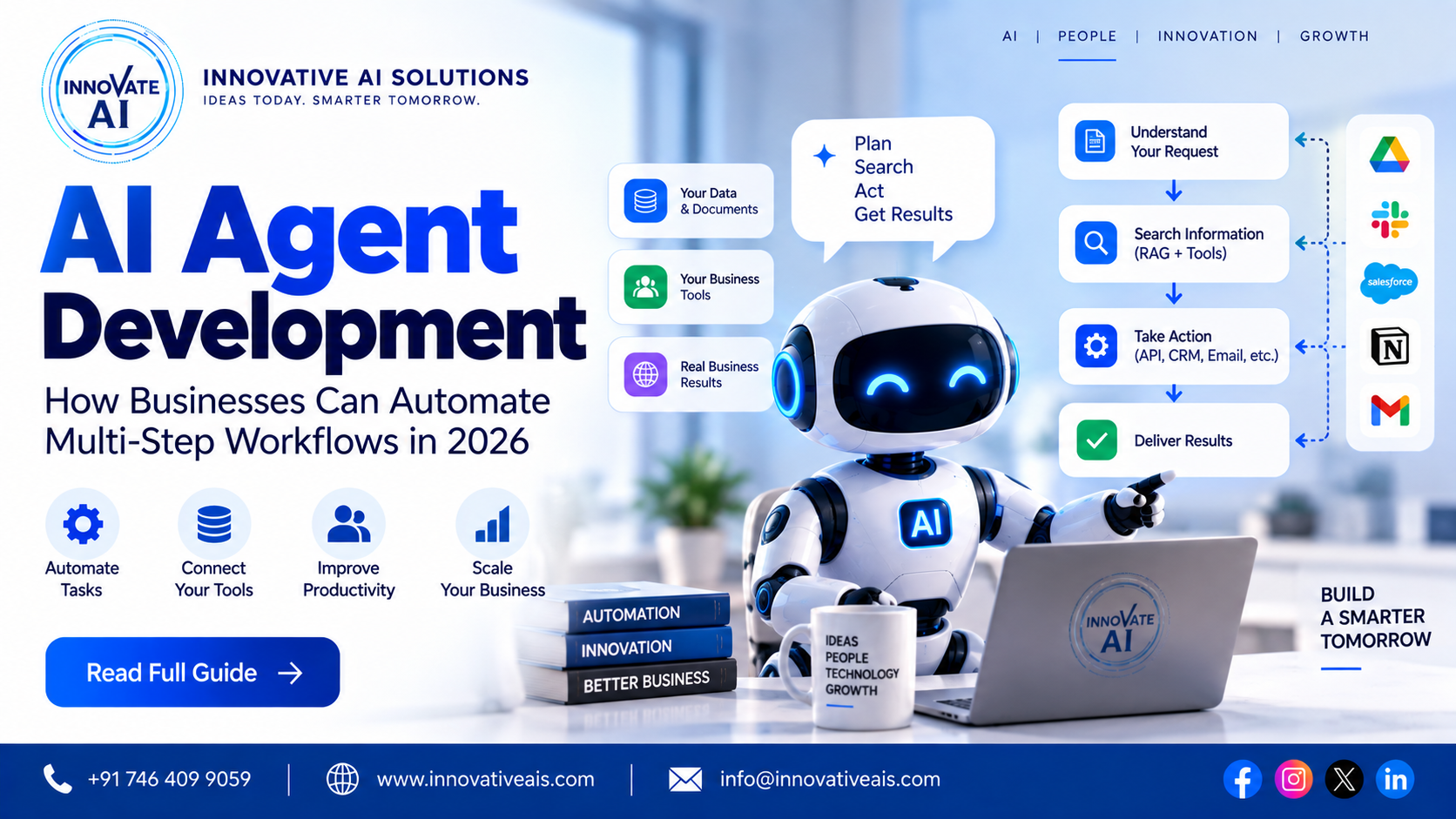
AI Agent Development: How Businesses Can Automate Multi-Step Workflows in 2026
AI has changed quite a lot in the last few years.
At first, most businesses were experimenting with AI chatbots. Then came Generative AI tools that could write content, summarize documents, answer questions and help employees with everyday tasks.
Now the conversation is moving toward AI agents.
The difference is fairly simple.
A chatbot mainly responds to a user.
An AI agent can be designed to understand a goal, decide what steps are required, use available tools, perform those steps and return the result.
For example, imagine a sales team receives a new lead through a website.
A traditional process might look like this:
New Lead
   ↓
Salesperson Checks Lead
   ↓
Reads Requirement
   ↓
Checks CRM
   ↓
Sends Email
   ↓
Calls Customer
   ↓
Updates CRM
   ↓
Schedules Meeting
An AI-assisted workflow could automate parts of this process:
New Lead
   ↓
AI Understands Requirement
   ↓
AI Qualifies Lead
   ↓
CRM Lookup
   ↓
Personalized Response
   ↓
Follow-up Workflow
   ↓
Meeting Scheduling
   ↓
CRM Update
The AI isn't simply answering a question. It is participating in a workflow.
This is why AI agent development is becoming an interesting area for companies looking to automate repetitive, multi-step business processes.
In this guide, we'll explain what AI agents are, how they work, where businesses can use them, how to build an AI agent, what technologies are involved, what security considerations matter and what companies should look for when choosing an AI agent development company in India.
What Is an AI Agent?
An AI agent is a software system that uses AI to understand a task, make decisions within defined boundaries and interact with tools or systems to accomplish that task.
A simple way to think about it is:
AI model + instructions + tools + memory/context + decision-making + actions
For example, a customer-support agent could:
- Read a customer's question
- Understand the issue
- Search the company's knowledge base
- Check the customer's order through an API
- Determine the appropriate response
- Reply to the customer
- Escalate the issue if necessary
This is different from a simple chatbot that only generates text.
AI Chatbot vs AI Agent
These terms are often used interchangeably, but there is an important difference.
Traditional AI Chatbot
A chatbot usually follows this type of flow:
User
 ↓
Question
 ↓
AI
 ↓
Answer
It is useful for:
- FAQs
- Customer support
- Basic information
- Product questions
- Internal knowledge
AI Agent
An agent can follow a longer workflow:
User
 ↓
Goal
 ↓
Understand
 ↓
Plan
 ↓
Use Tools
 ↓
Check Results
 ↓
Take Next Action
 ↓
Complete Task
For example:
"Find my order, check why it is delayed and create a support ticket."
An agent may need to:
Understand Request
       ↓
Order API
       ↓
Check Status
       ↓
Identify Problem
       ↓
Create Support Ticket
       ↓
Return Confirmation
That's where agents become particularly useful.
Why Are Businesses Interested in AI Agents?
Most businesses have repetitive processes.
Someone has to:
- Read emails
- Copy information
- Search documents
- Update CRM records
- Create reports
- Send follow-ups
- Check orders
- Categorize requests
- Prepare summaries
- Move information between systems
None of these tasks necessarily require a human to make a complex decision every time.
AI agents can potentially automate parts of these workflows.
The biggest opportunity isn't necessarily replacing an entire employee workflow.
It's removing the repetitive steps that consume employees' time.
Real Example: AI Sales Agent
Let's take a simple example.
A company receives 100 leads every day.
The existing process might be:
Lead Received
     ↓
Salesperson Reads Lead
     ↓
Checks Requirement
     ↓
Adds Lead to CRM
     ↓
Sends Response
     ↓
Follow-up
An AI sales agent could assist with:
Lead Received
     ↓
AI Reads Message
     ↓
Extracts Requirement
     ↓
Lead Qualification
     ↓
CRM Update
     ↓
Personalized Response
     ↓
Follow-up Workflow
The salesperson can then focus on qualified opportunities instead of manually processing every enquiry.
How Does an AI Agent Work?
An AI agent typically has several components.
1. User Input
The agent receives an instruction.
For example:
"Find the latest proposal from the client and summarize the key requirements."
2. Understanding
The AI interprets what the user wants.
It identifies:
- Objective
- Important entities
- Constraints
- Required information
3. Planning
The system determines what actions may be needed.
For example:
Goal:
Summarize latest client proposal

Steps:
1. Search document system
2. Find latest proposal
3. Read document
4. Extract requirements
5. Generate summary
Not every implementation needs a complex explicit planning loop. For many workflows, predefined tools and controlled orchestration can be more reliable.
4. Tool Selection
An AI agent becomes much more useful when it can interact with tools.
Tools could include:
- Search
- CRM API
- Database
- Calendar
- ERP
- Website
- File storage
- Calculator
- Internal APIs
For example:
AI Agent
   ├── Search Tool
   ├── CRM Tool
   ├── Email Tool
   ├── Calendar Tool
   └── Database Tool
The agent can use the appropriate tool based on the task.
5. Action
The agent performs an action.
For example:
- Create CRM record
- Send an email
- Search a database
- Generate a report
- Schedule a meeting
- Create a support ticket
This is where security becomes extremely important.
An AI agent should not automatically receive unlimited permissions.
6. Observation
After using a tool, the system receives the result.
For example:
Agent → CRM
       ↓
CRM → Customer Found
       ↓
Agent
The agent can then decide what to do next.
7. Completion
Once the required workflow has been completed, the agent returns a result to the user.
For example:
"I found the latest proposal, summarized the requirements and added the summary to the CRM."
AI Agent Architecture
A basic AI agent architecture might look like this:
                    USER
                      ↓
               Web / Mobile / Chat
                      ↓
                Backend API
                      ↓
              Agent Orchestrator
                      ↓
          ┌───────────┼───────────┐
          ↓           ↓           ↓
        LLM         Memory       Tools
                      │            │
                      │      ┌─────┼─────┐
                      │      ↓     ↓     ↓
                      │     CRM   API  Search
                      │
                      ↓
               Context / State
                      ↓
                 Agent Logic
                      ↓
                  Response
A production system will usually have additional layers for:
- Authentication
- Authorization
- Logging
- Monitoring
- Evaluation
- Error handling
- Rate limiting
- Audit trails
AI Agent vs Automation
There is another important distinction.
Traditional automation might look like:
IF email received
THEN create CRM record
This works well when the process is predictable.
An AI agent becomes useful when the input is less structured.
For example:
"The customer says their delivery hasn't arrived and they want an update."
The system needs to understand the request before deciding what workflow to execute.
AI can help interpret the unstructured input.
Traditional automation can then handle deterministic actions.
This combination is often more practical than trying to make the AI responsible for everything.
AI Agents and RAG
AI agents and RAG can work together.
RAG provides the agent with relevant knowledge.
The agent can then use tools to perform actions.
For example:
Customer Question
       ↓
AI Agent
       ↓
RAG Search
       ↓
Product Documentation
       ↓
CRM API
       ↓
Customer Information
       ↓
Generate Response
This creates a more capable business assistant.
For example, a support agent could:
Search the product manual → check customer order → identify issue → recommend solution → create ticket.
This is much more powerful than a basic FAQ chatbot.
AI Agent Use Cases for Businesses
AI agents can be used in many different workflows.
1. AI Sales Agent
An AI sales agent can assist with:
- Lead qualification
- Lead enrichment
- Customer questions
- CRM updates
- Follow-up
- Meeting scheduling
- Sales summaries
Example:
Lead
 ↓
AI Qualification
 ↓
CRM
 ↓
Personalized Message
 ↓
Meeting Booking
 ↓
Sales Team
2. AI Customer Support Agent
A support agent can combine:
- RAG
- CRM
- Order APIs
- Ticketing systems
Example:
"Where is my order?"
The agent can check the order system.
If the order is delayed, it can explain the status and, where authorized, create a support ticket.
3. AI HR Agent
An HR assistant could help employees with:
- Leave policies
- Company policies
- Benefits information
- Onboarding questions
- Document retrieval
With appropriate permissions, it can also interact with HR systems.
4. AI Finance Agent
Potential use cases include:
- Invoice processing
- Expense categorization
- Financial report preparation
- Document retrieval
- Payment-status queries
Finance workflows require strong access controls and human review for high-impact actions.
5. AI Document Processing Agent
A document agent can process:
Document
 ↓
OCR
 ↓
Classification
 ↓
Information Extraction
 ↓
Validation
 ↓
Database
 ↓
Notification
This is useful for organizations processing large numbers of forms, invoices, applications and other documents.
6. AI Research Agent
A research assistant can help users:
- Search approved sources
- Collect information
- Compare documents
- Summarize findings
- Generate reports
The output should be reviewed appropriately, particularly when decisions depend on the information.
7. AI IT Support Agent
An internal IT agent could help employees with:
- Common troubleshooting
- Knowledge-base search
- Ticket creation
- Ticket status
- Standard procedures
Example:
"My VPN isn't working."
The agent can search the approved troubleshooting documentation and guide the employee through the relevant steps.
8. AI E-commerce Agent
An e-commerce agent can help customers:
- Find products
- Compare products
- Answer product questions
- Check orders
- Explain returns
- Provide recommendations
It can combine product data, RAG and business APIs.
9. AI Operations Agent
Operations teams often deal with information coming from multiple systems.
An operations agent can potentially combine:
- Databases
- APIs
- Reports
- Internal documentation
and give employees a single interface to interact with those systems.
10. AI WhatsApp Agent
For businesses that receive leads or support requests through WhatsApp, an AI agent can become part of the communication workflow.
For example:
WhatsApp Message
       ↓
AI Agent
       ↓
Understand Requirement
       ↓
Retrieve Information
       ↓
Qualify Lead
       ↓
CRM
       ↓
Follow-up / Human Handoff
This can be particularly useful for:
- Real estate
- Education
- Healthcare administration
- Agencies
- E-commerce
- Service businesses
AI Agent Development for Startups
Startups should generally avoid trying to build a completely autonomous AI system from day one.
Start small.
For example:
Phase 1
Build one workflow.
Lead → Qualification → CRMPhase 2
Add:
Email → Follow-upPhase 3
Add:
Calendar → Meeting BookingPhase 4
Add analytics and optimization.
This makes it easier to measure whether the AI is actually providing value.
AI Agent Development for Enterprises
Enterprise agents require more planning.
They may need:
- SSO
- RBAC
- Audit logs
- Secure APIs
- Data governance
- Multiple systems
- Monitoring
- Human approvals
- High availability
For example:
Employee
   ↓
Enterprise Authentication
   ↓
AI Agent
   ↓
Permission Check
   ↓
Approved Tool
   ↓
Business System
The permission check should happen independently of the model's own instructions.
AI Agent Security
Security should be considered from the beginning.
An AI agent can potentially access business systems, which means a poorly designed agent could create significant risk.
Important controls include:
Authentication
Verify who the user is.
Authorization
Determine what the user is allowed to do.
Tool Permissions
Only expose necessary tools.
Data Access Controls
Limit which information the agent can retrieve.
Audit Logs
Record important actions.
Human Approval
Require confirmation before sensitive actions.
For example:
AI prepares payment
       ↓
Human approval
       ↓
Payment executed
This is safer than giving the agent unrestricted payment authority.
Prompt Injection and AI Agents
AI agents can also face security problems when untrusted content is processed.
For example, a document could contain instructions that attempt to manipulate the AI.
Therefore, agent systems should treat external content as data, not automatically as trusted instructions.
Security should be implemented at the application and tool-permission level rather than relying solely on prompts.
Human-in-the-Loop AI Agents
Not every task should be fully autonomous.
For important decisions, a human can remain in the workflow.
Example:
AI Agent
   ↓
Analyze Request
   ↓
Prepare Action
   ↓
Human Approval
   ↓
Execute
This approach is particularly useful for:
- Financial transactions
- Legal workflows
- Sensitive customer actions
- Account changes
- High-value purchases
- Critical operational decisions
AI Agent Memory
Agents may need context to complete multi-step tasks.
There are different types of memory/context.
Short-term context
Information from the current conversation or task.
Long-term business context
Information stored in appropriate databases or knowledge systems.
Task state
Information about what has already happened during a workflow.
For example:
Task Started
 ↓
Customer Found
 ↓
Order Checked
 ↓
Issue Identified
 ↓
Ticket Created
 ↓
Task Complete
State management becomes particularly important for long-running workflows.
AI Agent Evaluation
Building an agent is only the first step.
You also need to test whether it behaves correctly.
Important metrics include:
Task completion rate
Did the agent complete the requested task?
Tool selection accuracy
Did it use the correct tool?
Retrieval quality
Did it find the right information?
Response quality
Was the final response useful?
Failure rate
How often did the workflow fail?
Latency
How long did the task take?
Cost
How much did each workflow cost?
Example AI Agent Evaluation
Suppose an AI sales agent processes 1,000 leads.
You could measure:
| Metric | Example |
|---|---|
| Leads processed | 1,000 |
| Correct qualification | 910 |
| CRM update success | 980 |
| Follow-up success | 940 |
| Human escalation | 120 |
| Workflow failures | 20 |
These measurements are more useful than simply saying:
"We built an AI agent."
AI Agent Technology Stack
The technology stack depends on the use case.
Backend
Common choices include:
- Python
- FastAPI
- Django
- Node.js
- TypeScript
Frontend
Common choices include:
- React
- Next.js
- Angular
- TypeScript
AI
Depending on requirements:
- Large language models
- Embedding models
- Reranking models
- Machine learning models
- Speech models
- Vision models
Data
Potential technologies:
- PostgreSQL
- MongoDB
- Redis
- Vector databases
- Search engines
Integrations
Agents can connect to:
- CRM
- ERP
- Calendar
- Slack
- Databases
- REST APIs
- Internal business systems
Infrastructure
Potential deployment technologies include:
- AWS
- Azure
- Google Cloud
- Docker
- Kubernetes
How to Build an AI Agent
A practical development process can be divided into several stages.
Step 1: Identify the Workflow
Don't start by asking:
"Where can we use an AI agent?"
Start with:
"Which business workflow is repetitive, time-consuming and suitable for partial automation?"
Step 2: Define the Agent's Job
Write down exactly what the agent should do.
Example:
"Qualify inbound leads, update the CRM and prepare a response."
Avoid vague objectives such as:
"Build a smart sales agent."
Step 3: Define Tools
Determine what the agent actually needs.
For a sales agent:
CRM Tool
Email Tool
Calendar Tool
Knowledge Search
Don't provide unnecessary tools.
Step 4: Build the Knowledge Layer
If the agent needs company knowledge, implement an appropriate retrieval system.
This may include:
Documents
 ↓
Processing
 ↓
Embeddings
 ↓
Search
 ↓
RAG
Step 5: Implement Tool Calling
The agent should be able to call approved tools.
For example:
Agent
 ↓
get_customer()
 ↓
CRM
 ↓
Customer Data
Then:
Agent
 ↓
create_ticket()
 ↓
Support System
Step 6: Add Guardrails
Define:
- What the agent can do
- What it cannot do
- Which tools it can use
- When human approval is required
- What data it can access
Step 7: Test With Realistic Scenarios
Don't test only perfect examples.
Test:
- Missing data
- Wrong inputs
- Ambiguous requests
- API failures
- Unauthorized requests
- Long conversations
- Unexpected documents
Step 8: Deploy
Once the system is evaluated, deploy it using appropriate infrastructure.
Production deployment should include:
- Logging
- Monitoring
- Error handling
- Security
- Backups
- Performance monitoring
Step 9: Continuously Improve
AI agent development doesn't end at deployment.
Monitor:
- Failed tasks
- Incorrect tool usage
- User feedback
- Costs
- Latency
- Security events
Then improve the system.
How Much Does AI Agent Development Cost in India?
There is no fixed cost for AI agent development.
The price depends heavily on the workflow.
A basic agent that performs one or two actions is very different from an enterprise agent connected to multiple systems.
Factors include:
- Number of workflows
- Number of tools
- AI model
- Integrations
- User interface
- RAG requirements
- Data volume
- Security
- Authentication
- Infrastructure
- Monitoring
- Testing
A useful way to estimate the project is to first define:
Workflow → Tools → Data → Users → Security → Expected Volume
Then calculate the development and infrastructure requirements.
How Long Does AI Agent Development Take?
The timeline depends on complexity.
A simple proof of concept might involve:
One workflow
+
One AI model
+
Two or three tools
An enterprise system could involve:
Multiple workflows
+
Multiple AI models
+
RAG
+
CRM
+
ERP
+
Authentication
+
RBAC
+
Monitoring
+
Human approvals
These are completely different projects.
Therefore, an AI development company should ideally provide a project roadmap after understanding the requirements rather than promising an unrealistic timeline upfront.
AI Agent Development Company in India
If you're looking for an AI agent development company in India, look for a team that understands both AI and traditional software engineering.
An agent isn't just an LLM.
It needs:
Backend + APIs + databases + authentication + AI + infrastructure + monitoring.
This is especially important when the agent needs to interact with business applications.
A good development partner should be able to explain:
- How the agent will work
- Which tools it needs
- What data it can access
- How permissions work
- How failures are handled
- How the system will be evaluated
- How it will be deployed
AI Agent Development in Delhi NCR
Businesses in Delhi NCR, including Delhi, Noida, Gurugram, Greater Noida, Ghaziabad and Faridabad, can use AI agents for many practical workflows.
For example:
Real Estate
Lead
 ↓
AI Qualification
 ↓
Property Matching
 ↓
WhatsApp Follow-up
 ↓
CRM
 ↓
Meeting
Education
Student Query
 ↓
AI Agent
 ↓
Course Knowledge
 ↓
Eligibility Check
 ↓
Counsellor Handoff
E-commerce
Customer Query
 ↓
Product Search
 ↓
Inventory API
 ↓
Recommendation
 ↓
Order Support
Manufacturing
Production Query
 ↓
Technical Documentation
 ↓
RAG
 ↓
AI Analysis
 ↓
Operational Workflow
AI Agents for Small and Medium Businesses
You don't necessarily need a massive AI platform.
A small business might start with one workflow.
For example:
Automatically qualify website leads and send them to the sales team.
If that saves several hours every week and improves response time, it can already create meaningful value.
Once the workflow works reliably, additional automation can be added.
AI Agents for SaaS Products
AI agents can also become part of a SaaS product.
For example:
SaaS Application
       ↓
AI Agent Layer
       ↓
Customer Data
       ↓
Business Tools
       ↓
Automated Actions
This can allow users to interact with software through natural language.
Instead of navigating multiple screens, a user could say:
"Show me this month's high-value leads and schedule follow-ups for the ones that haven't been contacted."
The system could translate that request into appropriate operations, subject to permissions and confirmation requirements.
AI Agent vs AI Automation: Which Should You Choose?
This is an important question.
If your workflow is completely predictable:
When invoice arrives → extract fields → save to database.
Traditional automation may be enough.
If your workflow involves unstructured information:
Read the customer's message → understand the issue → search documentation → decide which workflow applies.
AI can add significant value.
In many real projects, the best solution is actually:
AI + Traditional Automation
rather than AI alone.
The Future of AI Agents
AI agents are likely to become increasingly integrated into business software.
Instead of having employees manually navigate ten different applications, some workflows may be handled through natural-language interfaces.
For example:
Employee
   ↓
"Prepare this week's sales report"
   ↓
AI Agent
   ↓
CRM
   ↓
Analytics
   ↓
Database
   ↓
Report Generator
   ↓
Manager
But the future isn't necessarily about making every workflow fully autonomous.
Reliable AI systems will likely combine:
AI reasoning + deterministic software + APIs + permissions + human oversight.
That combination is much more practical for real businesses.
Why Choose Innovative AI Solutions for AI Agent Development?
Innovative AI Solutions helps businesses explore and build AI-powered software solutions based on practical business requirements.
AI capabilities can be combined with:
- Generative AI
- RAG
- AI chatbots
- AI agents
- Document AI
- OCR
- Machine learning
- Workflow automation
- Custom software
- APIs
- Cloud infrastructure
The objective is to build systems that fit into the existing business workflow instead of creating AI technology for the sake of AI.
Our AI Agent Development Approach
Our recommended process is straightforward.
Discover
Understand the business workflow.
Identify
Find the repetitive steps that can benefit from AI.
Design
Define the agent architecture, tools, data and permissions.
Prototype
Build a focused proof of concept.
Evaluate
Test the agent against realistic scenarios.
Integrate
Connect CRM, databases, APIs and other required systems.
Secure
Add authentication, authorization and appropriate guardrails.
Deploy
Move the solution into production.
Monitor
Track performance, errors, cost and user feedback.
Improve
Continuously optimize the workflow.
Frequently Asked Questions About AI Agent Development
What is AI agent development?
AI agent development involves building software systems that use AI to understand goals, work with context, use approved tools and perform tasks or workflows.
What is the difference between an AI chatbot and an AI agent?
A chatbot generally focuses on conversation and answering questions. An AI agent can go further by using tools and performing actions as part of a workflow.
Can AI agents work with CRM systems?
Yes. An AI agent can interact with a CRM through APIs, subject to appropriate authentication and permissions.
Can AI agents use RAG?
Yes. RAG can provide agents with relevant information from business documents and knowledge bases.
Can AI agents automate sales?
They can assist with lead qualification, CRM updates, personalized responses, follow-ups and meeting scheduling, depending on the systems and permissions involved.
Can AI agents work with WhatsApp?
An AI agent backend can be integrated with supported WhatsApp business infrastructure for customer conversations, lead qualification and other workflows.
How much does an AI agent cost to develop in India?
There is no universal price. Cost depends on workflow complexity, AI models, tools, integrations, security, infrastructure and development scope.
How long does it take to build an AI agent?
A small proof of concept can be much faster than an enterprise agent connected to multiple systems. The timeline should be estimated after defining the workflow and integrations.
Are AI agents fully autonomous?
They can perform some tasks autonomously, but businesses should define clear boundaries. Sensitive workflows may require human approval.
Are AI agents secure?
They can be designed securely, but security depends on the architecture. Authentication, authorization, tool restrictions, data access controls, logging and monitoring are important.
Can AI agents replace traditional software?
Usually, they work alongside traditional software. Deterministic business logic, databases and APIs remain important components of reliable applications.
Can startups build AI agents?
Yes. Startups can begin with a narrow workflow and expand after validating the business value.