The Big Question
Why should a small business in India even consider cloud migration?
Let me be direct: your server room is holding you back.
I've spoken with hundreds of business owners across Delhi NCR. The pattern is always the same. They're spending money on hardware that depreciates. They're paying IT staff to maintain aging systems. They're losing sleep over backup failures. And when they want to scale, they're stuck waiting for new servers to arrive.
That's the reality of on-premises infrastructure for SMBs.
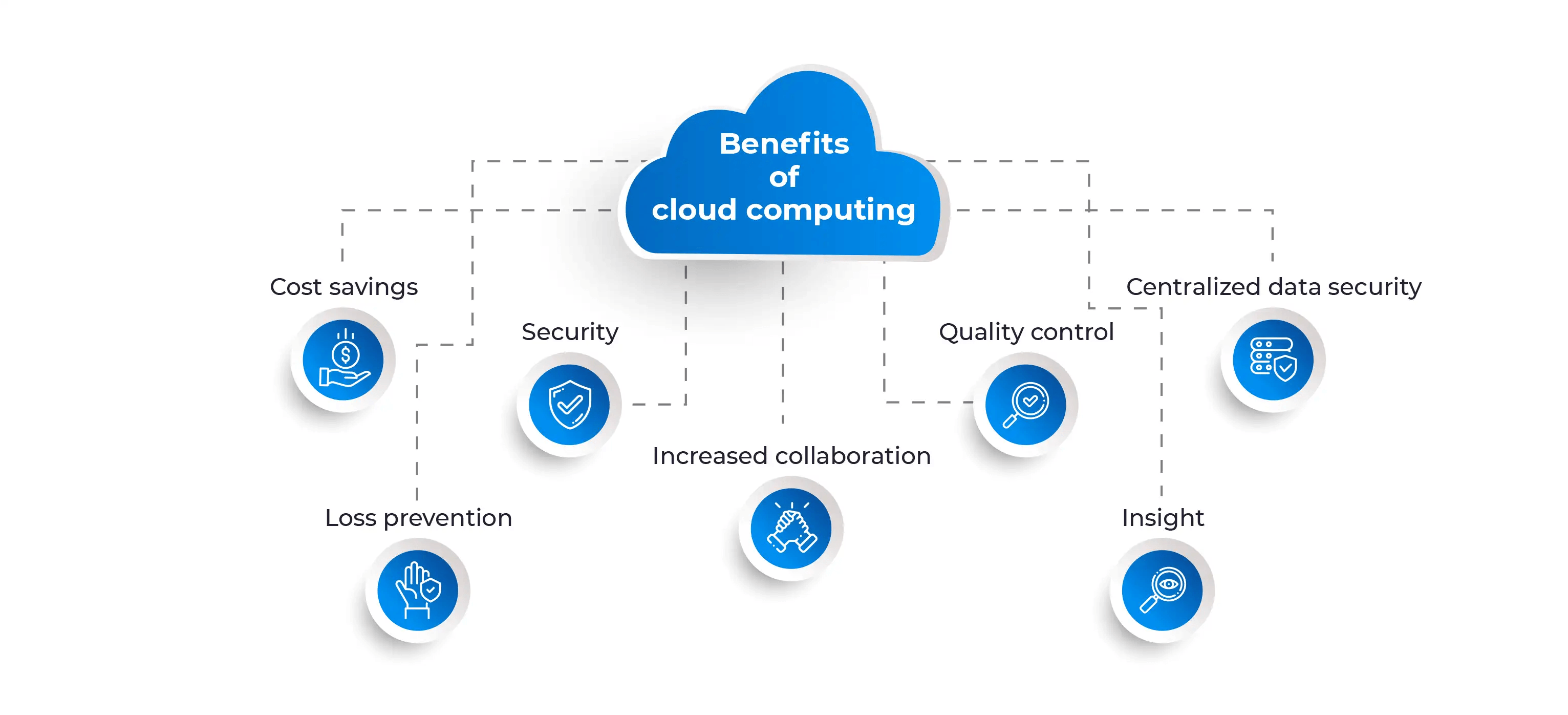
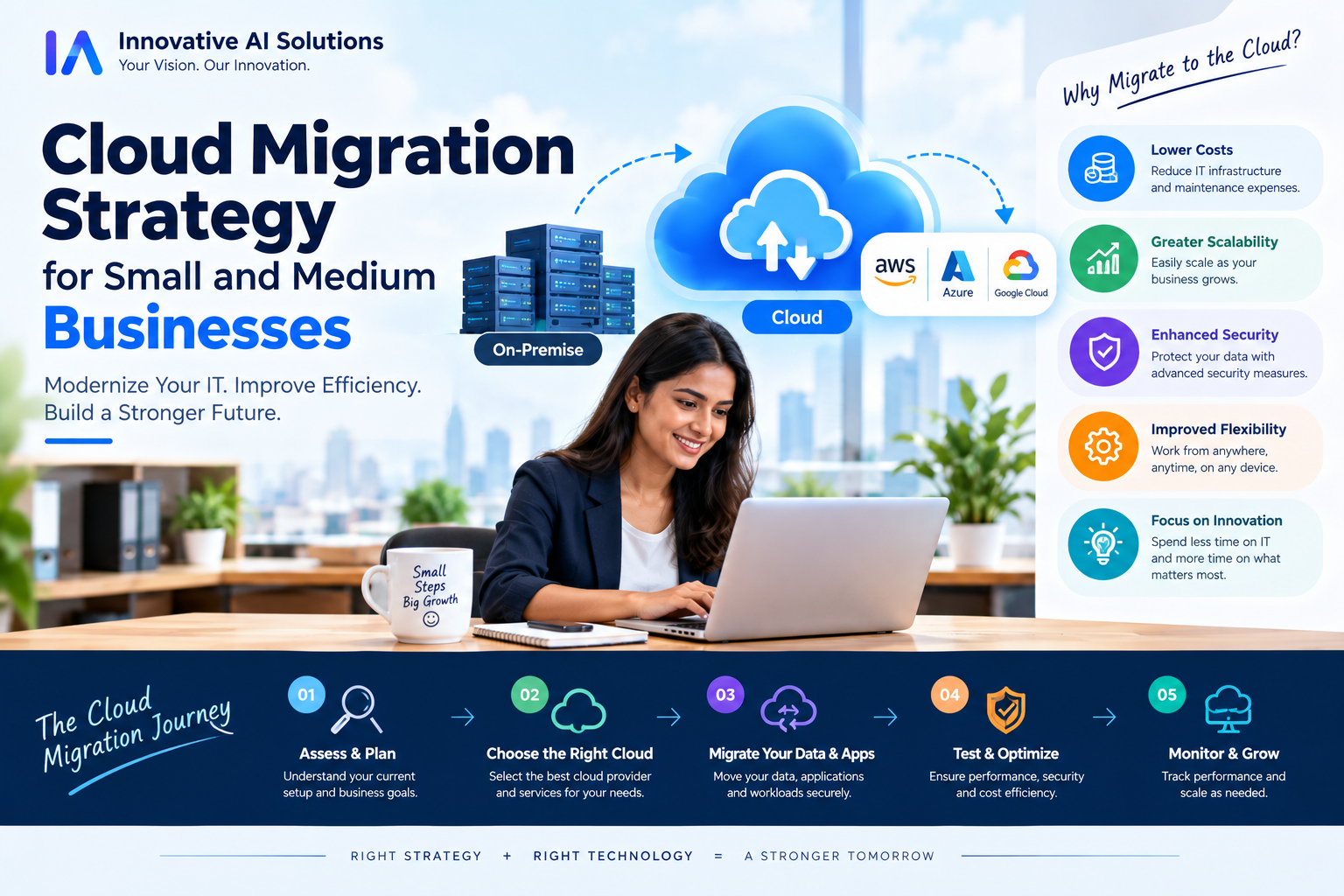
Cloud migration changes the equation. Instead of buying and maintaining physical servers, you rent computing resources from providers like AWS, Azure, or Google Cloud. You pay for what you use. You scale up or down instantly. You get enterprise-grade security without enterprise-grade budgets.
But here's the honest truth: most SMB cloud migrations fail because businesses treat them as technology projects when they're actually business decisions.
They focus on the "how" before answering the "why."
This guide will help you answer both. We'll walk through a staged approach that works for Indian SMBs—from building a measurable business case to executing migration in waves, with real costs and timelines you can plan around.
Cost Based on Migration Type
Let's talk numbers. What does cloud migration actually cost for an SMB in India in 2026?
Cloud migration services in India range from ₹1.5 lakh for basic migrations to ₹50 lakh+ for enterprise-scale projects. But for most SMBs, the relevant range is narrower.
Basic Migration (2–5 Servers)
This covers websites, small applications, and a handful of servers. Typical cost: ₹1.5 lakh to ₹5 lakh. Timeline: 2–6 weeks.
This is where most SMBs start. The focus is lift-and-shift migration—moving existing servers to the cloud with minimal changes.
SME Migration (5–15 Servers)
ERP systems, CRM databases, and multiple applications. Typical cost: ₹5 lakh to ₹15 lakh. Timeline: 6–12 weeks.
At this stage, you're not just moving servers—you're starting to optimize. Some applications get replatformed to use managed services.
Mid-Level Migration (Multiple Apps + DR)
Multiple interconnected applications, VPN, disaster recovery, monitoring. Typical cost: ₹15 lakh to ₹35 lakh. Timeline: 3–6 months.
This is where hybrid architectures become relevant. Some workloads run in the cloud while others stay on-premises.
What Affects Your Cost
Key factors include: assessment and discovery (₹80,000–₹2,00,000), architecture design (₹1,00,000–₹3,00,000), migration execution (₹3,00,000–₹10,00,000), security implementation (₹80,000–₹2,50,000), and post-migration optimization (₹30,000–₹2,50,000).
Compliance requirements like HIPAA, PCI DSS, or RBI guidelines can add 20–40% to migration costs.
Breakdown by Developer Type (2020–2026 Rates)
Here's what you need to know about cloud migration talent costs in India.
2020–2022: The Early Adoption Phase
Cloud skills were scarce. DevOps engineers commanded premium rates. A senior AWS engineer could bill ₹4,000–₹6,000 per hour. Small businesses were priced out.
2023–2024: The Talent Pool Expands
More engineers learned cloud platforms. Certification programs proliferated. Rates stabilized. Mid-level cloud engineers billed ₹2,500–₹4,000 per hour. Dedicated offshore teams became accessible for SMBs.
2025–2026: The Mature Market
Today, India has one of the deepest cloud talent pools in the world. Here's what you should expect to pay:
Freelance Cloud/DevOps Engineers: Mid-level rates run $25–$45 per hour, with senior architects at $40–$65 per hour. For short, well-defined tasks, freelancers can work—but they come with hidden costs: no replacement guarantee, no management layer, and coordination overhead on your side.
Agency/Dedicated Teams: A dedicated team model (3–8 people working exclusively on your project) runs $35–$55 per hour per person, with built-in attrition replacement and no ramp fees.
Full-Time Salaries: A junior DevOps engineer (0–2 years) earns ₹4–6 LPA. Mid-level AWS engineers earn ₹6–10 LPA. Senior cloud architects can command ₹15–25 LPA.
The Bottom Line
The talent arbitrage is real. A senior cloud engineer in India costs 20–30% of what an equivalent engineer costs in San Francisco—but builds the same systems. The skill gap narrative is outdated.
Why Prices Changed in 2026
Cloud migration costs have shifted dramatically. Here's why.
Reason 1: Tooling Matured
Migration assessment tools, infrastructure-as-code, and automated migration services have reduced manual effort. What took weeks in 2020 takes days now. AWS Application Migration Service, Azure Migrate, and Google Cloud Migration Center have simplified the process.
Reason 2: Competition Increased
More cloud consultancies, more freelancers, more automation. Competition drives prices down and quality up.
Reason 3: Cloud Vendor Incentives
Cloud providers are actively funding migration. Google Cloud's RaMP offers incentives that offset the "migration tax"—the cost of running dual systems during transition. AWS Migration Acceleration Program (MAP) provides funding for assessment and migration phases.
Reason 4: The Repatriation Paradox
Here's something most SMBs don't realize: some companies are moving workloads off the cloud. Cloud repatriation—moving from public cloud back to on-premises—can save 30–60% on infrastructure spending.
Why? Data transfer fees, unpredictable pricing, and vendor lock-in. One analysis found that 43% of IT leaders found cloud more expensive than expected.
But this doesn't mean you shouldn't migrate. It means you should be strategic about what you migrate. Stable, predictable workloads might run better on dedicated infrastructure. Variable, growing workloads benefit from cloud elasticity. The question isn't "cloud or on-premises"—it's "which workload where."
Reason 5: DPDP Act Clarification
India's Digital Personal Data Protection Act 2023 initially created uncertainty about data localization. The DPDP Rules 2025 clarified that transfers are permitted by default unless specific countries are restricted. This reduced compliance overhead for most SMB migrations.
Pro Tips to Save Money in 2026
After years of managing cloud migrations, here's what actually saves money.
Tip 1: Start with One Workload, Not Everything
Don't migrate your entire infrastructure at once. Pick one low-risk workload—an internal reporting app, a test environment—and migrate it. Learn from the experience. Refine your process. Then scale.
Tip 2: Right-Size Before You Commit
Don't buy reserved instances or savings plans before you know your actual usage. Run production workloads for 30 days. Measure. Then commit. Buying commitments too early is the most common way to lock in waste.
Tip 3: Govern Non-Production Environments
Industry research shows that 29% of cloud spend is wasted—the first rise in five years. The biggest culprit? Non-production environments that run 24/7 when they're only needed during work hours. Set auto-stop policies. Enforce tagging. Review costs weekly for the first month, then monthly.
Tip 4: Choose the Right Migration Strategy Per Workload
Not everything needs to be refactored. A portfolio approach works best: Rehost (lift-and-shift) when speed matters and the workload is stable. Replatform when you want cost or performance gains with minimal changes. Refactor when long-term agility justifies the investment. Replace with SaaS when it eliminates maintenance burden entirely.
Tip 5: Use Migration Funding Programs
AWS MAP and Google Cloud RaMP provide funding that offsets assessment and migration costs. Ask your migration partner if they're MAP-validated. This is free money—use it.
Tip 6: Negotiate IP and Exit Terms
Always own your infrastructure-as-code, Terraform state, and account credentials. Ask for an exit plan before you sign. Any vendor who resists isn't worth working with.
Questions to Ask Before Hiring
Before you hire a cloud migration partner, ask these questions. The answers will tell you everything.
1. "Show me the same workload on two clouds under one deployment workflow."
A partner who can't demonstrate multi-cloud capability is a single-cloud shop. You'll be locked in.
2. "Who owns the cloud accounts, Terraform state, and billing?"
The answer should be: you do. If the vendor owns your infrastructure, you don't own your business.
3. "What's the exit plan?"
Good partners have documented exit plans. Vague answers signal lock-in risk.
4. "How many engineers have run production Kubernetes upgrades?"
Building a cluster is one thing. Running it in production is another. Ask for proof.
5. "What does our developer platform look like on day 90?"
The migration is phase one. What happens after the consultants leave? If the answer is "we'll hand over documentation," you'll be building everything again in six months.
6. "What are your success metrics?"
Look for: applications migrated per wave, deployment frequency (DORA metrics), audit findings closed, unit cost per application, and time for a new service to reach production.
7. "Can I speak with existing clients?"
References matter. Ask for named contacts at your scale and in your industry.
8. "What's your track record on budget?"
Industry data shows that 75% of cloud migrations go over budget. Ask how your partner plans to avoid becoming part of that statistic.
Why Delhi is a Great Hub for Cloud Migration
I run an AI company in Delhi. I'm biased. But there are real reasons why Delhi NCR is becoming a powerhouse for cloud migration and AI infrastructure.
Talent Density
Delhi-NCR is second only to Bengaluru in tech talent concentration. The region's engineering colleges—IIT Delhi, DTU, NSIT—produce thousands of graduates annually. Many specialize in cloud, DevOps, and infrastructure.
Cost Advantage
Delhi offers a 20–30% cost advantage over Bengaluru for office space and talent. You get the same quality at lower cost.
Government and Enterprise Client Base
Delhi is India's administrative and corporate capital. Government agencies, PSUs, and large enterprises are here. For cloud migration partners serving regulated industries, proximity matters.
Time Zone Advantage
IST overlaps with US, UK, and Southeast Asian business hours. Real-time communication is possible without overnight shifts.
Ecosystem Maturity
Delhi NCR has a mature ecosystem of cloud providers, data centers, and consulting firms. AWS, Azure, and GCP all have strong presence. This creates competitive pressure that benefits buyers.
What We Offer
At Innovative AI Solutions, we've spent five years building cloud-native systems for businesses across India and beyond.
Cloud Migration Services
We handle the full migration lifecycle: assessment, architecture design, landing zone build, wave migration, and post-migration optimization. We work with AWS, Azure, and GCP.
Cloud-Native Development
We build applications designed for the cloud from day one—serverless, containerized, and scalable.
DevOps and CI/CD
We implement infrastructure-as-code, automated testing, and deployment pipelines that let your team ship faster.
AI Integration on Cloud
Our core specialty: integrating AI capabilities—chatbots, automation, machine learning—into cloud-native architectures.
What Sets Us Apart
We focus on results, not hype. We believe in starting small, proving value, and scaling. We believe you should own your code and infrastructure. And we believe enterprise-grade solutions shouldn't require enterprise-grade budgets.
Frequently Asked Questions
Q1: What is cloud migration, and why should my SMB care?
Cloud migration means moving your applications, data, and infrastructure from on-premises servers to cloud platforms like AWS, Azure, or Google Cloud. For SMBs, the benefits are: lower upfront costs (no hardware to buy), easier scaling, better security, and faster deployment of new features.
Q2: How much does cloud migration cost for a small business in India?
Basic migrations (2–5 servers) start at ₹1.5 lakh. SME migrations (ERP, CRM, 5–15 servers) range from ₹5 lakh to ₹15 lakh. Mid-level migrations with DR and monitoring run ₹15 lakh to ₹35 lakh.
Q3: How long does cloud migration take?
Small migrations take 2–6 weeks. SME migrations take 6–12 weeks. Larger projects with multiple applications and compliance requirements can take 3–9 months.
Q4: What's the difference between rehost, replatform, and refactor?
Rehost (lift-and-shift) moves servers as-is with minimal changes. Replatform makes small modifications to use managed services. Refactor rebuilds the application for cloud-native architecture. Start with rehost for speed. Replatform for optimization. Refactor when long-term agility justifies the investment.
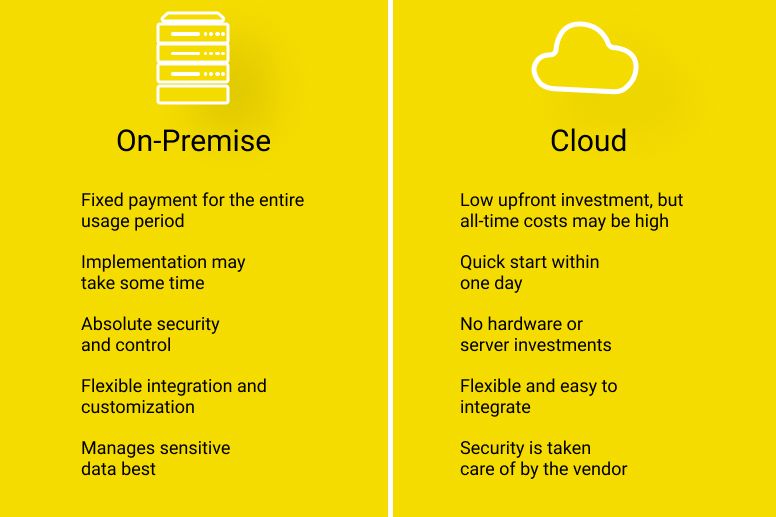
Q5: Is cloud always cheaper than on-premises?
Not always. Cloud repatriation—moving back to on-premises—can save 30–60% for stable, predictable workloads. The right approach is hybrid: core workloads on-premises, variable workloads in the cloud.
Q6: How do I ensure DPDP compliance in cloud migration?
Under DPDP Rules 2025, data transfers are permitted by default unless specific countries are restricted. For payment data, RBI requires storage in India with 24-hour repatriation of processed data. For public sector, data must stay in MeitY-empanelled data centers in India.
Q7: What are common cloud migration mistakes?
Starting with mission-critical workloads instead of low-risk ones. Buying reserved instances before measuring usage. Ignoring non-production environment costs. Not having an exit plan. Treating migration as a technology project instead of a business decision.
Q8: Should I use a freelancer or an agency for migration?
For short, well-defined tasks, freelancers can work—but they carry hidden costs (no replacement guarantee, coordination overhead). For ongoing migration and post-migration support, a dedicated team through a vetted firm produces better cost-per-outcome.
Q9: What is a landing zone, and why does it matter?
A landing zone is your pre-configured cloud environment—accounts, identity, logging, guardrails, and security baselines. Building it before you migrate prevents unmanaged sprawl and ensures every workload follows the same standards.
Q10: How do I measure migration ROI?
Track: infrastructure cost savings, reduction in infrastructure-related incidents, time to deploy changes, recovery readiness, and cost variance. Connect migration progress to business outcomes, not just IT metrics.
Frequently Asked Questions (Continued)
Q11: Can we migrate to cloud without downtime?
Yes, but it costs more. Zero-downtime migrations require blue-green deployments, database replication, and sophisticated cutover planning. Workloads that can tolerate scheduled maintenance windows are cheaper to migrate.
Q12: What's the best cloud platform for Indian SMBs?
AWS, Azure, and GCP all have strong India presence. AWS has the deepest service catalog and the largest talent pool. Azure integrates well with Microsoft ecosystems. GCP excels in data analytics and AI. Choose based on your existing stack and partner expertise.
Q13: How do we handle legacy applications that can't be migrated?
Not everything needs to move. The "7 Rs" framework includes Retain (keep on-premises) and Retire (decommission). Migrate what makes sense. Keep what doesn't.
Q14: What happens after migration?
Post-migration optimization is critical. Rightsize workloads. Implement cost monitoring. Train your team. Most SMBs overspend by 20–30% in the first months post-migration if they skip this step.
Q15: Why should I choose Innovative AI Solutions?
Because we focus on outcomes, not technology. Because we've delivered 100+ projects. Because we believe in starting small and proving value. Because your code and infrastructure are always yours.
Contact Us
Ready to plan your cloud migration strategy? Let's talk.
Phone:
+91 7464 099 059
+91 9689967356
Email:
info@innovativeais.com
Address:
9th Floor, Pearls Best Heights-I, Head Office :- 904, Netaji Subhash Place, Delhi, 110034